OP E R AT I O N
C
HAPTER
T
HREE
: TV O
PERATION
3.9
Using Automatic Picture Settings
Your Samsung TV has three automatic picture settings (“Standard”, “Natural”, and
“Mild”) that are preset at the factory. You can activate either Standard, Natural or Mild
by making a selection from the menu. Or, you can select “Custom” which automatically
recalls your personalized picture settings.
• Choose Standard for the standard factory settings.
• Natural: Optimal indoor screen condition.
• Choose Mild (“Mild Contrast”) when viewing the TV in low light, or when
playing video games.
• Choose Custom if you want to adjust the settings according to personal pref-
erence (see “Customizing the Picture, page 3.8).
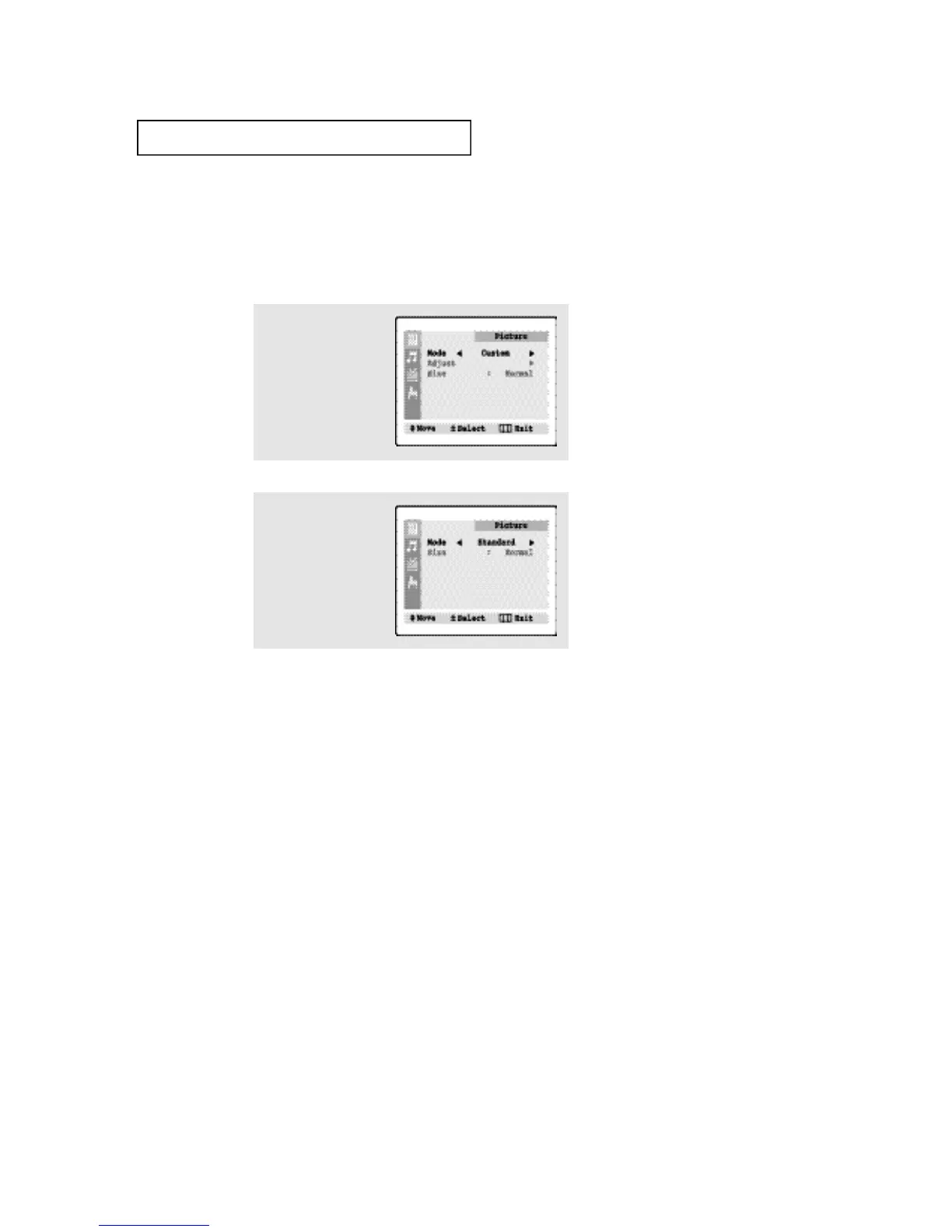
1
Press the MENU button to
display the menu.
2
Press the VOL - or VOL +
button to select the
“Standard,” “Natural,”
“Mild,” or “Custom”
picture setting.






 To Next Page