4.5
C
HAPTER
F
OUR
: S
PECIAL
F
EATURES
SP E C I A L FE AT U R E S
5
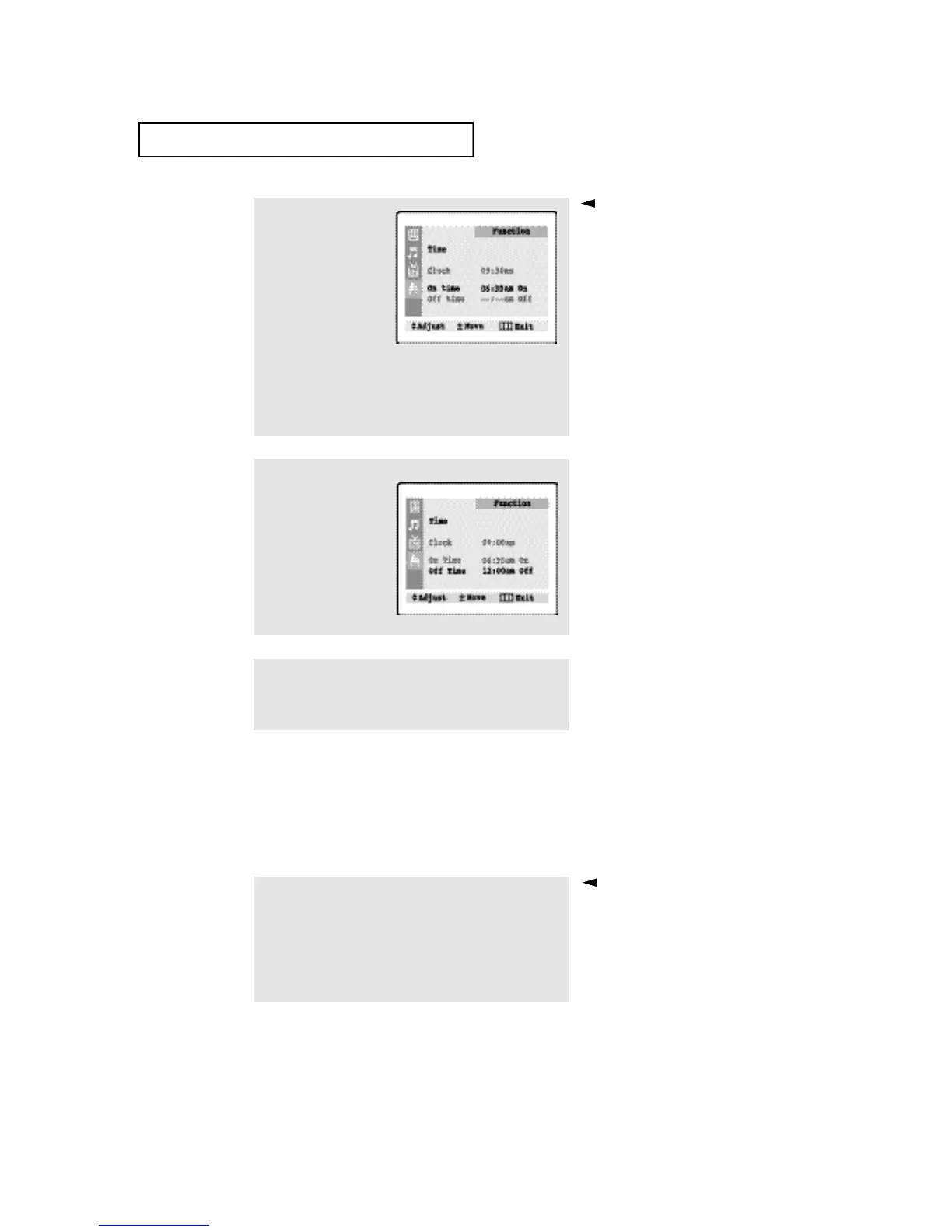
Press the VOL + button to
select “On/Off.”
Press the CH ▲ (or CH ▼)
button to turn the on-
timer “On.” (Repeatedly
pressing the CH ▲ or
CH ▼ button will alter-
nate between on and off.)
6
When finished, press the
VOL + button.
To deactivate the “On time,”
select “Off” during this step.
7
To set the Off time, press
the CH ▼ button to
select “Off time.”
Press the VOL + button
and set the hours and
minutes. (Follow the same
procedure as in steps 1~6
above.)
8
When finished setting the timer, press the MENU button three
times to exit.
1
Press the SLEEP button on the remote control.
2
Press the SLEEP button repeatedly until the appropriate time
interval appears (any of the preset values from “Off” to “180”).
After about 5 seconds, the sleep
display will disappear from the
screen, and the time interval will be
set.
Setting the Sleep Timer
The sleep timer automatically shuts off the TV after a preset time
(from 10 to 180 minutes).








 To Next Page