37
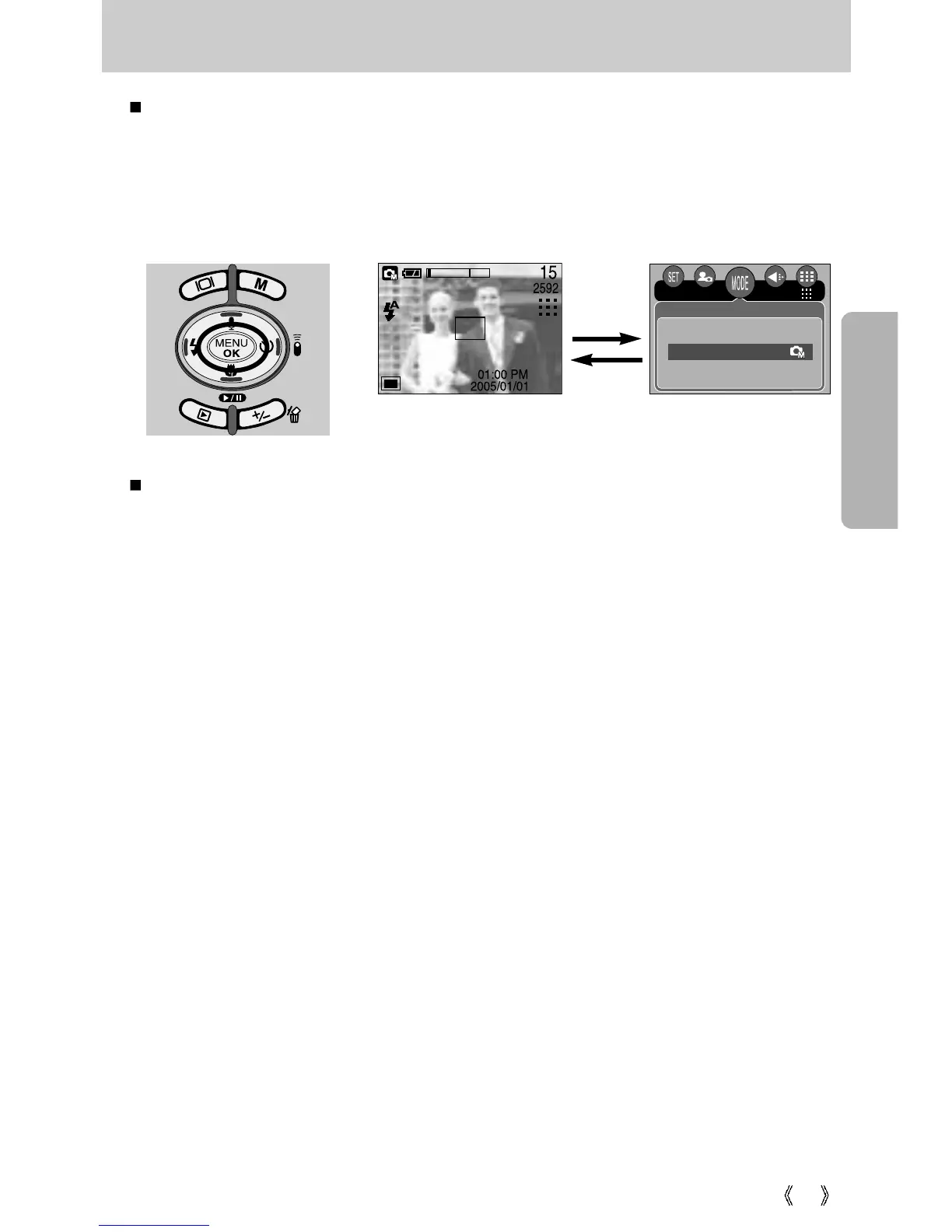
MENU/ OK button
[Menu on]
[Menu off]
MENU button
- When you press the MENU button, a menu related to each camera mode will be displayed
on the LCD monitor. Pressing it again will return the LCD to the initial display.
- A menu option can be displayed when the following are selected :
MOVIE CLIP and STILL IMAGE mode. There is no menu available when the VOICE
RECORDING mode is selected.
OK button
- When the menu is displayed on the LCD monitor, this button is used for shifting the cursor
to the sub menu or for confirming data.
Mode
Auto
Manual
Scene
Pressing the
MENU
button
2592








 To Next Page