68
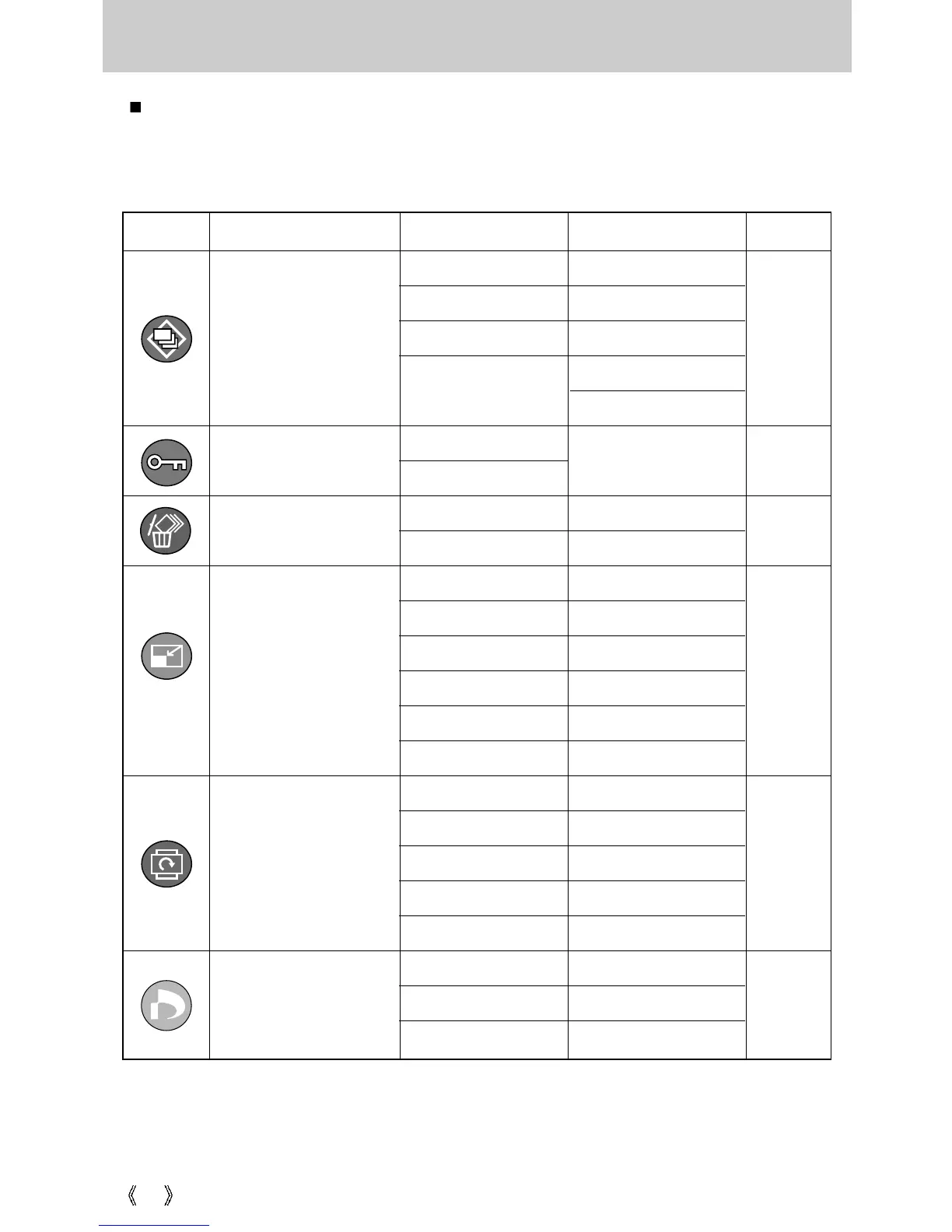
Setting up the play back function using the LCD monitor
PLAY mode functions can be changed by using the LCD monitor. In the PLAY mode,
pressing the MENU button displays the menu on the LCD monitor. The menus you can set
up in Play mode are as follows. To capture an image after setting up the play menu, press
the PLAY mode button or shutter button.
Menu tab Main menu Sub menu Secondary menu Page
-
-
-
-
-
-
-
-
-
-
-
-
-
Slide
p. 73
p. 72
p. 71
-
1, 3, 5, 10sec
Off / On
Cancel
Effect 1, 2, 3, 4
Right 90
˚
Left 90
˚
180
˚
Horizontal
Vertical
Start
Interval
Repeat
DPOF
Standard
Index
Size
Select/ All Pics/ Cancel
No/ Yes
Select/ All Pics/ Cancel
Protect
Delete
Effect
Select
All Pics
Select
All Pics
Unlock / Lock
Resize
Rotate
p. 74
p. 75
p. 75
2272 x 1704
2048 x 1536
1600 x 1200
1024 x 768
640 x 480
User Image








 To Next Page