Basic functions
19
Selecting options
6
Press [ ] or [ ] to scroll to White Balance, and then
press [
] or [ ].
Photo Size
Quality
EV
ISO
White Balance
Face Detection
Focus Area
Exit Back
7
Press [ ] or [ ] to scroll to a White Balance option.
Daylight
Back Move
8
Press [ ].
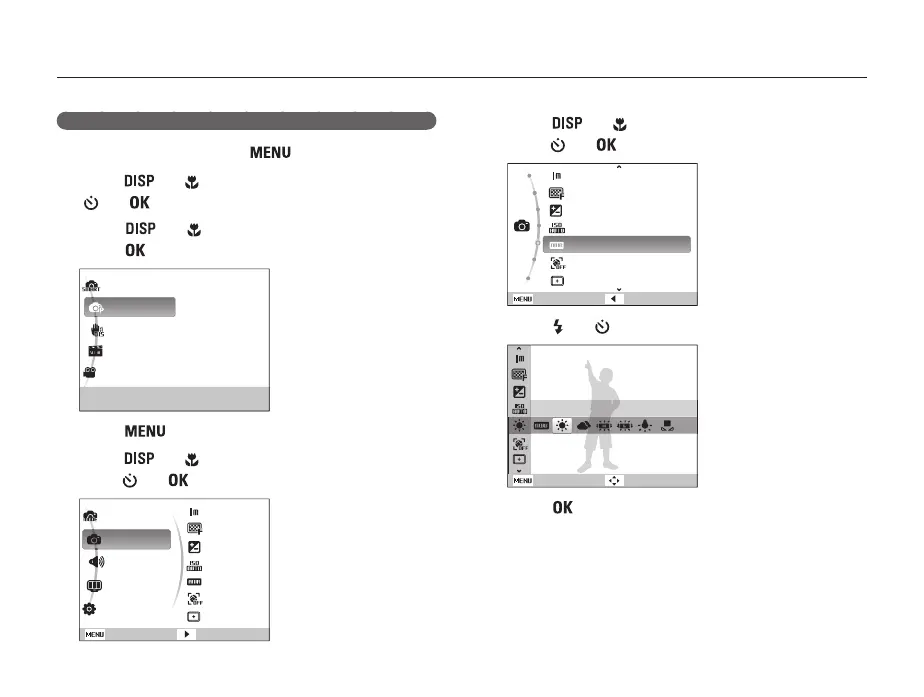
Example: Selecting a White Balance option in the P mode
1
In Shooting mode, press [ ].
2
Press [ ] or [ ] to scroll to Mode, and then press
[
] or [ ].
3
Press [ ] or [ ] to scroll to Program, and then
press [
].
Smart Auto
Program
DIS
Scene
Movie
This mode allows you to directly set various
features for shooting.
4
Press [ ].
5
Press [ ] or [ ] to scroll to Shooting, and then
press [
] or [ ].
Mode
Shooting
Sound
Display
Settings
Photo Size
Quality
EV
ISO
White Balance
Face Detection
Focus Area
Exit
Change



 To Next Page