040
White balance
The white balance control allows you to
adjust the colors to appear more natural.
Mode Icon Description
Auto WB
The camera automatically selects the
appropriate white balance settings, depending
on the prevailing lighting conditions.
Daylight
For taking images outside.
Cloudy
For taking images under a cloudy and over-
cast sky.
Fluorescent_H
)RUVKRRWLQJXQGHUGD\OLJKWÀXRUHVFHQWW\SHV
RIWKUHHZD\ÀXRUHVFHQWOLJKWLQJ
Fluorescent_L
6KRRWLQJXQGHUZKLWHÀXRUHVFHQWOLJKWLQJ
Tungsten
For shooting under tungsten (standard light
bulb) lighting.
Measure:Shutter
Allows the user to set the white balance ac-
cording to the shooting condition.
Ä
Different lighting conditions may cause a color cast on your images.
Shooting ( )
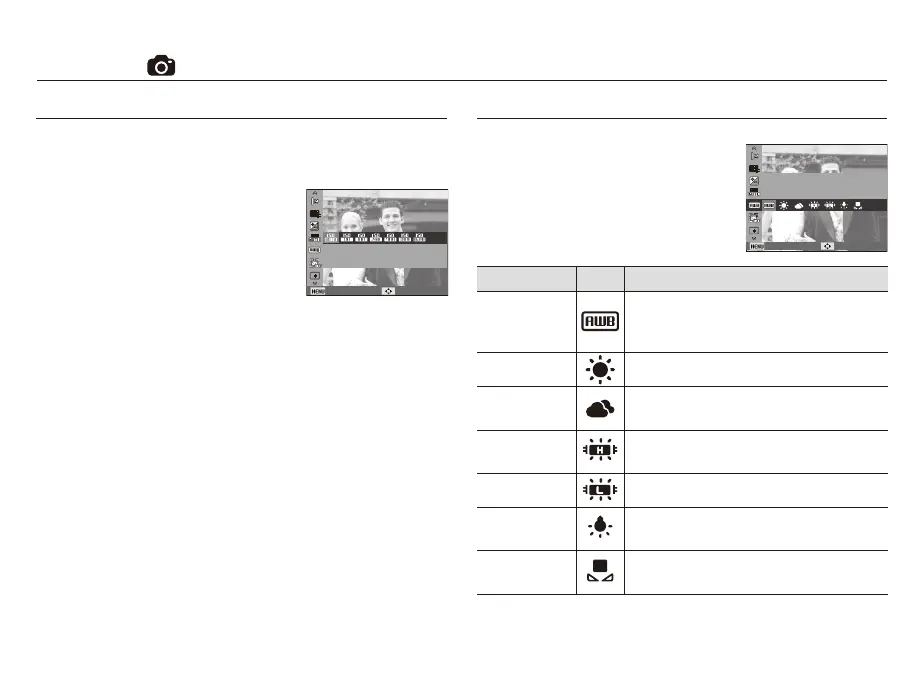
ISO
[Auto] : The camera's sensitivity is
automatically changed by
variables such as lighting value
or subject brightness.
[ISO 80, 100, 200, 400, 800, 1600] :
You can increase the shutter speed while
the same amount of light is present, by
increasing the ISO sensitivity. However, the
image may be saturated in high luminance.
The higher the ISO value, the higher the camera’s sensitivity to
light and therefore the greater its capacity to take pictures in dark
conditions. However, the noise level in the image will increase as
the ISO value increases, making the image appear coarse.
Ä
When [Motion Capture] is set, ISO speed will be set to Auto.
Ä
[ISO] is enabled only in [Program] or [Photo Help Guide] mode.
You can select the ISO sensitivity when taking pictures.The speed or
VSHFL¿FOLJKWVHQVLWLYLW\RIDFDPHUDLVUDWHGE\,62QXPEHUV
Adjust the white balance according to the light source.
White Balance
Back Move
ISO
Adjust the sensitivity of the camera.
Back Move



 To Next Page