033
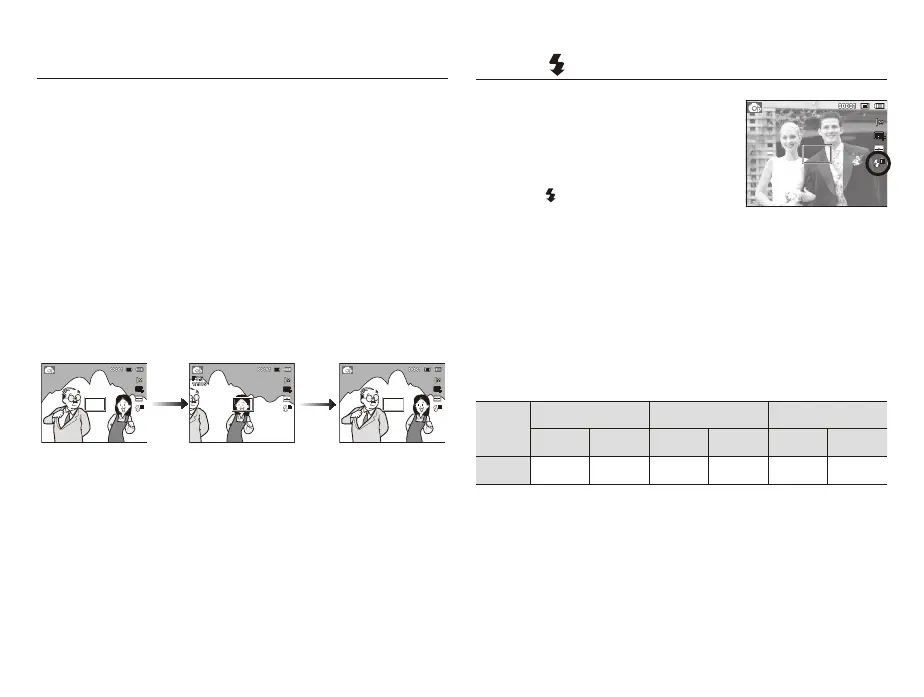
Focus lock
To focus on a subject not positioned in the center of the picture, use
the focus lock function.
3. Recompose the
picture and fully
depress the shutter
button.
1. The image to be
captured.
2.
Press the shutter
button halfway and
focus on the subject.
Using the Focus Lock
1. Ensure the subject is in the center of the autofocus frame.
2. Press the shutter button halfway. When the green auto focus
frame lights up, it means the camera is focused on the subject.
Be careful not to press the shutter button all the way down to
avoid taking an unwanted picture.
3. With the shutter button still pressed down only halfway, move the
camera to recompose your picture as desired, and then press
the shutter button completely to take the picture. If you release
\RXU¿QJHUIURPWKHVKXWWHUEXWWRQWKHIRFXVORFNIXQFWLRQZLOOEH
cancelled.
Flash ( ) / Left button
When the menu is displayed on the LCD
monitor, pressing the Left button makes the
cursor shift to the left tab.
When the menu is not displayed on the
LCD monitor, the Left button operates as
the Flash (
) button.
6HOHFWLQJWKHÀDVKPRGH
1. Select a desired Recording mode, except the [Movie] mode and
the [DIS] mode. (p.21)
3UHVVWKH)ODVKEXWWRQXQWLOWKHGHVLUHGÀDVKPRGHLQGLFDWRULV
displayed on the LCD monitor.
$ÀDVKPRGHLQGLFDWRUZLOOEHGLVSOD\HGRQWKH/&'PRQLWRU
8VHWKHFRUUHFWÀDVKWRVXLWWKHHQYLURQPHQW
Flash range
(Unit: m)
ISO
Normal Macro Auto macro
WIDE TELE WIDE TELE WIDE TELE
AUTO 0.8~2.85 0.8~1.59 0.2~0.8 0.5~0.8 0.2~2.85 0.5~1.59
>6HOHFWLQJWKH$XWRÀDVK@



 To Next Page