054
Settings ( )
7KLVIXQFWLRQDOORZVWKHXVHUWRVHOHFWWKH¿OHQDPLQJIRUPDW
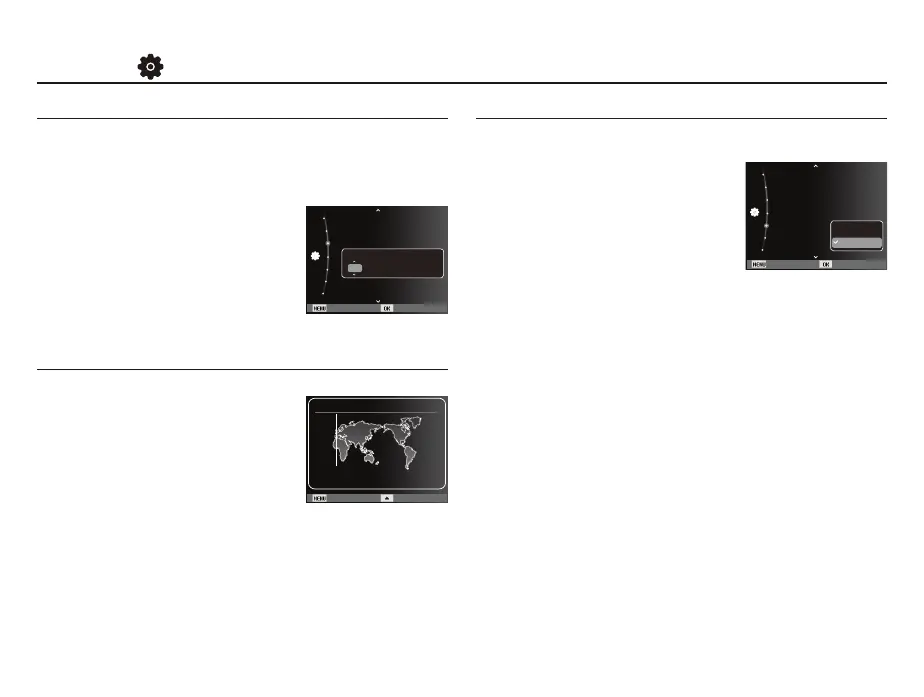
[Reset] : After using the reset function,
WKHQH[W¿OHQDPHZLOOEHVHW
from 0001 even after formatting,
deleting all or inserting a new
memory card.
[Series]*
1HZ¿OHVDUHQDPHGXVLQJQXP-
bers that follow the previous sequence, even when a new
memory card is used, or after formatting, or after deleting
all pictures.
7KH¿UVWVWRUHGIROGHUQDPHLV3+272DQGWKH¿UVW¿OHQDPH
is SAM_0001.
- File names are assigned sequentially from SAM_0001
SAM_0002
~
SAM_9999.
- The folder number is assigned sequentially from 100 to 999 as
follows: 100PHOTO
101PHOTO
~
999PHOTO.
0D[LPXPQXPEHUVRI¿OHVLQDIROGHUDUH
7KH¿OHVXVHGZLWKWKHPHPRU\FDUGFRQIRUPWRWKH'&)'HVLJQ
UXOHIRU&DPHUD)LOHV\VWHPVIRUPDW,I\RXFKDQJHWKHLPDJH¿OH
name, the image may not play back.
File name
Available cities:
London, Cape Verde, Mid-Atlantic,
Buenos Aires, Sao Paulo, Newfoundland,
Caracas, La Paz, NewYork, Miami,
Chicago, Dallas, Denver, Phoenix, LA,
San Francisco, Alaska, Honolulu, Hawaii,
Samoa, Midway, Wellington, Auckland,
Okhotsk, Guam, Sydney, Darwin,
$GHODLGH6HRXO7RN\R%HLMLQJ+RQJ.RQJ%DQNRN-DNDUWD
Yangon, Almaty, Kathmandu, Mumbai, New Delhi, Tashkent,
Kabul, Abu Dhabi, Teheran, Moscow, Athens, Helsinki, Rome,
Paris, Berlin
Ä
DST : Daylight Saving Time
Setting up the Date / Time / Date type
You can change the date and time that will be displayed on the
captured images and set up the date type. Setting [Time Zone]
enables you to display the local date and time on the LCD monitor
when travelling overseas.
-
Date type : [yyyy/mm/dd], [mm/dd/yyyy],
[dd/mm/yyyy], [Off]*
Time Zone
Back DST
London
[GMT +00:00] 2011/01/01 12:00 PM
Time Zone
Back Set
Reset
Date & Time :
11/0 1/01
Time Zone :London
File No. :Series
Imprint :Off
Format
Auto Power Off :3 min
Reset
Series
Back Set
Reset
Date & Time :
11/01/01
Time Zone :London
File No. :Series
Imprint :Off
Format
Auto Power Off :3 min
2011 / 01 / 01 12:00 Off
yyyy mm dd



 To Next Page