053
Formatting the memory
Settings ( )
All camera menu and function settings will be restored to their
default values. However, values for Date & Time, Language and
Video Out will not be changed.
- Sub menus
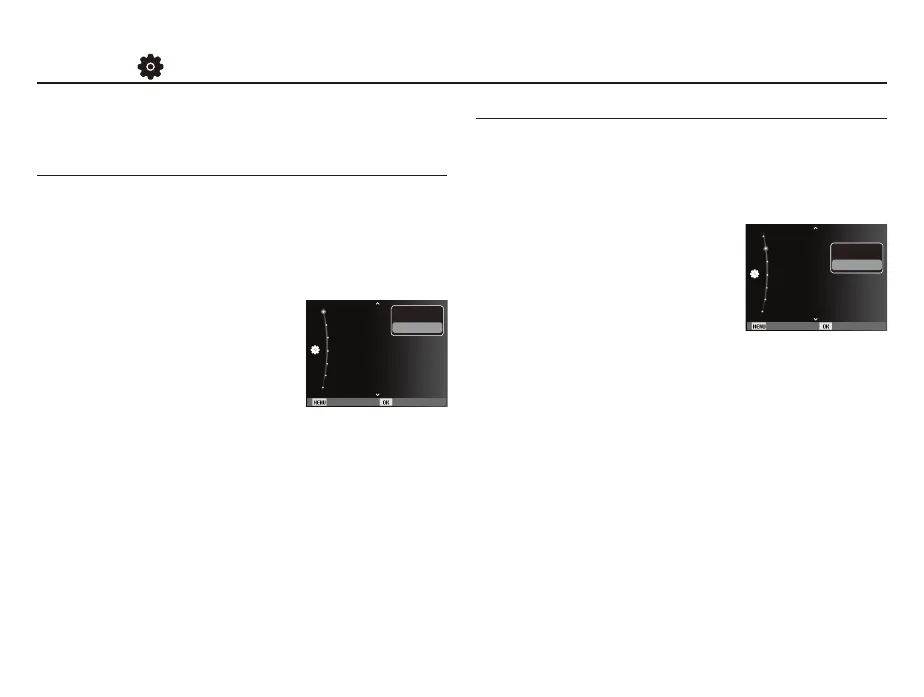
><HV@$ZLQGRZWRFRQ¿UPWKH
selection will be displayed.
Select the [Yes] menu and
all settings will be restored
to their defaults.
[No]* : Settings will not be restored to
their defaults.
Initialization
This is used for formatting the memory. If you run [Format] on the
memory, all images, including the protected images will be deleted.
Be sure to download important images to your PC before formatting
the memory.
- Sub menus
><HV@ $ZLQGRZIRUFRQ¿UPLQJWKH
selection displays. Select the
[Yes] menu. A [Formatting]
message appears and the
memory will be formatted.
A [Format is completed] message
DSSHDUVDQGIRUPDWWLQJLV¿QLVKHG
[No]* : The memory will not be formatted.
Be sure to run [Format] on the following types of memory card.
- A new memory card or an unformatted memory card.
$PHPRU\FDUGWKDWKDVD¿OHWKLVFDPHUDFDQWUHFRJQL]HRURQH
that has been taken from another camera.
- Always format the memory card using this camera. If you insert a
memory card that has been formatted using other cameras,
memory card readers or PCs you will get a [Card Error]
message.
The items indicated by * are default settings.
Ä
Menus are subject to change without prior notice.
Back Set
Reset
Date & Time :Off
Time Zone :London
File No. :Series
Imprint :Off
Format
Auto Power Off :3 min
Yes
No
Back Set
Reset
Date & Time :
11/01/01
Time Zone :London
File No. :Series
Imprint :Off
Format
Yes
No
Auto Power Off :3 min


 To Next Page