089
7UDQVIHUULQJ¿OHVWR\RXUFRPSXWHUIRU:LQGRZV
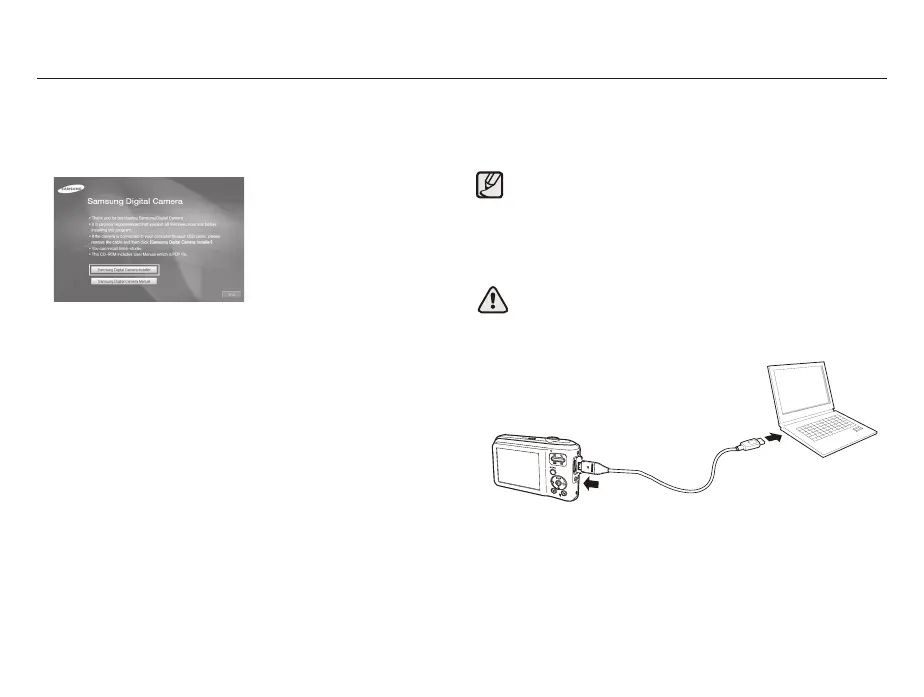
1. Insert the installation CD in a compatible CD-ROM drive.
2. When the setup screen is displayed, click Samsung Digital
Camera Installer to start installation.
3. Select programs to install and follow the onscreen instructions.
4. Click ([LW to complete the installation and restart your computer.
Transferring files to your PC
Once you connect the camera to your PC, the camera will be
recognized as a removable drive.
1. Connect your camera to your PC with the USB cable.
The battery will be charged while the camera is connected to a
PC with the USB cable.
<RXPXVWSOXJWKHHQGRIWKHFDEOHZLWKWKHLQGLFDWRUOLJKWŸ
into your camera. If the cable is reversed, it may damage your
¿OHV7KHPDQXIDFWXUHULVQRWUHVSRQVLEOHIRUDQ\ORVVRIGDWD



 To Next Page