GB
9
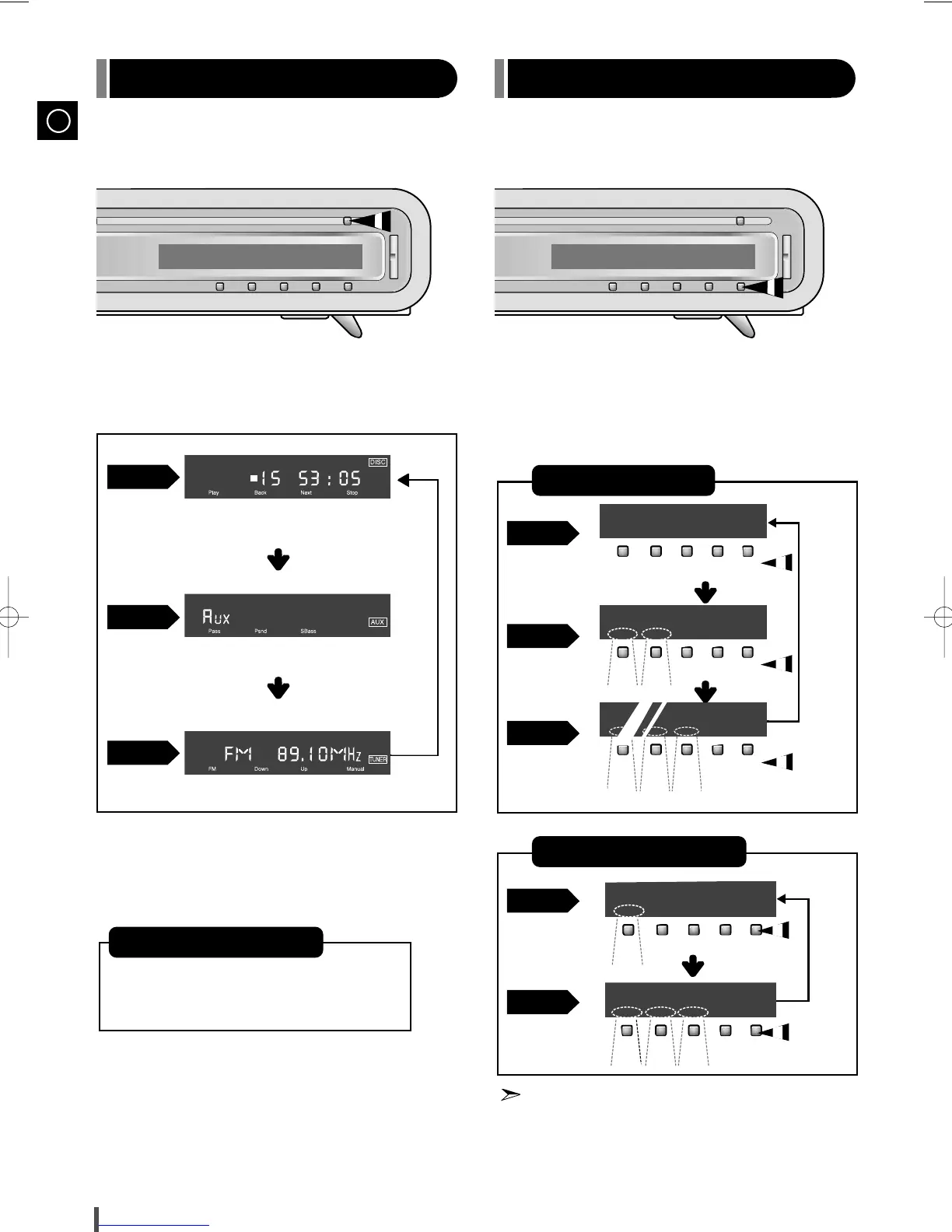
• Press the Function button
Each time the button is pressed, one of the following
function are selected.
• Press the Mode button on the front panel of the main unit.
Each time the button is pressed, the selection changes as follows.
You can pressed the button below the display to select the
desired function.
(For example, 15 tracks with
playback time of 53:05)
(For example, FM 89.1 MHz)
Select CD
Normal
Mode
Mode 1
Mode 2
Normal
Mode
Mode 1
Select AUX
Select TUNER
During TUNER operation
About the Mode button
If no button is pressed within 8 seconds
while in the Mode 1 or Mode 2, the Dis-
play switches to the Normal Mode.


 To Next Page