40
Music PlayerApplications
Listen to your favorite songs
with the Music player. Navigate
through your music library, play
songs, and create customized
playlists.
Listen to Music
1. From a Home screen, tap Apps > Music.
2. Tap a library category at the top of the screen to
view your music files.
3. Scroll through the list of songs and tap an entry
to begin playback.
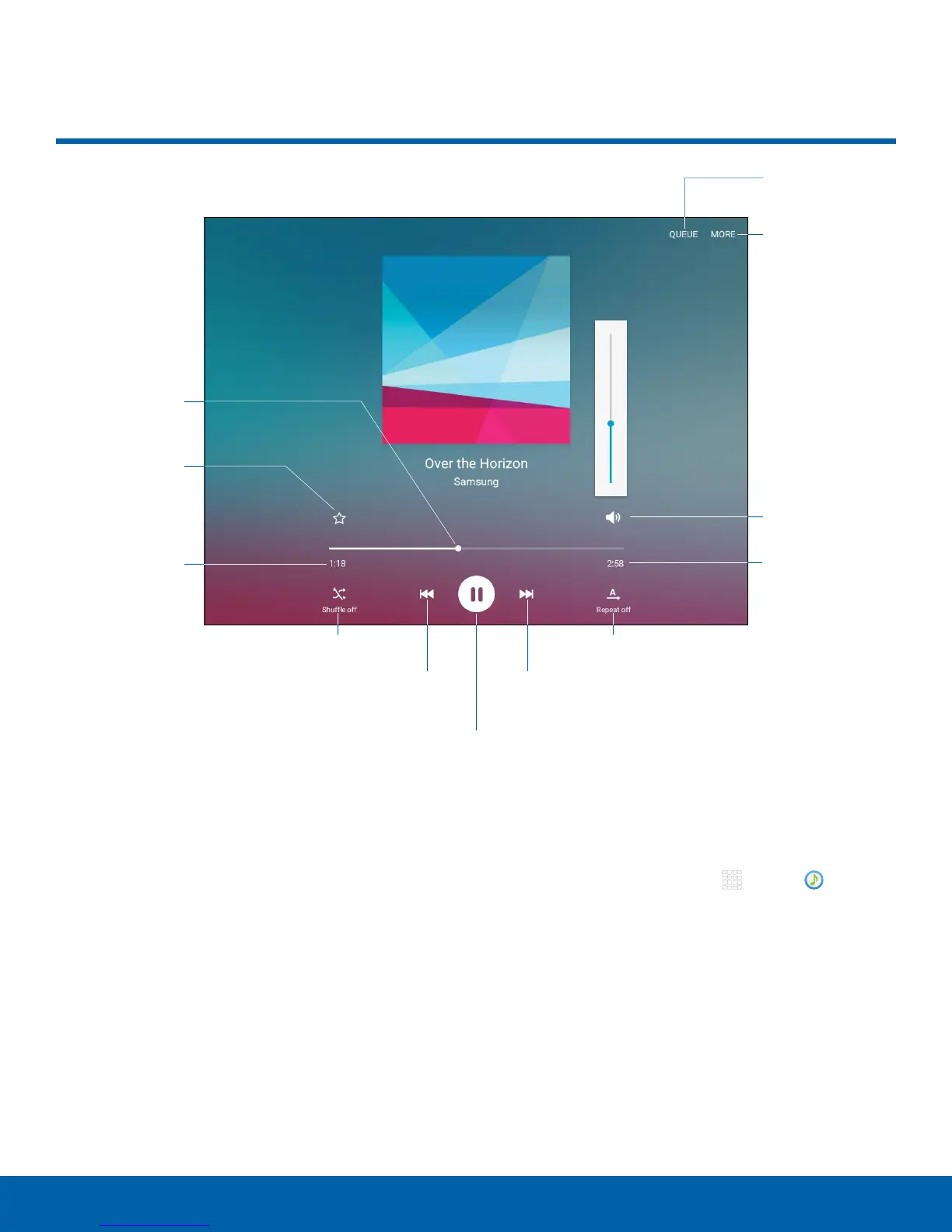
Music Player
Rewind song or go
toprevious song
Scan forward or
gotonext song
Pause/Play
Volume
More options
Repeat the song
orplaylist
Length of song
View queue
Elapsed
playing time
Shuffle songs
Mark as
favorite
Playback
position










 To Next Page