62
UsersSettings
Share this tablet with multiple
people by creating User
accounts.
Users have their own space,
which they can customize with
their own apps, wallpaper, and
so on. Users can also adjust
settings like Wi-Fi which affect
everyone.
Restricted profiles allow only
limited access to apps and
content.
Set Up User Profiles
Set up user profiles and then select one when
unlocking the device to use personalized settings.
1. From a Home screen, tap
Apps > Settings
> Users.
2. To add a new user or profile, tap
Add user
orprofile.
Deleting a User or Profile
1. From a Home screen, tap Apps > Settings
> Users.
2. Tap
Delete next to a User profile to delete it.
Note: Only the Device Owner can delete other User
accounts.
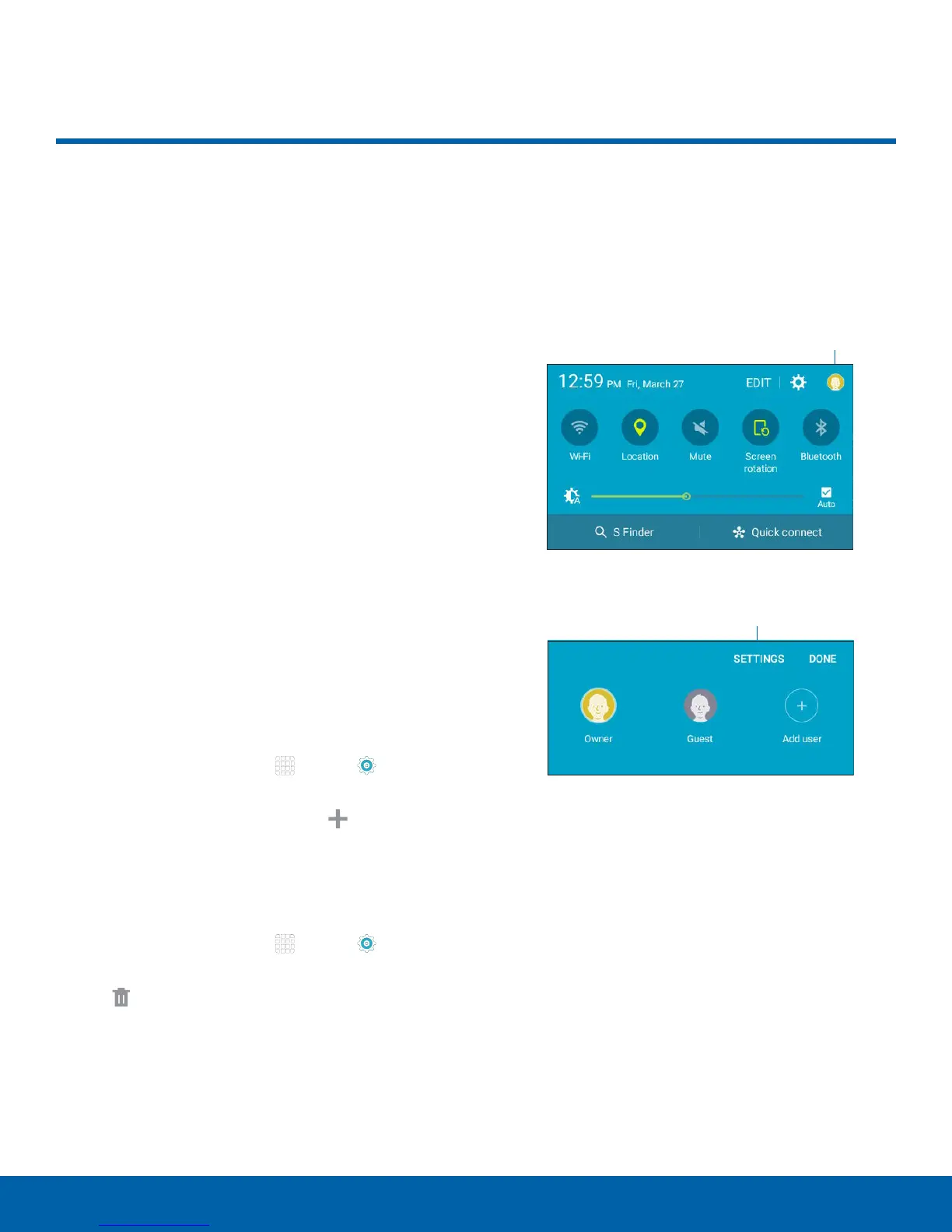
Use User Profiles
Switch between users by sliding down the
Notification Panel and tapping the Users icon. Then
you can tap another user, add a user, or configure
user settings.
Users icon
Users settings
Users










 To Next Page