18
USING THE AUTO COOK FEATURE
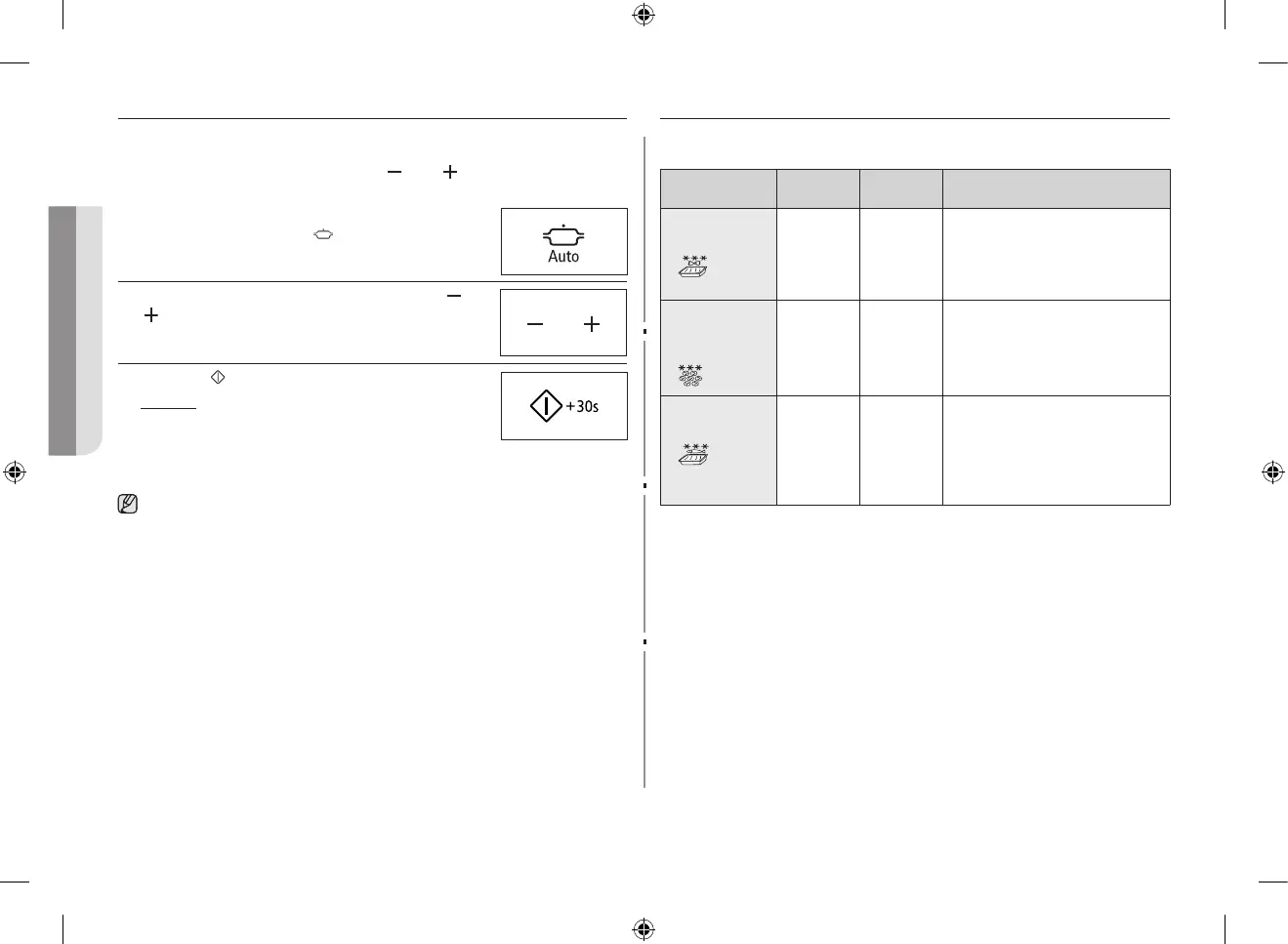
The Auto Cook feature has three pre-programmed cooking times. You do
not need to set either the cooking times or the power level. You can adjust
the number of servings by pressing the ( ) and ( ) buttons.
First, place the food in the centre of the turntable and close the door.
1. Select the type of food that you are cooking by
pressing the Auto Cook (
) button once or more
times.
2. Select the size of the serving by pressing the (
) and
( ) buttons. (Refer to the table on the side).
3. Press the (
) button.
Result : Cooking starts. When it has finished.
1) The oven beeps four times.
2) The end reminder signal will beep 3
times (once every minute).
3) The current time is displayed again.
Use only recipients that are microwave-safe.
AUTO COOK SETTINGS
The following table presents the various Auto Cook Programmes, quantities,
standing times and appropriate recommendations.
Code/Food Portion
Standing
time
Recommendations
1. Frozen pasta
gratin
200 g
400 g
2-3 min. Put the frozen pasta gratin into a
suitable sized glass pyrex dish. Put
the dish on the rack. This programme
is suitable for frozen pasta gratin such
as lasagne, cannelloni or macaroni.
2. Frozen mini
quich/Mini
pizza
150 g
(4-6 pcs)
250 g
(7-9 pcs)
- Put the frozen mini-quiches or
minipizzas evenly on the rack.
3. Frozen fish
gratin
200 g
400 g
2-3 min. Put the frozen fish gratin into a
suitable sized glass pyrex dish. Put
the dish on the rack. This programme
is suitable for frozen ready products
consisting o fish fillets topped with
vegetables and sauce.
GE87MC_XEE_DE68-04114D-04_EN.indd 18 2014-09-19 12:16:32


 To Next Page