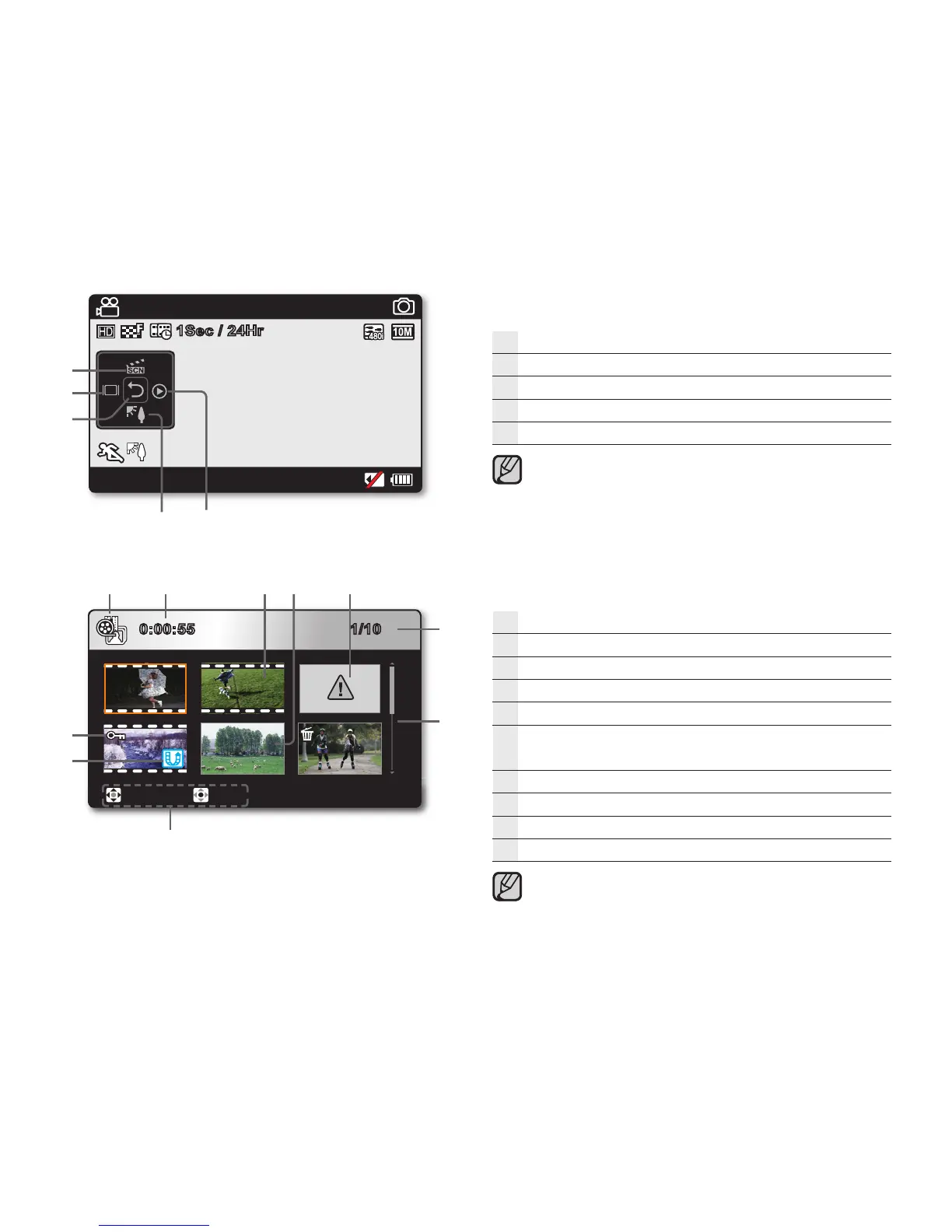
Record mode: Shortcut menu (OK Guide)
Quick View
Back light
Shortcut menu (OK Guide) / Return
Display
iSCENE
The shortcut menu (OK guide) represents the most frequently
accessed functions according to the selected mode. Touching
the OK button will display a shortcut menu of frequently used
functions on the LCD screen.
Play mode : Thumbnail View
Play mode
Recorded video time
Video fi le
Photo fi le
Error fi le
Image counter
(current fi le/total number of recorded fi les)
Scroll bar
Button guide
Share mark
Protection
This camcorder provides one play mode for both video and
photo recordings. You can easily play videos or photos in the
same mode without having to switch modes.
English_21
0:00:55 1/10
Move Play
90Min
STBY
3058
1Sec / 24Hr
JAN/01/2009 12:00 AM








 To Next Page