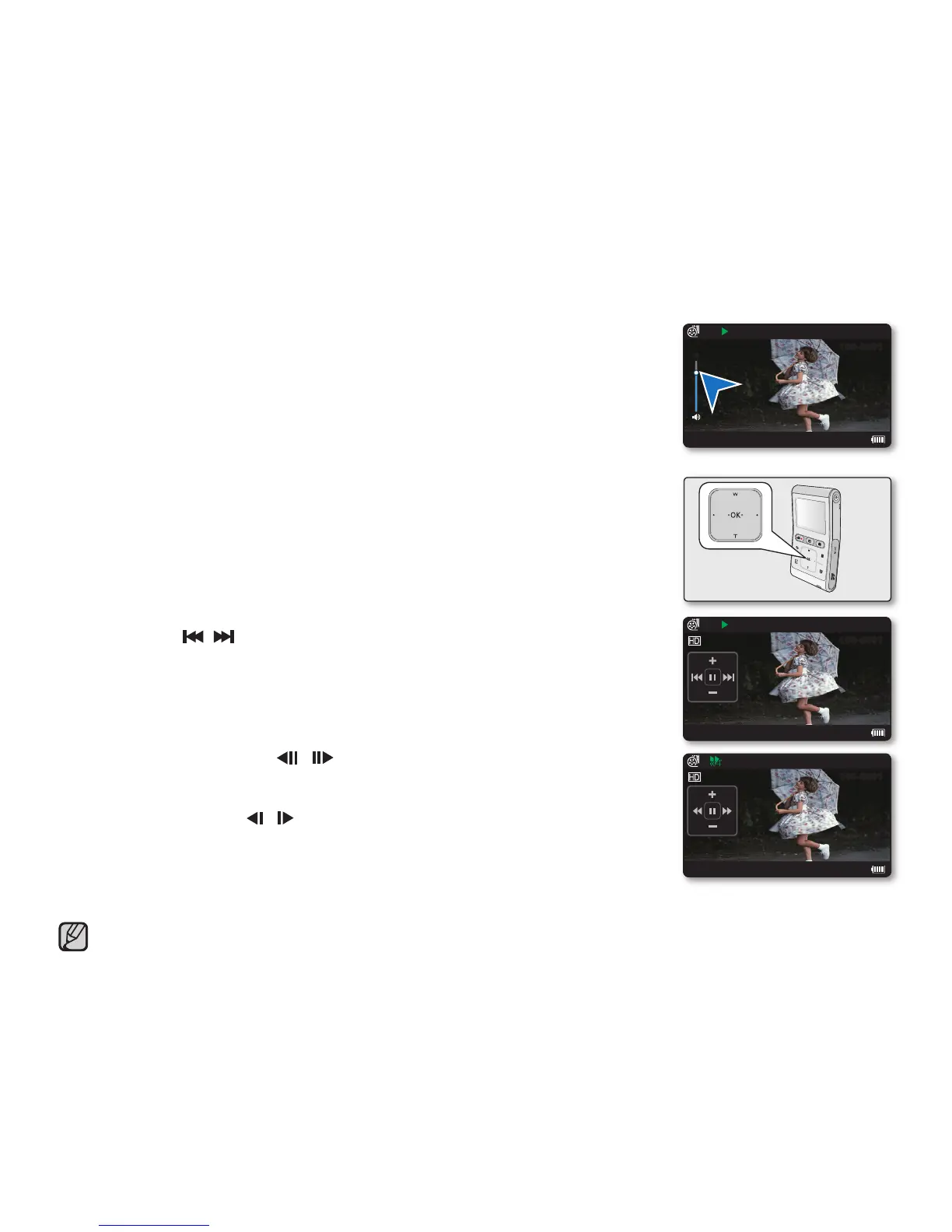
Adjusting the volume
1. Touch the OK button to display the shortcut menu.
2. Touch the
▲
/
▼
button to increase or decrease the volume.
The volume bar disappears after 3~4 seconds.
You can hear the recorded sound from the built-in speaker.
The level can be set to anywhere between 0 and 10.
Various playback operations
Still playback (pause) (
/
❙❙
)
Touch the OK button during playback.
- To resume normal playback, touch the OK button again.
Search playback (
/
)
During playback, place and hold your fi nger on the
◄
/
►
button for reverse search/forward search.
Touching the
◄
/
►
button repeatedly increases the search speed for each direction.
- RPS (Reverse Playback Search) rate: x2
→
x4
→
x8
→
x16
→
x32
- FPS (Forward Playback Search) rate: x2
→
x4
→
x8
→
x16
→
x32
To resume normal playback, touch the OK button.
Skip playback ( /
)
During playback, touch the
►
button to locate the start point of the next fi le.
Touching the
►
button repeatedly skips fi les in the forward direction.
During playback, touch the
◄
/
►
button to locate the start point of the current fi le.
Touching the
◄
/
►
button repeatedly skips fi les in the reverse direction.
Touch the
◄
/
►
button within 3 seconds from the start point, and the fi rst image of the
previous fi le is skipped.
Frame-by-frame playback ( / )
During pause, touching the
◄
/
►
button makes play go reverse/forward one frame at a time.
- To resume normal playback, touch the OK button.
Slow motion playback ( / )
During pause, place and hold your fi nger on the
◄
/
►
button for reverse/forward slow
playback.
During slow motion playback, touching the
◄
/
►
button changes the playback speed.
- Reverse/forward slow playback rate: x1/2
→
x1/4
→
x1/8
- To resume normal playback, touch the OK button.
Playing back for search, skip, slow motion or frame-by-frame except normal playback, it does not
support the audio function.
•
•
•
•
•
•
•
•
•
•
•
•
•
English_37
0:00:05/0:00:55
100-0001
JAN/01/2009 12:00AM
6
0:00:05/0:00:55
100-0001
JAN/01/2009 12:00AM
0:00:05/0:00:55
100-0001
JAN/01/2009 12:00AM








 To Next Page