EasyManua.ls Logo

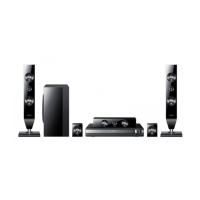
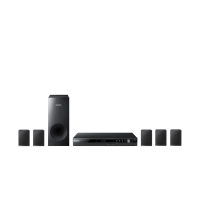
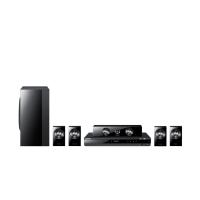
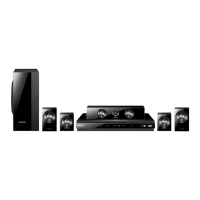
Samsung HT-D350 - User Manual

Samsung HT-D350
35 pages
Print Icon
To Next Page IconTo Next Page
Loading...
Digital Home
Entertainment System
user manual
Imagine the possibilities
Thank you for purchasing this Samsung product.
To receive more complete service,
please register your product at
www.samsung.com/register
HT-D350
HT-D355
HT-D350_D355-TK_ENG-1228.indd Sec1:1HT-D350_D355-TK_ENG-1228.indd Sec1:1 2011-12-29  10:57:562011-12-29  10:57:56

Questions and Answers

  • M
    Michael BrownSep 3, 2025
    Why can sound only be heard from a few speakers on my Samsung HT-D350 Home Theater System?
    • J
      James PenningtonSep 3, 2025
      On certain DVD discs, sound is output only from the front speakers, so check if the speakers are connected properly. Also, adjust the volume. When listening to a CD, radio, or TV, sound is output to the front speakers only; select "PROLOG" by pressing PL II (Dolby Pro Logic II) on the remote control to use all six speakers.
  • M
    Mindy VangSep 1, 2025
    What to do if my Samsung Home Theater System disc is rotating but there's no picture, or the picture quality is poor?
    • M
      Mrs. Shannon Allen DDSSep 1, 2025
      Check if the TV power is on, ensure the video cables are properly connected, and inspect the disc for dirt or damage. A poorly manufactured disc may also cause this issue.
  • M
    mnguyenAug 31, 2025
    Why Dolby Digital 5.1 CH Surround Sound is not produced on Samsung HT-D350?
    • B
      Brittney FergusonAug 31, 2025
      Dolby Digital 5.1 CH Surround Sound may not be produced if the disc doesn't have the "Dolby Digital 5.1 CH" mark or if the audio language isn't correctly set to Dolby Digital 5.1-CH in the information display.
  • S
    Stephanie HardinAug 29, 2025
    Why is my Samsung HT-D350 disc spinning but there's no picture?
    • R
      Ronald ThompsonAug 29, 2025
      If the disc is rotating but there's no picture, check if the TV is powered on and whether the video cables are properly connected. Also, the disc might be dirty, damaged or poorly manufactured.
  • V
    vasquezcarlAug 27, 2025
    Why does sound only come from some speakers on my Samsung HT-D350?
    • R
      Robert MorganAug 27, 2025
      Sound may only come from a few speakers for a few reasons. Some DVD discs only output sound from the front speakers. Ensure all speakers are properly connected and the volume is adequately adjusted. When listening to a CD, radio, or TV, sound is often output to the front speakers only; select "PROLOG" by pressing PL II (Dolby Pro Logic II) on the remote control to use all six speakers.
  • J
    Joy SanchezAug 26, 2025
    What to do if playback does not start on Samsung Home Theater System?
    • R
      Russell RichardsonAug 26, 2025
      Playback might not start for several reasons. DVD discs purchased from abroad may not be playable, so check the region number of the DVD. Also, CD-ROMs and DVD-ROMs are not playable on this device. Finally, ensure the rating level is correct.
  • A
    Adam FernandezAug 25, 2025
    Why is there no sound coming from my Samsung Home Theater System?
    • S
      Sarah LeblancAug 25, 2025
      There could be several reasons for the lack of sound. No sound is heard during fast, slow, and step motion playback. Also, check the speaker connections and speaker setup. Lastly, the disc might be severely damaged.
  • D
    Damon LamAug 22, 2025
    How to reset my Samsung HT-D350 if it is not working?
    • J
      Joshua FreyAug 22, 2025
      Press and hold the STOP button on the remote control for longer than 5 seconds with no disc inserted to reset the system. Note: Using the RESET function will erase all stored settings, so only use this if necessary.

Summary

Safety Information

Safety Warnings

Important instructions to reduce the risk of electric shock and personal injury.

Precautions

Important guidelines for safe and proper use, preventing damage to the product.

Getting Started

Notes on USB connection

Important considerations and limitations when connecting USB devices for media playback.

Front Panel

Identification and description of controls and indicators on the front of the unit.

Tour of the Remote Control

Explanation of the functions of each button on the remote control.

Rear Panel

Identification and description of ports and connectors on the rear of the unit.

Connections

Connecting the Speakers

Guidance on positioning and connecting the speaker system for optimal sound.

Connecting The Speakers

Detailed steps for connecting speaker wires to the unit's terminals correctly.

Connecting the Video Out to your TV

Three methods (HDMI, Component, Composite) for connecting the product to a TV.

Connecting Audio from External Components

Guides for connecting external analogue (AUX) and digital (OPTICAL) audio sources.

Setup

Before Starting (Initial Settings)

Initial setup process for language and TV aspect when first powering on the unit.

Setting the Setup menu

How to navigate and change settings within the product's menu system.

Speaker Setting

Configuring speaker size and test tone for optimal audio output.

Basic Functions

Disc Playback

Step-by-step guide on inserting, playing, and stopping discs.

Audio CD(CD-DA);MP3;WMA Playback

Instructions for playing audio CDs, MP3, and WMA discs.

Using the Playback Function

Detailed explanation of various playback controls like search, skip, and slow motion.

Advanced Functions

USB Function

How to play media files from USB devices like MP3 players and cameras.

Other Information

Samsung HT-D350 Specifications

General IconGeneral
TypeHome Theater System
Number of Channels5.1
Total Output Power330 W
DVD PlaybackYes
HDMI OutputYes
USB PlaybackYes
FM RadioYes
Audio Decoding FormatsDolby Digital, DTS
Video UpscalingYes
Anynet+ (HDMI-CEC)Yes
Optical Digital Audio InputYes
Wall MountableYes
Playable Disc TypesDVD, CD

Related product manuals