EasyManua.ls Logo

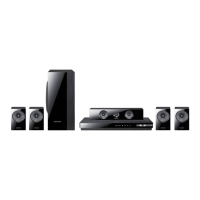
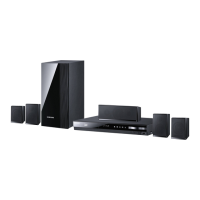
Samsung HT-E4500 - User Manual

Samsung HT-E4500
59 pages
Print Icon
To Next Page IconTo Next Page
Loading...
imagine the possibilities
Thank you for purchasing this Samsung product.
To receive more complete service,
please register your product at
www.samsung.com/register
5.1CH Blu-ray™
Home Entertainment System
user manual
HT-E4500
HT-E4500_ZA_0417-1(D2D).indd 1HT-E4500_ZA_0417-1(D2D).indd 1 2012-04-17 오후 6:23:412012-04-17 오후 6:23:41

Questions and Answers

  • M
    Mark EdwardsAug 21, 2025
    Why is my Samsung Home Theater System remote control not working?
    • C
      changcarrieAug 21, 2025
      The remote control may not work for several reasons: Ensure you are within the operational range and angle of the sensor. Check if the batteries are drained and replace them if needed. Also, verify that you have selected the correct mode (TV/BD) on the remote control.
  • C
    chortonSep 3, 2025
    What to do if my Samsung Home Theater System iPod fails to connect?
    • K
      kimberlyrobersonSep 3, 2025
      If the iPod fails to connect, check the condition of the iPod connector and ensure the iPod software version is up to date.
  • C
    Cindy MorganSep 1, 2025
    What should I do if I see an abnormal HDMI output screen on my Samsung HT-E4500 Home Theater System?
    • G
      George ProctorSep 1, 2025
      If random noise appears on the screen, it indicates that your TV does not support HDCP (High-bandwidth Digital Content Protection).
  • A
    Amy JordanAug 30, 2025
    Why can I hear sound from only a few speakers and not all 6 on my Samsung HT-E4500?
    • R
      rebecca85Aug 30, 2025
      On certain Blu-ray/DVD discs, sound is output only from the front speakers. Check if the speakers are connected properly and adjust the volume. When listening to a CD, radio, or TV, sound is typically output to the front speakers only.
  • P
    potterjoseAug 29, 2025
    What to do if Dolby Digital 5.1 CH Surround Sound is not produced on Samsung HT-E4500 Home Theater System?
    • J
      Julie GardnerAug 29, 2025
      Dolby Digital 5.1 CH Surround Sound will only be produced if the disc is recorded with 5.1 channel sound. Check if there is a "Dolby Digital 5.1 CH" mark on the disc. Also, verify that the audio language is correctly set to Dolby Digital 5.1-CH in the information display.
  • R
    Robert Smith DVMAug 27, 2025
    Why is there no HDMI output from my Samsung Home Theater System?
    • R
      Rebecca HolmesAug 27, 2025
      If there is no HDMI output, check the connection between your TV and the HDMI jack on the product. Also, verify that your TV supports the HDMI input resolution (480p/720p/1080i/1080p).
  • B
    Brenda JohnsonAug 26, 2025
    What to do if my Samsung HT-E4500 Home Theater System won't eject the disc?
    • F
      Frank MurphyAug 27, 2025
      If you cannot eject the disc, ensure the power cord is securely plugged into the outlet. If it is, try turning the power off and then back on.
  • J
    Jodi KramerAug 25, 2025
    How to reset rating level password on Samsung Home Theater System?
    • B
      Barbara FieldsAug 25, 2025
      With no disc in the product, press and hold the product's 5 button for longer than 5 seconds. INIT appears on the display and all settings will return to the default values. Then, press the POWER button. Note that using the RESET function will erase all stored settings, so only use this if absolutely necessary.
  • S
    Shaun SmithAug 23, 2025
    How to fix no sound on my Samsung Home Theater System?
    • G
      griffithchristopherAug 23, 2025
      If no sound is produced, note that the home theater system does not play sound during fast playback, slow playback, and step motion playback. Check if the speakers are properly connected and the speaker setup is correctly customized. Also, ensure the disc is not severely damaged.

Summary

Safety Information

Warning and Cautionary Statements

Covers electrical shock, laser hazards, and FCC compliance.

General Safety Precautions

Lists important operating instructions and handling guidelines.

Connections

Speaker Connection and Placement

Guides on positioning and connecting speakers for optimal sound.

TV Connection Methods

Provides methods for connecting the unit to a television via HDMI or Video cables.

Settings

Display, Audio, and System Settings

Covers display options, audio settings, and system preferences.

Network and Software Upgrade Procedures

Covers network configuration and software upgrade methods.

Appendix

Troubleshooting Common Issues

Lists common problems and their remedies.

Samsung HT-E4500 Specifications

General IconGeneral
Disc loading typeTray
Disc types supportedBD, BD-R, BD-RE, CD, CD-R, CD-RW, DVD, DVD+R, DVD+RW, DVD-R, DVD-RW
Playback disc formatsBlu-Ray audio, Blu-Ray video, CD audio, CD video, SVCD, VCD
Number of optical discs1 discs
Optical disc player typeBlu-Ray player
Weight2500 g
Built-in HDD-
CD-RW playbackYes
Volume controlDigital
TV tuner integratedNo
Image formats supportedJPG
Surround speaker weight320 g
Apple docking compatibilityiPhone, iPod
Surround speaker dimensions (WxHxD)77 x 107 x 6 mm
Video formats supportedAVCHD, DIVX, MKV, WMV
Audio decodersDolby Digital, Dolby Digital Plus, Dolby Pro Logic II, Dolby TrueHD, DTS, DTS 96/24, DTS-HD
RMS rated power1000 W
Audio output channels5.1 channels
Audio formats supportedAAC, LPCM, MP3, WMA
Supported radio bandsFM
Front speaker type1-way
Subwoofer typePassive subwoofer
Product colorBlack
Consumer Electronics Control (CEC)Anynet+
HDMI in0
USB version2.0
Number of HDMI outputs1
Power consumption (standby)0.45 W
Power consumption (typical)92.2 W
Package weight10300 g
Weight and Dimensions IconWeight and Dimensions
Subwoofer weight2600 g
Center speaker weight470 g
Subwoofer dimensions (WxDxH)168 x 285 x 350 mm
Front speaker dimensions (WxDxH)90 x 70 x 139 mm
Center speaker dimensions (WxDxH)228 x 70 x 77 mm

Related product manuals