video includes complex patterns or a lot of movements, select ‘HIGH’. Otherwise, the
video includes simple background and rare movement, select ‘LOW’
Use: Select or clear whether the encoder uses multiple profiles or not.
Profile options (Codec/Resolution/Framerate/Compression/Bitrate Type/Bitrate):
Specify video settings for each profile.
Switch
A. Device Information: Basic information of a switch object.
Name: Specify the name of switch.
Location #1 ~ #4: Specify the location where the switch is installed. According to a
whole system diagram, up to 4-depth location can be specified.
Description: Input the relevant information on the switch.
B. Port Information
Ports: Verify the number of ports of the switch.
Port Speed (Mbps): Verify the transmission performance per port.
C. Giga Port Information
Giga Ports: Verify the number of Giga ports of the switch.
Giga Port Speed (Mbps): Verify the transmission performance per Giga port.
D. PoE Information
PoE Support: Whether the switch provide PoE functionality.
PoE Max Power (W): The maximum power consumption of PoE.
PoE Port Number: The number of PoE ports of the switch.
PoE+ Port Number: The number of PoE+ ports of the switch.
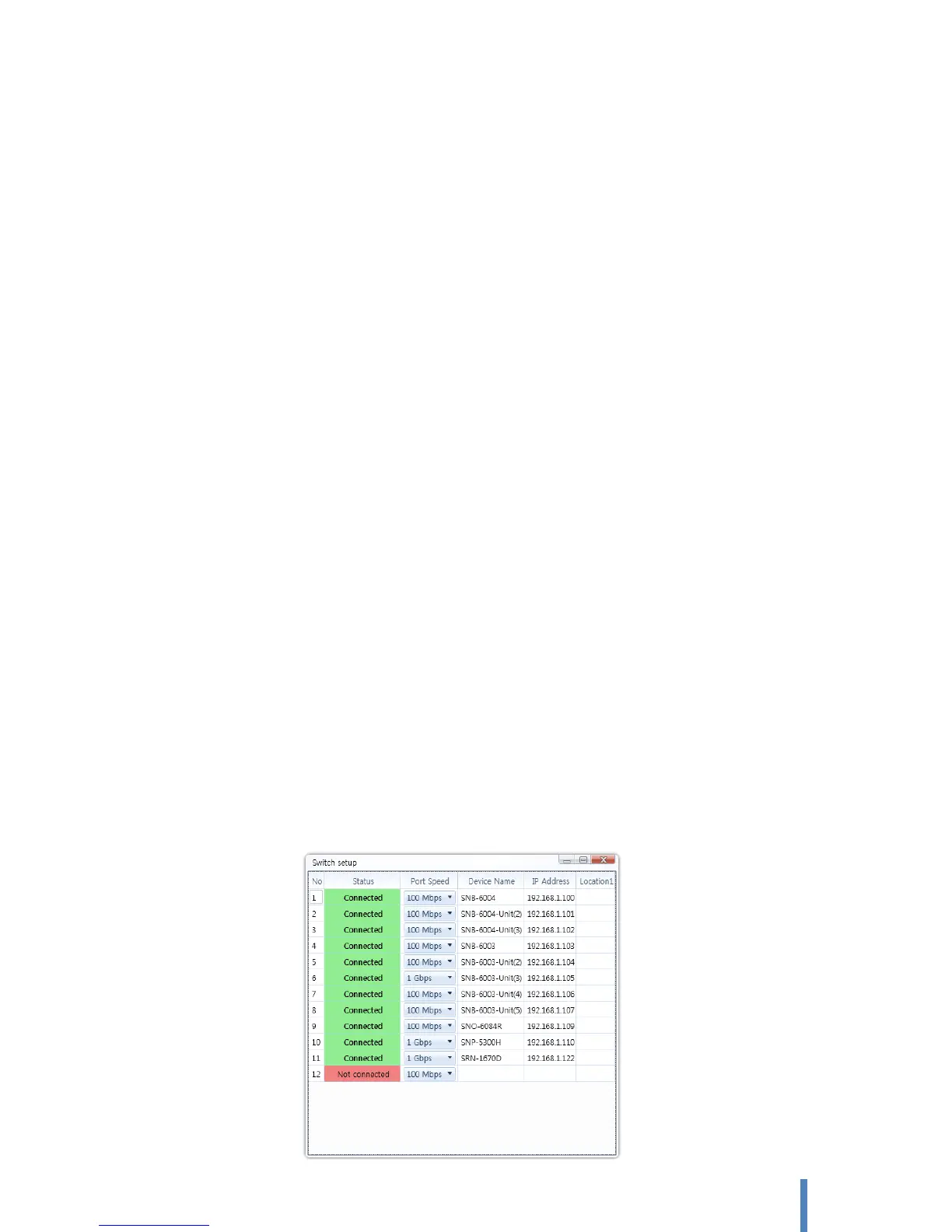
E. Port Connection Status : Check and change condition of each port on switch.



 To Next Page