11
Connecting to cabinets
Connect the S-Box (SNOW-AAE)/M-Box (MBOX-ACE) (IW008C model only) and the cabinet to the installed cabinet for video signal transmission.
"
Connect the S-Box/M-Box (IW008C model only) to the external device before connecting the S-Box/M-Box (IW008C model only) to the cabinet.
"
Before connecting power to the cabinets, connect the I/G card to the cabinets first.
"
Connect only one type of LED pitch cabinets to a single S-Box/M-Box (IW008C model only). Normal picture quality may not be obtained if different types of cabinets are connected. Do NOT use
different types of LED pitch cabinets together.
"
Refer to the installation guide for the redundancy connection specifications.
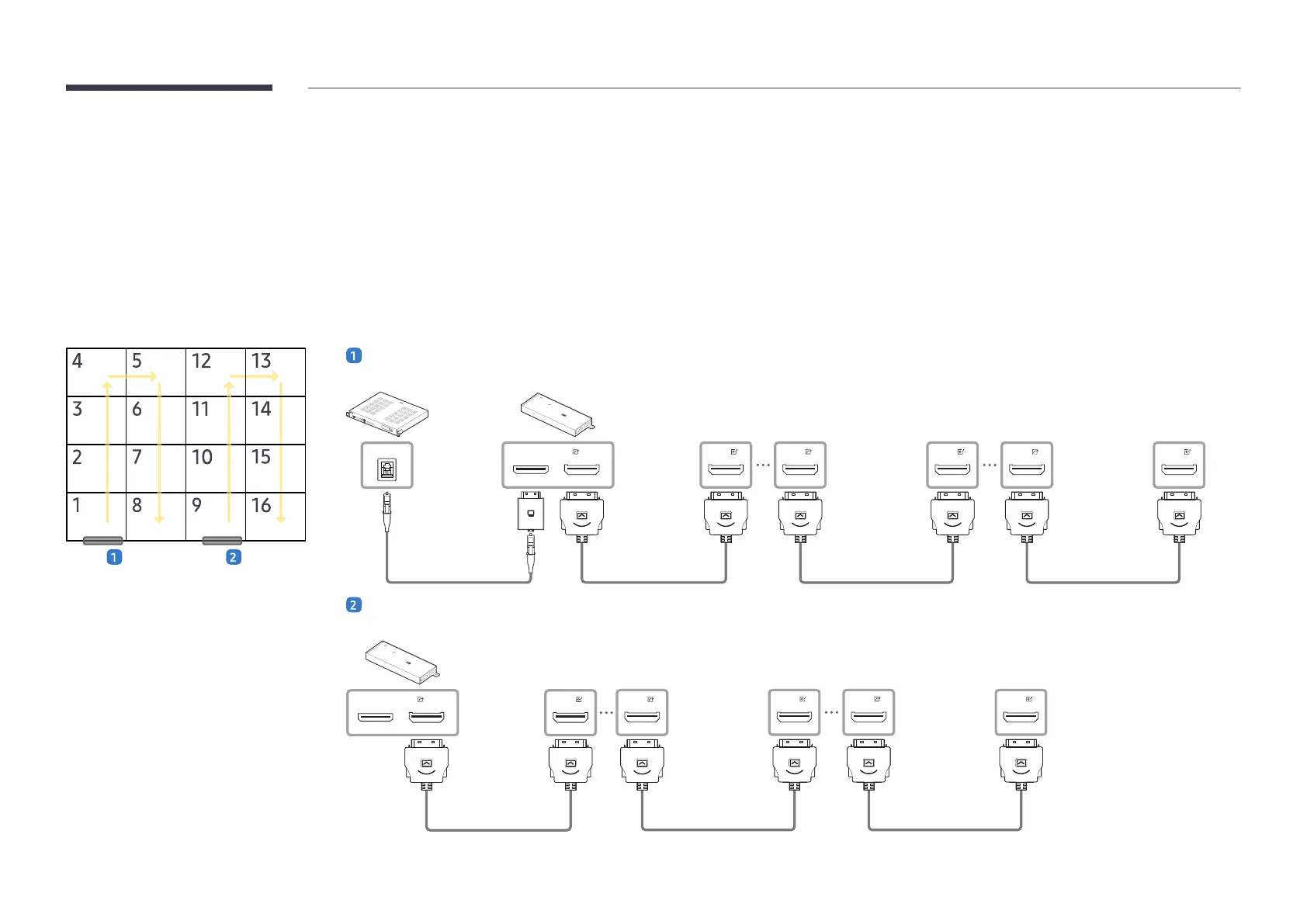
For example) IW008C 4 x 4
S-Box/M-Box (IW008C model only) → I/G Card → First cabinet
DATA (Forward)
ONE CONNECTONE CONNECT
DATA
DATA
DATA DATA
DATA
First I/G Card
First cabinet 4th cabinet 5th, 6th, 7th, 8th cabinet
I/G Card → Second cabinet
DATA (Forward)
ONE CONNECT
DATA
DATA
DATA DATA
DATA
Second I/G card
12th cabinet9th cabinet 13th, 14th, 15th, 16th cabinet


 To Next Page