English - 34
You can view higher quality pictures by configuring the
screen settings in PC Mode.
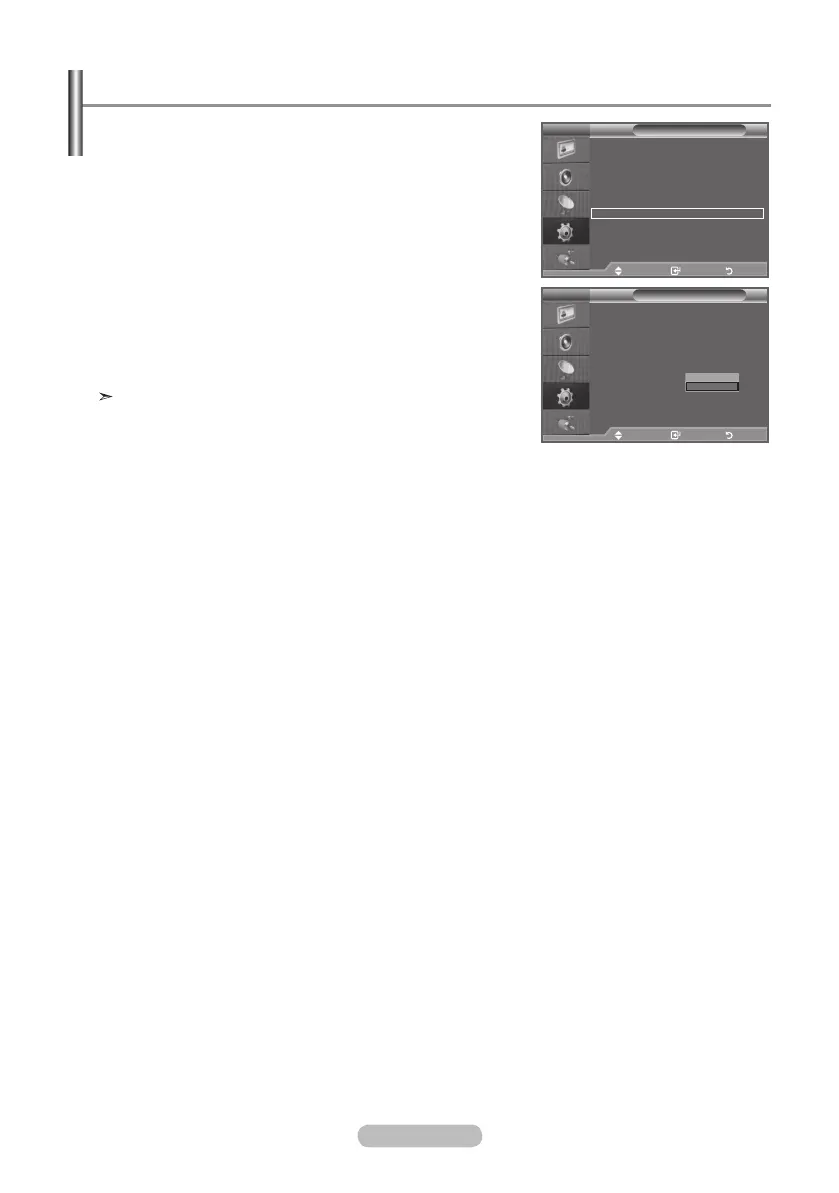
If you set the "Home Theatre PC" function to On, you can
configure the "Detail Settings" (when Picture Mode is
set to Standard or Movie) as in PC Mode.
1. Press the MENU button to display the menu.
Press the ▲ or ▼ button to select "Setup", then press the
ENTER button.
2. Press the ▲ or ▼ button to select "Home Theatre PC".
Press the ENTER button.
3. Press the ▲ or ▼ button to select "Off" or "On".
Press the ENTER button.
4. Press the EXIT
button to exit.
This function is available only in PC mode.
Setting the Home Theatre PC
Mode : Custom
Equalizer
SRS TS XT : Off
Auto Volume : Off
Internal Mute : Off
Reset
Move Enter Return
TV
Setup
Plug & Play
Language : English
Time
Game Mode : Off
Blue Screen : Off
Melody : Medium
PC
Home Theatre PC : Off
Energy Saving : Off
HDMI Black Level : Low
PIP
Move Enter Return
Mode : Custom
Equalizer
SRS TS XT : Off
Auto Volume : Off
Internal Mute : Off
Reset
TV
Setup
Plug & Play
Language : English
Time
Game Mode : Off
Blue Screen : Off
Melody : Medium
PC
Home Theatre PC : Off
Energy Saving : Off
HDMI Black Level : Low
PIP
Move Enter Return
Off
On
BN68-01177H-X0Eng-0807(��).indd 34 2007-08-07 �� 4:22:38


 To Next Page
 Loading...