EasyManua.ls Logo

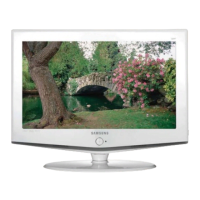
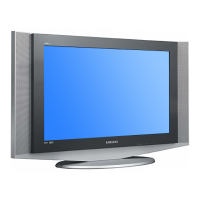
Samsung LE26A41B - User Manual

Samsung LE26A41B
66 pages
Print Icon
To Next Page IconTo Next Page
Loading...
LCD TV
LE26A41B / LE32A41B
LCD TV
LE26A41B
LE32A41B
Owner’s Instructions
Before operating the unit,
please read this manual thoroughly,
and retain it for future reference.
-
AFTER SALES SERVICE
-
Do not hesitate to contact your retailer or service agent if a
change in the performance of your product indicates that a
faulty condition may be present.
BN68-00751D-02
ELECTRONICS
ON-SCREEN MENUS
PC DISPLAY
PICTURE IN PICTURE (PIP)
TELETEXT
751D-00cover.qxd 4/1/05 5:13 PM Page 1
This device is a Class B digital apparatus.
Register your product at
www.samsung.com/global/register

Table of Contents

Other manuals for Samsung LE26A41B

Questions and Answers

  • K
    Kimberly ThompsonAug 17, 2025
    How to fix flickering horizontal bars on Samsung LCD TV in PC mode?
    • E
      Emily HarveyAug 17, 2025
      If horizontal bars appear to flicker, jitter, or shimmer on the image of your Samsung LCD TV in PC mode, adjust the Brightness and Contrast. You can also try adjusting the Fine function, or adjusting the Coarse function and then the Fine function.
  • C
    Cory LeeAug 20, 2025
    How to stop vertical bars flickering on Samsung LCD TV in PC mode?
    • K
      Kyle HubbardAug 20, 2025
      If vertical bars appear to flicker, jitter, or shimmer on the image of your Samsung LCD TV in PC mode, adjust the Brightness and Contrast. You can also try adjusting the Fine function, or adjusting the Coarse function and then the Fine function.
  • C
    Cynthia FisherAug 22, 2025
    How to fix Samsung LCD TV with no sound or picture?
    • M
      Matthew MorenoAug 23, 2025
      If your Samsung LCD TV shows no sound or picture, first ensure the mains lead is properly connected to the wall socket. Then, check that you have pressed the POWER button located on the lower-right part of the panel.
  • J
    Jesus StevensAug 26, 2025
    What to do if my Samsung LCD TV has picture but no sound?
    • A
      angelabeckerAug 26, 2025
      If you have a normal picture but no sound on your Samsung LCD TV, check the volume level first. Also, verify that the MUTE button on the remote control hasn't been activated.
  • M
    Micheal SmithAug 28, 2025
    Why does my Samsung LCD TV have sound and picture interference?
    • R
      Robert OwensAug 28, 2025
      If your Samsung LCD TV is experiencing sound and picture interference, try the following: 1. Identify any electrical appliances that might be causing interference and move them further away. 2. Plug your TV into a different mains socket. 3. Check the direction, location, and connections of your aerial. This interference is often due to the use of an indoor aerial.
  • C
    cwilliamsAug 31, 2025
    Why is my Samsung LCD TV picture blurred with distorted sound?
    • C
      Christopher PotterAug 31, 2025
      If your Samsung LCD TV displays a blurred or snowy picture with distorted sound, ensure the signal cable is firmly connected to the PC or video sources. Also, check that the PC or video sources are turned on.
  • M
    Mary OneillSep 2, 2025
    Why is my Samsung LCD TV showing no picture or black and white picture?
    • M
      Maria BraunSep 2, 2025
      If your Samsung LCD TV shows no picture or only a black and white picture, try adjusting the color settings. Also, verify that the selected broadcast system is correct.
  • K
    Kyle BraySep 5, 2025
    What does 'Not Supported Mode' mean on my Samsung LCD TV in PC mode?
    • A
      April AbbottSep 5, 2025
      If your Samsung LCD TV displays a 'Not Supported Mode' message in PC mode, check the maximum resolution and the frequency of the video adapter. Compare these values with the data in the Display Modes.
  • P
    Peter KleinSep 8, 2025
    Why is my Samsung LCD TV screen black and the power light blinking in PC mode?
    • R
      Ronald RobertsSep 8, 2025
      If the screen on your Samsung LCD TV is black and the power indicator light blinks every 1 second in PC mode, the TV is likely using its power management system. Try moving the computer’s mouse or pressing any key on the keyboard.
  • C
    Colleen ParrishSep 12, 2025
    Why is the image unstable on my Samsung LCD TV in PC mode?
    • H
      Hayley MartinSep 12, 2025
      If the image on your Samsung LCD TV in PC mode is not stable and appears to vibrate, check that the display resolution and frequency from your computer or video board is an available mode for your set. On your computer check: Control Panel, Display, Settings. If the setting is not correct, use your computer utility programme to change the display settings.

Samsung LE26A41B Specifications

General IconGeneral
Resolution1366 x 768
HD Format720p
HDMI Ports1
Aspect Ratio16:9
Brightness500 cd/m²
Response Time8 ms
Screen Size26 inches
Viewing Angle178° (horizontal), 178° (vertical)
Input PortsHDMI, Component, Composite

Related product manuals