English
9
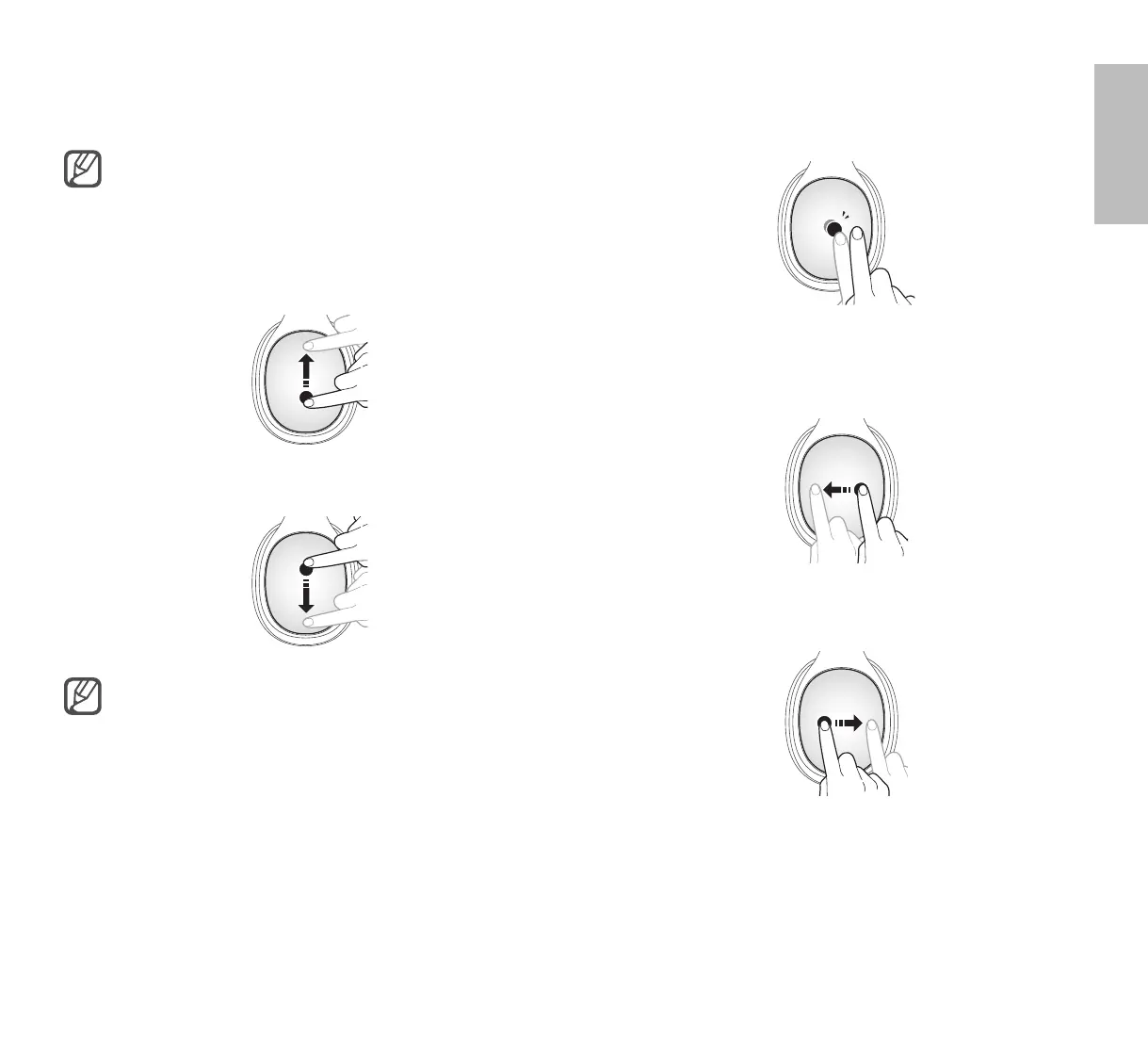
Playing or pausing multimedia files
•
To start or pause playback, tap the centre of the touch
pad twice.
•
To play the previous file or to restart the current file
while wearing the device, drag your finger rearwards
across the touch pad.
•
To play the next file while wearing the device, drag
your finger forwards across the touch pad.
Using the touch pad
Use the touch pad of your device to control functions.
To prevent malfunction, use only one finger
when you use the touch pad.
Adjusting the volume
•
To increase the volume, drag upwards.
•
To decrease the volume, drag downwards.
•
When you increase the volume, it increases
slowly. When you decrease the volume, it
decreases quickly.
•
Adjust the volume on the connected device
when you cannot hear sounds on your device
at full volume.




 To Next Page