45
Setting up the recording function using the LCD monitor
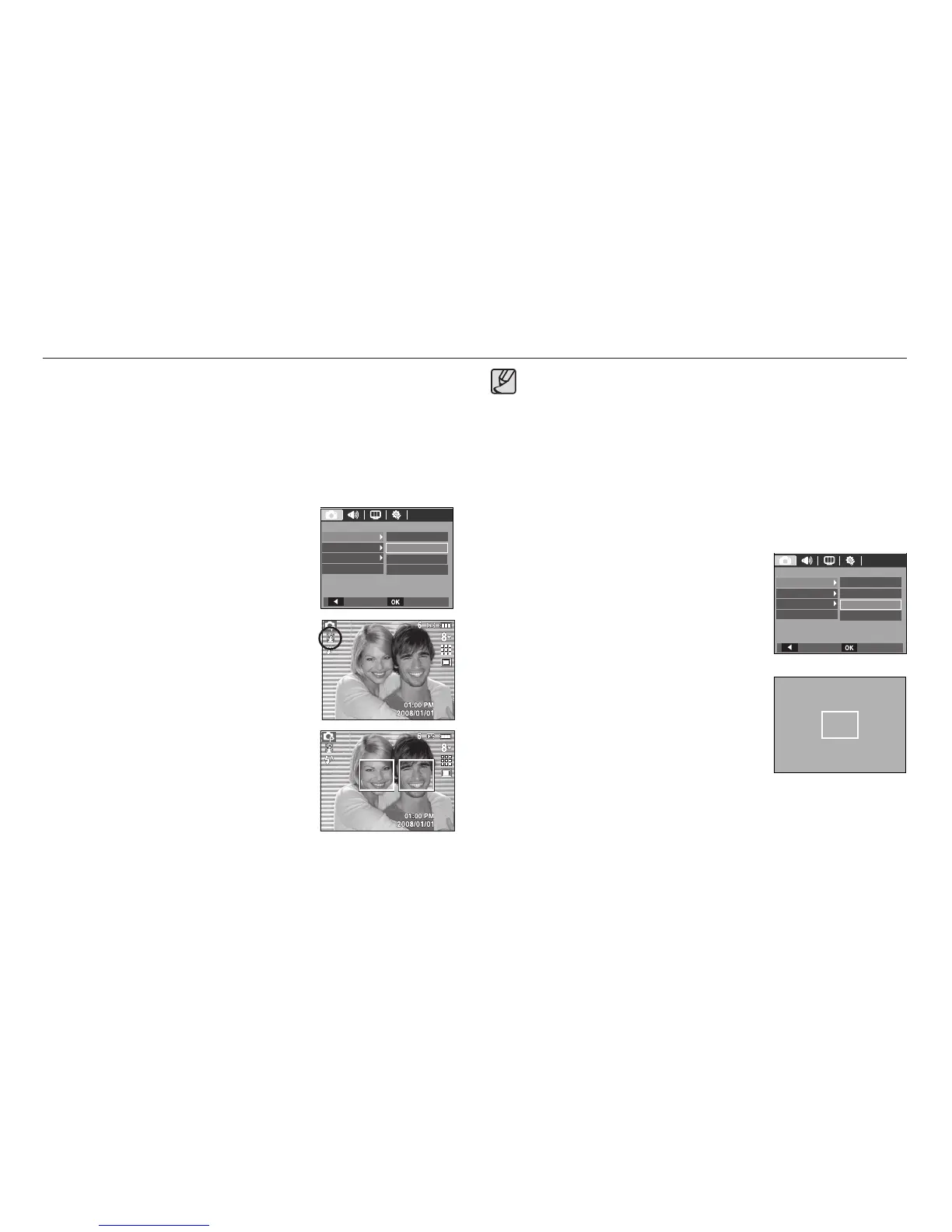
Self Portrait
When taking self-portraits, it automatically detects the subject`s face
resulting in faster and more convenient self-portraits.
※ Selectable modes : Auto, Program, Manual, DUAL IS, Photo Help
Guide, Portrait, Beach & Snow
1. Select the [Self Portrait] submenu by
pressing the Up/Down button.
2. Press the OK button. The Self Portrait icon
will be displayed on the left side of the LCD
monitor.
3. For self-portraits, point the camera
lens towards the face of the subject. It
automatically detects the subject`s face, and
will make a sound to confi rm this.
4. Start shooting by pressing the shutter
button.
[Center AF]
When locating the face in the center of the screen, it repeatedly
emits a faster sound unlike the sounds that are emitted when the
face is not in the center.
The guiding sound can be set using the sound setting menu.(See
p.69)
If [Self Portrait] is set, it is fi xed to Macro focus.
If [Self Portrait] is set, [Motion Timer] cannot be selected.
Center AF
1. Select the [Center AF] submenu by
pressing the Up/Down button.
2. Press the OK button. The rectangular
area in the center of the LCD monitor
will be focused.
x
x
x
x
RECORDING
Focus Area
Center AF
ACB
Multi AF
Voice Memo
Back Set
Voice Record
Self Portrait
Face Detection
RECORDING
Focus Area
Center AF
ACB
Multi AF
Voice Memo
Back Set
Voice Record
Self Portrait
Face Detection








 To Next Page