70
Sound ()
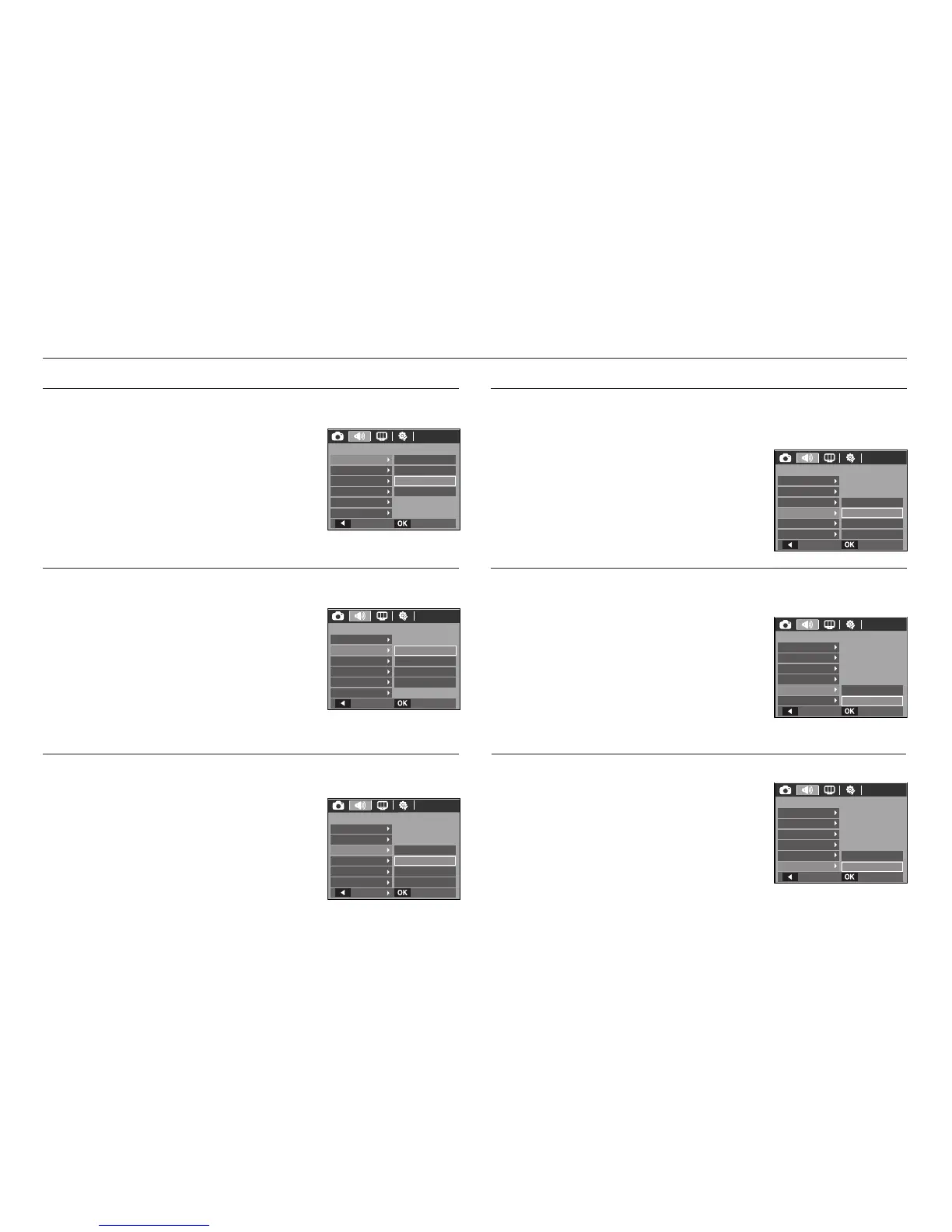
Volume
You can select a volume of start up sound, shutter sound, beep sound and
AF sound.
- [Volume] sub menu : [Off], [Low], [Medium],
[High]
Start up sound
You can select the sound that is activated whenever the camera is turned on.
- [Start Sound] sub menu : [Off], [Sound 1],
[Sound 2],
[Sound 3]
Shutter sound
You can select the shutter sound.
- [Shutter sound] sub menu : [Off], [Sound 1],
[Sound 2],
[Sound 3]
Beep Sound
If you set sound to ON, various sounds will be activated for camera startup,
when buttons are pressed, so that you can be aware of the camera operation
status.
- [Beep Sound] sub menu :
[Off], [Sound 1],
[Sound 2], [Sound 3]
AF sound
If you set AF sound to ON, AF sound will be activated when a subject is
focused so that you can be aware of the camera operation status.
- [AF sound] sub menu : [Off], [On]
Self Portrait
This occurs when it automatically detects the subject’s face when taking a
self-portrait.
- Self-portraits can be set by using the [Off]
and [On] menu.
OffVolume
Low
Shutter Sound
Beep Sound
AF Sound
Back Set
SOUND
Start Sound
Medium
High
Volume
Shutter Sound
Off
Beep Sound
AF Sound
Sound 1
Sound 2
Back Set
Sound 3
SOUND
Start Sound
SOUND
Start Sound
Off
Volume
Shutter Sound
Beep Sound
AF Sound
Sound 1
Sound 2
Back Set
Sound 3
Self Portrait
Self Portrait
Self Portrait
SOUND
Start Sound
Off
Volume
Shutter Sound
Beep Sound
AF Sound
Sound 1
Sound 2
Back Set
Sound 3
SOUND
Start Sound
Volume
Shutter Sound
Beep Sound
AF Sound
Off
Back Set
On
SOUND
Start Sound
Volume
Shutter Sound
Beep Sound
AF Sound
Self Portrait
Back Set
Off
On
Self Portrait
Self Portrait








 To Next Page