85
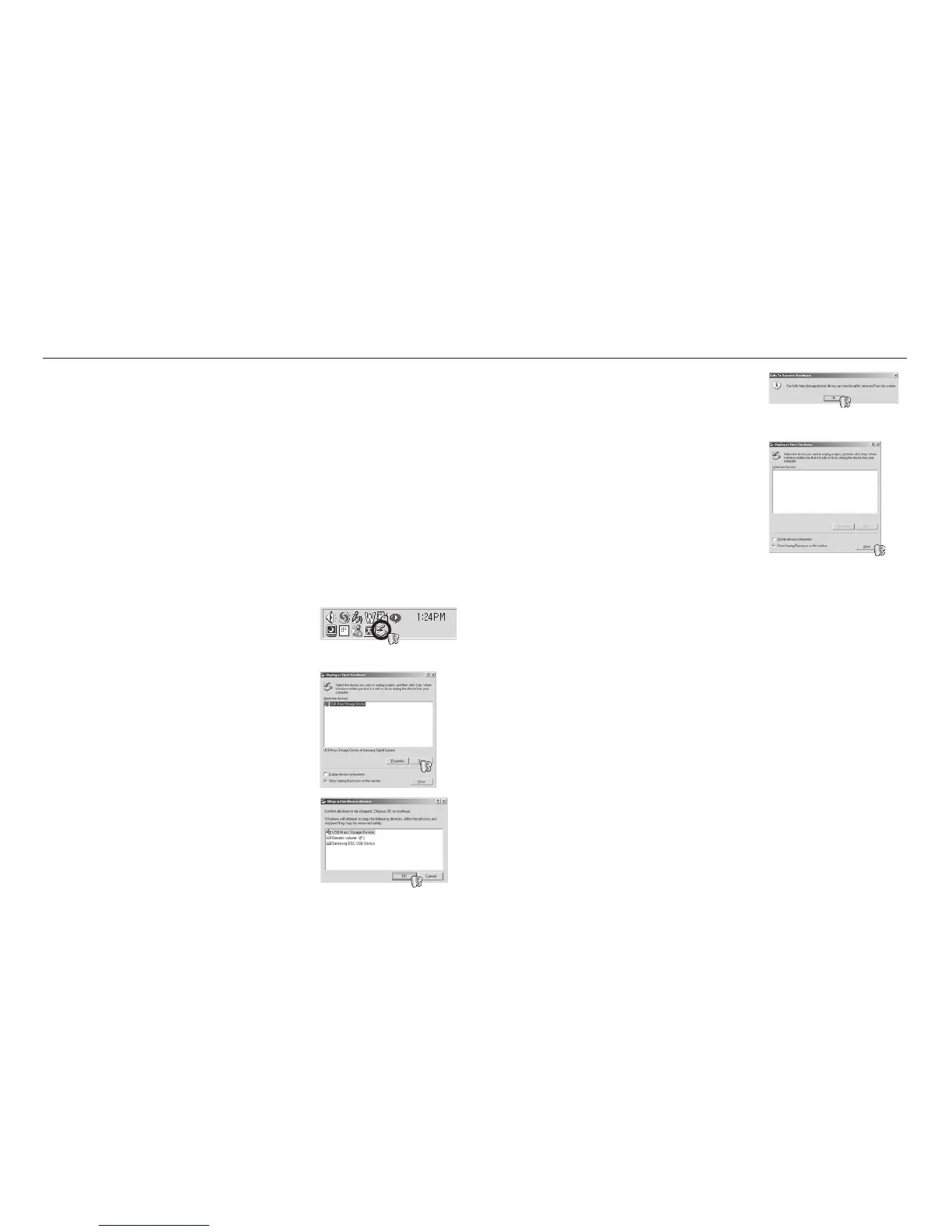
5. A [Safe to Remove Hardware] window will
open. Click the [OK] button.
6. A [Unplug or Eject Hardware] window
will open. Click the [Close] button and the
removable disk will be removed safely.
7. Unplug the USB cable.
Windows 98SE
1. Check whether the camera and PC are transferring a fi le.
If the camera status lamp blinks, please wait until the lamp has fi nished
blinking and is constantly on.
2. Unplug the USB cable.
Windows 2000/ME/XP/Vista
(The illustrations may differ from those shown depending on the Windows
O/S.)
1. Check whether the camera and PC are transferring a fi le.
If the camera status lamp blinks, please wait until the lamp has fi nished
blinking and is constantly on.
2. Double-click the [Unplug or Eject
Hardware] icon on the task bar.
3. The [Unplug or Eject Hardware] window
will open. Select the [USB Mass Storage
Device] and click the [Stop] button.
4. The [Stop a Hardware device] window will
open. Select the [USB Mass Storage Device]
and click the [OK] button.
Removing the removable disk
[Double-click!]








 To Next Page