83
Downloading stored images
You can download the still images stored on the camera to your PC’s hard
disk and print them or use a photo editing software to edit them.
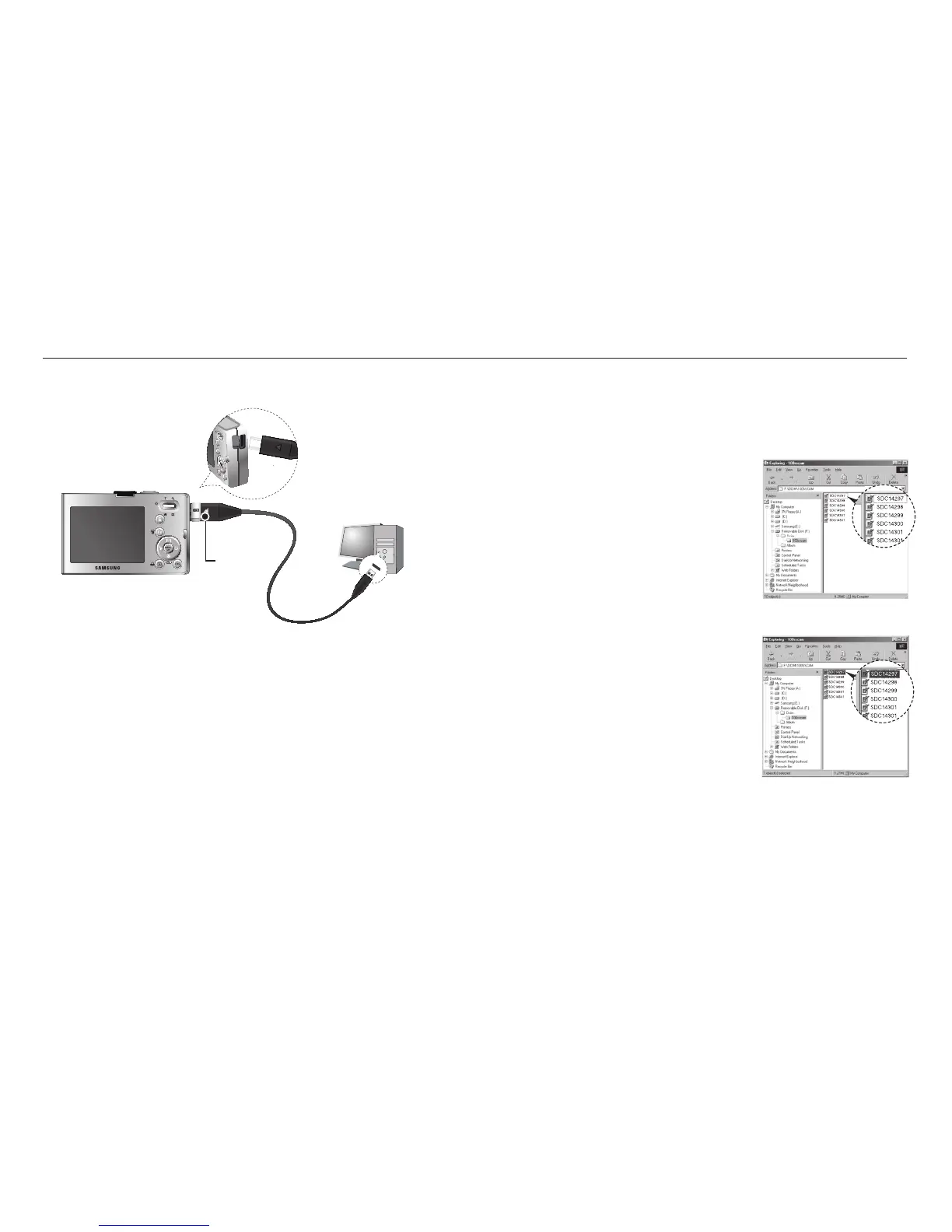
1. Connect the camera to your PC with the USB cable.
2. On your computer’s desktop display, select
[My computer] and double click [Removable
Disk → DCIM → 100SSCAM].
The image fi les will then be displayed.
3. Select an image and press the right mouse
button.
Connecting the camera to a PC
K If you selected [Printer] in Step 5, when you connect the camera to
your computer, the [Connecting Printer] message will appear and the
connection will not be established.
In this case, disconnect the USB cable, and then follow the procedure
from Step 2 onwards.
Disconnecting the camera and PC
Refer to page
85 (Removing the removable disk).
Charging LED
Starting PC mode








 To Next Page