6-3
Chapter 6. Customizing your computer
System Setup Menus
Menu Items Description
Main Configures the basic system environment
Advanced Configures OS and major chipset options of the system
Security Configures system security options
Boot Configures booting options
Exit Exits System Setup
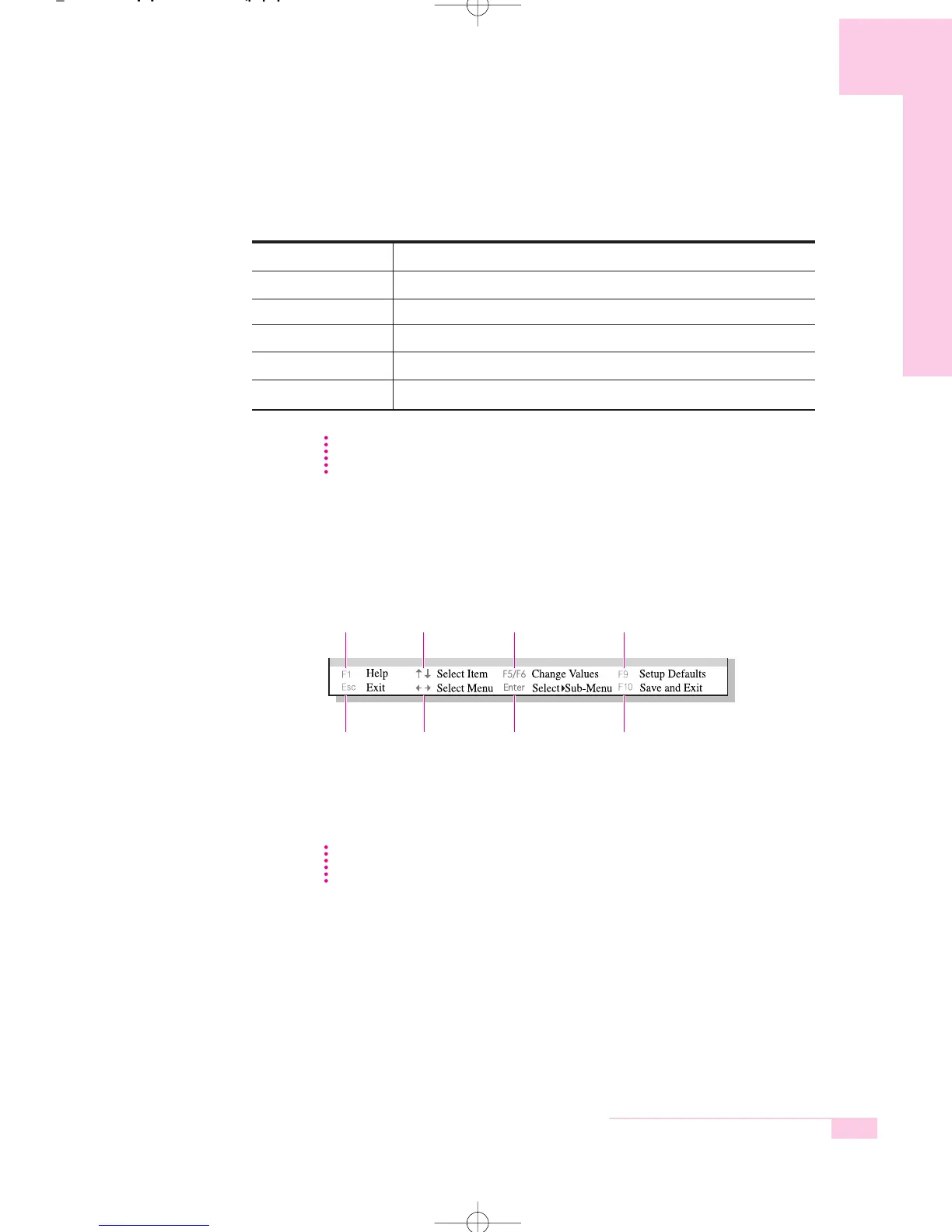
System Setup Navigation Keys
Displays the
Help window.
Exits the current
sub menu or
opens the Exit
menu.
Moves between
menus.
Selects a field
or opens a sub
menu.
Saves changes
and exits
System Setup.
Moves up and
down between
fields.
Changes the
value of the
current field.
Restores
default values.
For more information on System Setup menus or options, please refer to Help on the
right side of the screen.
NN
NN
oo
oo
tt
tt
ee
ee
Contents of System Setup may be changed due to functional improvement or
other reasons.
NN
NN
oo
oo
tt
tt
ee
ee
r65-hk_ch6 2006.1.2 2:30 PM 페이지3 1000 Dolev-2540-Color-S T



 To Next Page