3-36
Manual
MOVIE Station
The procedures to play a video (movie) file or DVD/VCD title are described below.
■
Playing a Movie File
The procedures to play a video file registered to the MOVIE Library are
described below. (Refer to P. 3-28.)
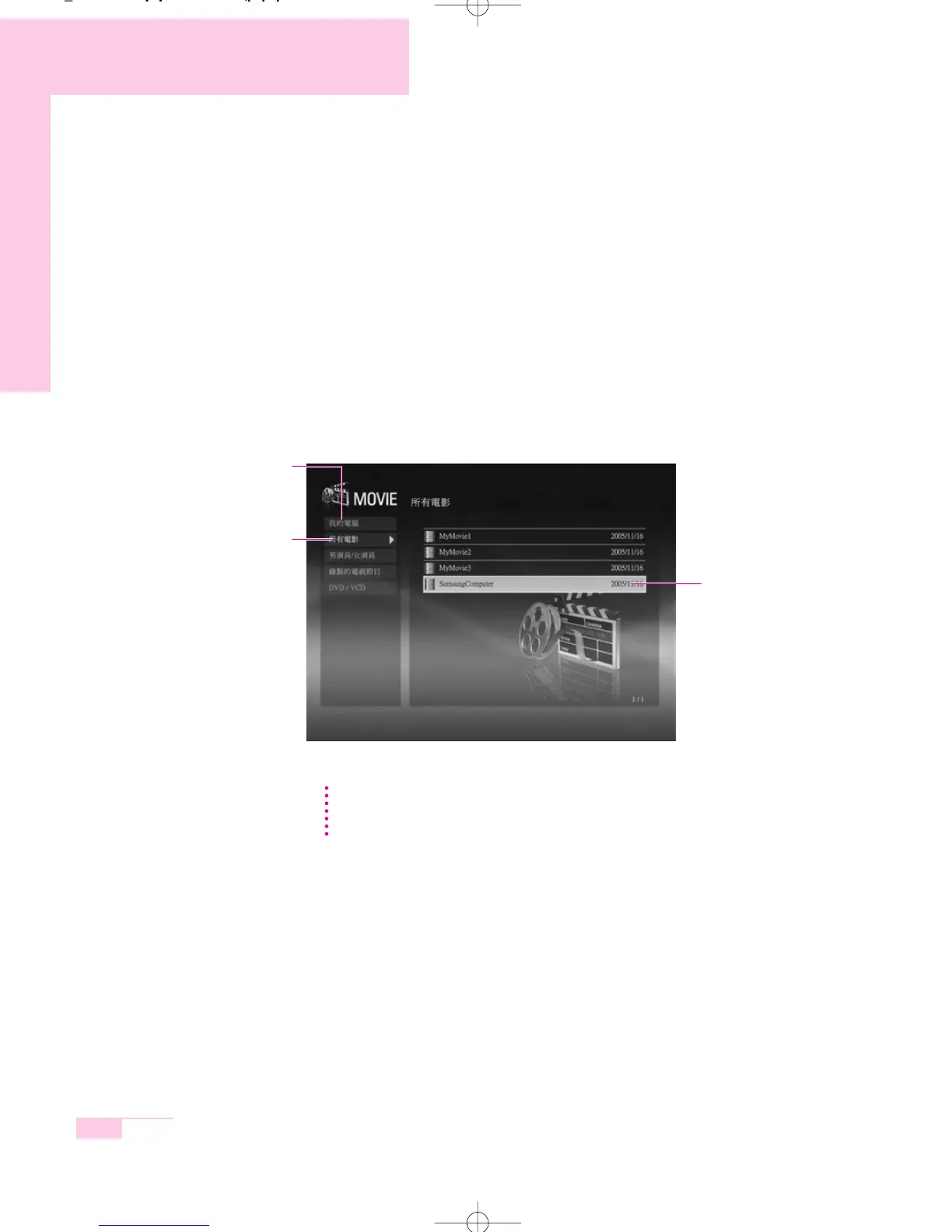
1. Launch AVStation now and click the Movie.
2. Click on All Movies and double-click a movie file in the right pane.
The movie file is played.
NN
NN
oo
oo
tt
tt
ee
ee Showing the Play Control window
Press the space bar or move the mouse pointer. The Play Control window appears
at the bottom.
All movies
My Computer
This only appears in AVStation
now. You can manually find and
play files on My Computer or
the multi card slot.
movie File
m55-hk_ch3 2006.2.7 9:2 AM 페이지36 1000 Dolev-1524-Mono-S T



 To Next Page