3-35
Chapter 3.Using The Computer
PHOTO Station
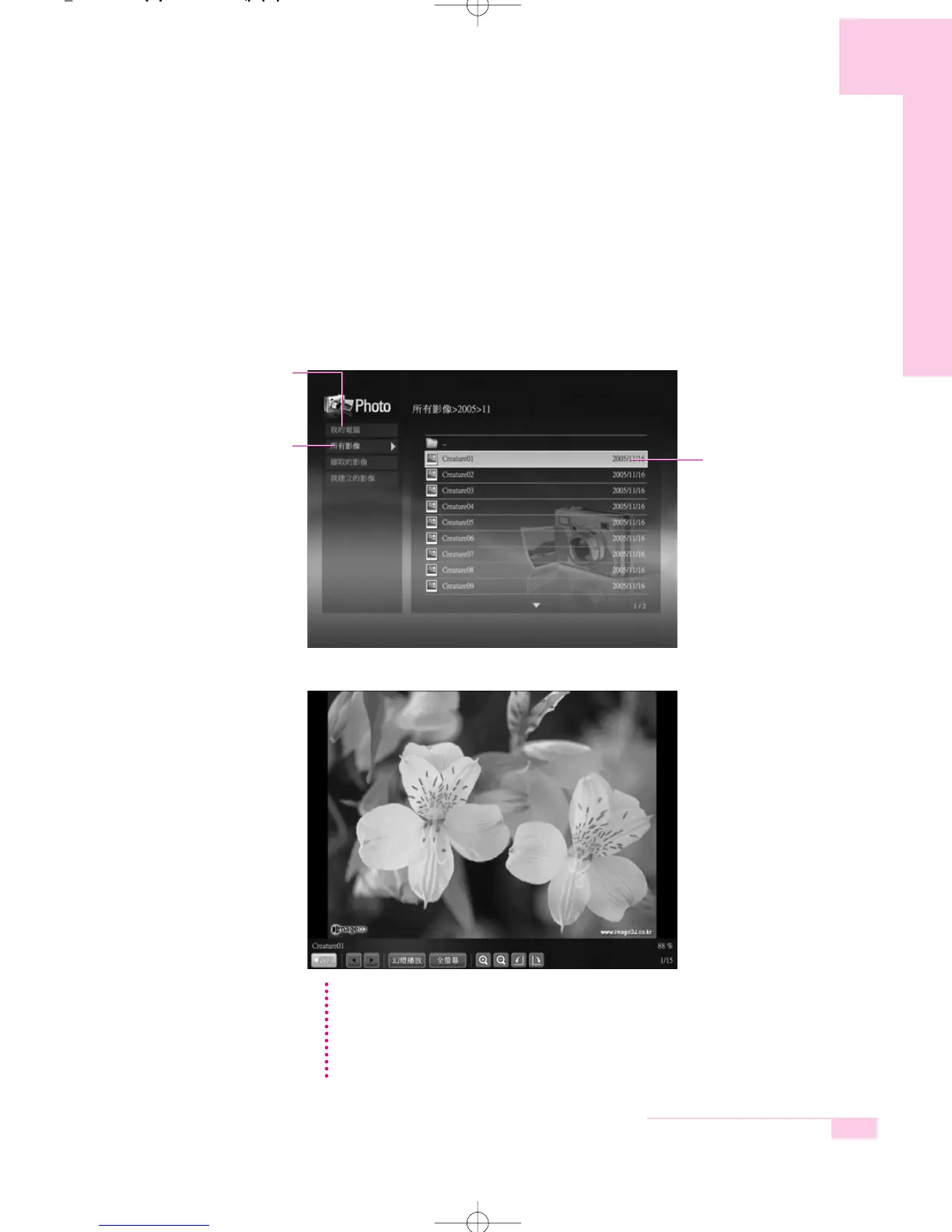
The procedures to view images registered to the PHOTO Library one by one and
through a SlideShow are described below.
(For the procedures to register image files to the Library, refer to P. 3-24.)
1. Launch AVStation now and click on Photo.
2. Click on All Images and double-click on an image file in the right pane.
3. The selected image is zoomed in on.
NN
NN
oo
oo
tt
tt
ee
ee To view an image in Full Sreen or through a SlideShow.
Click on the SlideShow or Full Screen button below the zoomed in image.
To return to the previous status in SlideShow or Full Screen, press the <Esc> key
or double-click on the screen.
In AVStation now, press the <Esc> key or double-click and click Back.
All Images
My Computer
This only appears in AVStation
now. You can manually find and
play files on My Computer or
the multi card slot.
Image File
m55-hk_ch3 2006.2.7 9:2 AM 페이지35 1000 Dolev-1524-Mono-S T



 To Next Page