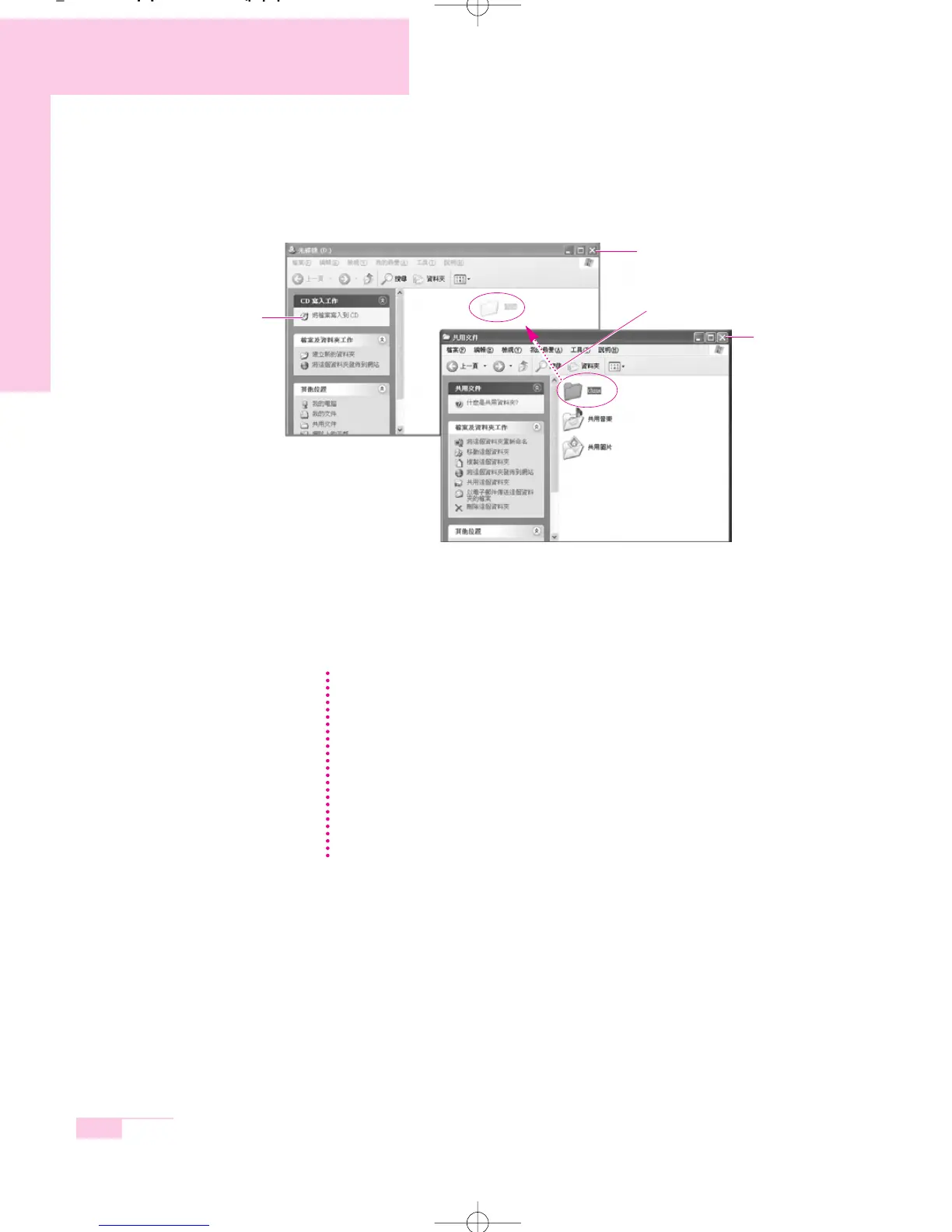
4. Select, drag and drop folders or files to copy onto the CD-ROM drive window.
Click Write Files to CD in the CD-ROM drive window.
5. When the CD Write Wizard appears, enter the CD label, and click Next.
The data will begin copying.
6. When copying is completed, a ‘completed’ message will appear and the
CD-ROM drive will open automatically.
3-6
Manual
CD-ROM drive window
2. Click Write Files to CD
1. Drag and drop folders or files to copy
My Computer window
For more information on copying CDs
Click Start > Help and Support. Enter [CD copy] in the search field, and click the
Search button.
To Burn an Audio CD:
Run Windows Media Player and right-click over the Function Taskbar and select
Help > Windows Media Player Help from the popup menu.
Select Using the Player > Using CDs, DVDs and VCDs > Using CDs >
Burning your own CD > To burn your own CD to see detailed
information.
NN
NN
oo
oo
tt
tt
ee
ee
r65-hk_ch3 2006.1.2 2:45 PM 페이지6 1000 Dolev-2540-Color-S T



 To Next Page