6
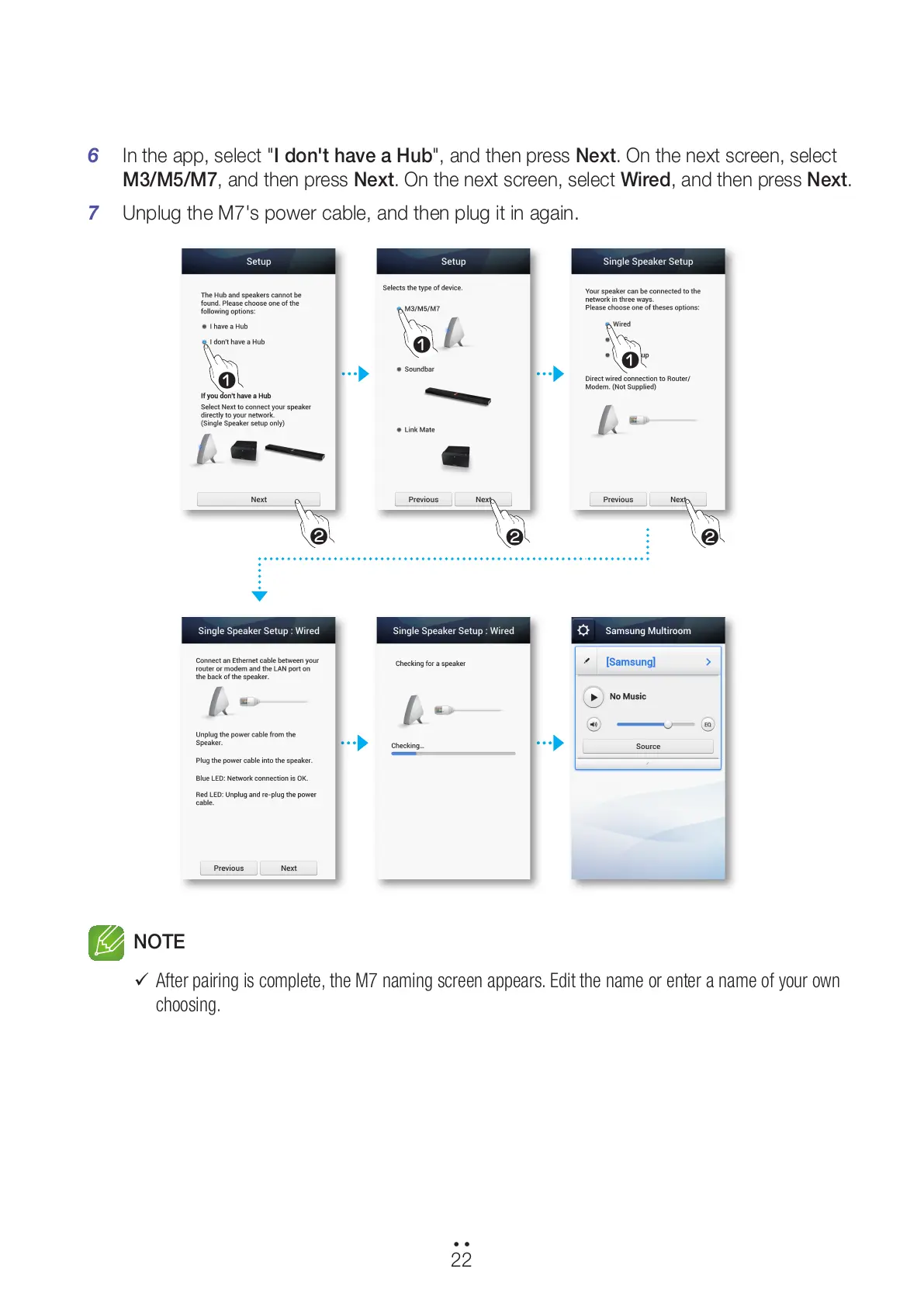
In the app, select "I don't have a Hub", and then press Next. On the next screen, select
M3/M5/M7, and then press Next. On the next screen, select Wired, and then press Next.
7 Unplug the M7's power cable, and then plug it in again.
NOTE
9
After pairing is complete, the M7 naming screen appears. Edit the name or enter a name of your own
choosing.
22
44
1
2
1
1
2 2
All manuals and user guides at all-guides.com



 To Next Page