❚
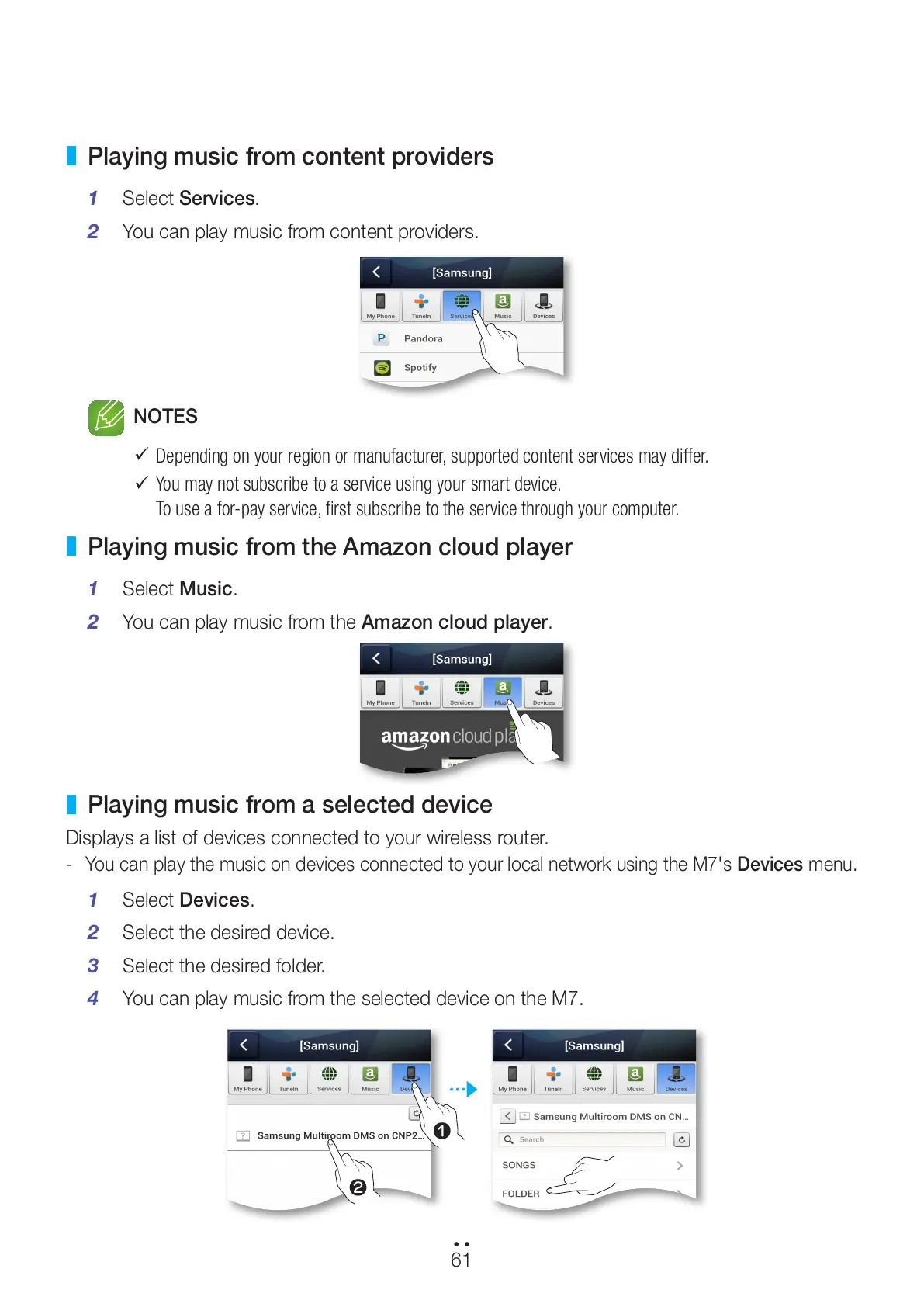
Playing music from content providers
1 Select Services.
2 You can play music from content providers.
NOTES
9
Depending on your region or manufacturer, supported content services may differ.
9
You may not subscribe to a service using your smart device.
To use a for-pay service, first subscribe to the service through your computer.
❚
Playing music from the Amazon cloud player
1 Select Music.
2 You can play music from the Amazon cloud player.
❚
Playing music from a selected device
Displays a list of devices connected to your wireless router.
- You can play the music on devices connected to your local network using the M7's Devices menu.
1 Select Devices.
2 Select the desired device.
3 Select the desired folder.
4 You can play music from the selected device on the M7.
61
44
2
1
All manuals and user guides at all-guides.com



 To Next Page