A
Using the Samsung Multiroom App
❚
Renaming a connected M7
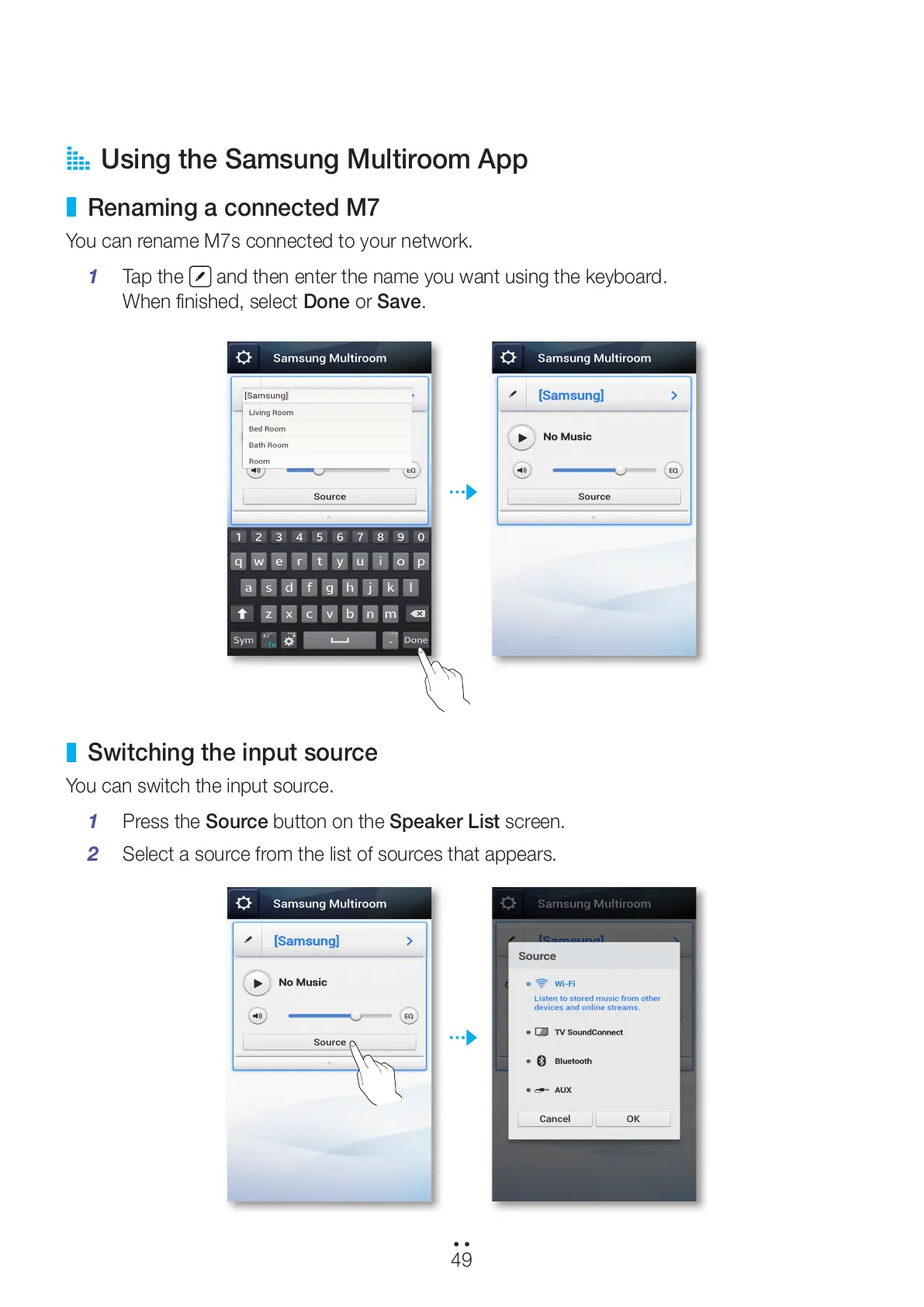
You can rename M7s connected to your network.
1 Tap the
and then enter the name you want using the keyboard.
When finished, select Done or Save.
❚
Switching the input source
You can switch the input source.
1 Press the Source button on the Speaker List screen.
2 Select a source from the list of sources that appears.
49
44
All manuals and user guides at all-guides.com



 To Next Page