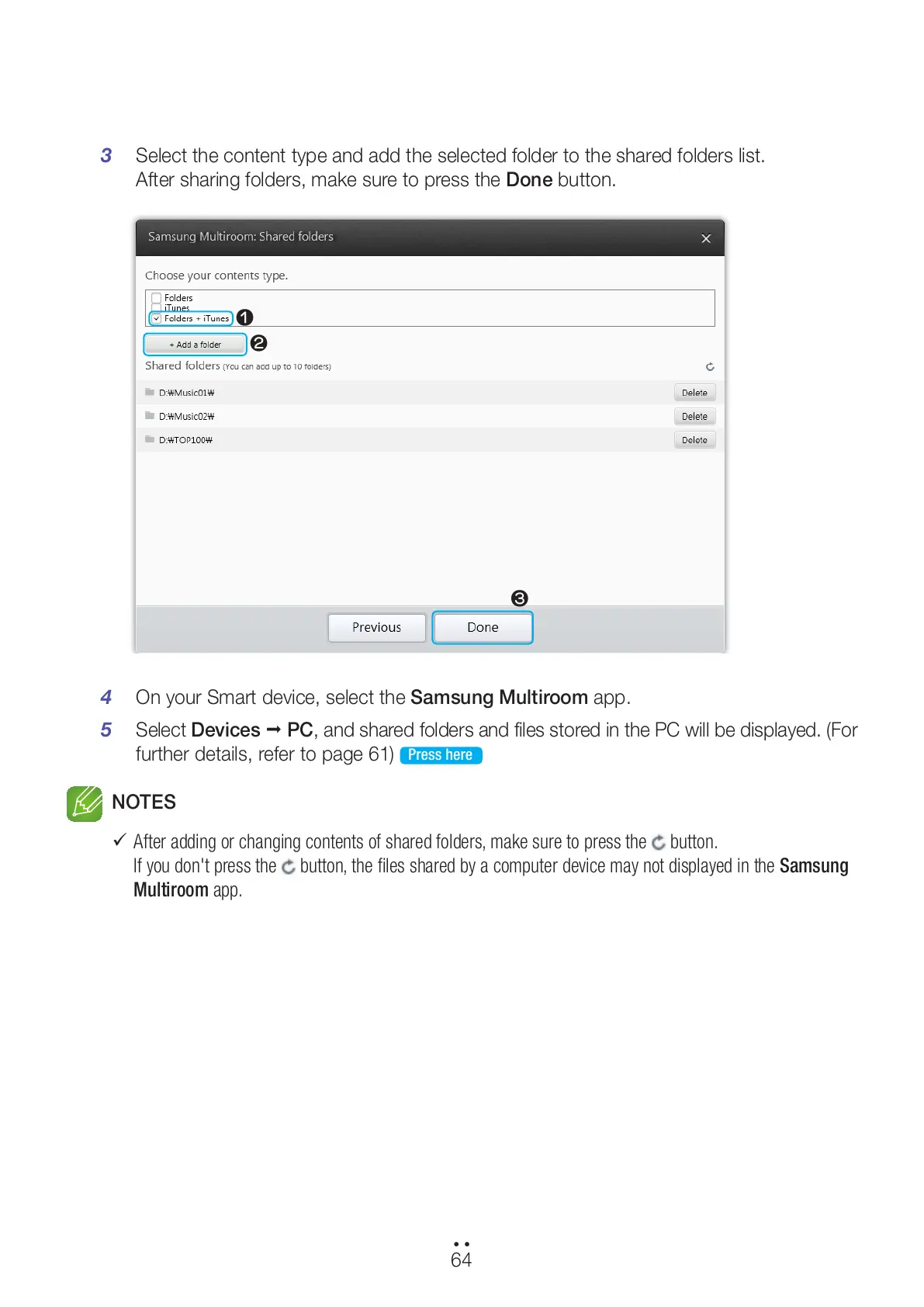
3 Select the content type and add the selected folder to the shared folders list.
After sharing folders, make sure to press the Done button.
4 On your Smart device, select the Samsung Multiroom app.
5 Select Devices
;
PC, and shared folders and files stored in the PC will be displayed. (For
further details, refer to page 61)
Press here
NOTES
9
After adding or changing contents of shared folders, make sure to press the
button.
If you don't press the button, the files shared by a computer device may not displayed in the Samsung
Multiroom app.
64
44
1
2
3
All manuals and user guides at all-guides.com



 To Next Page