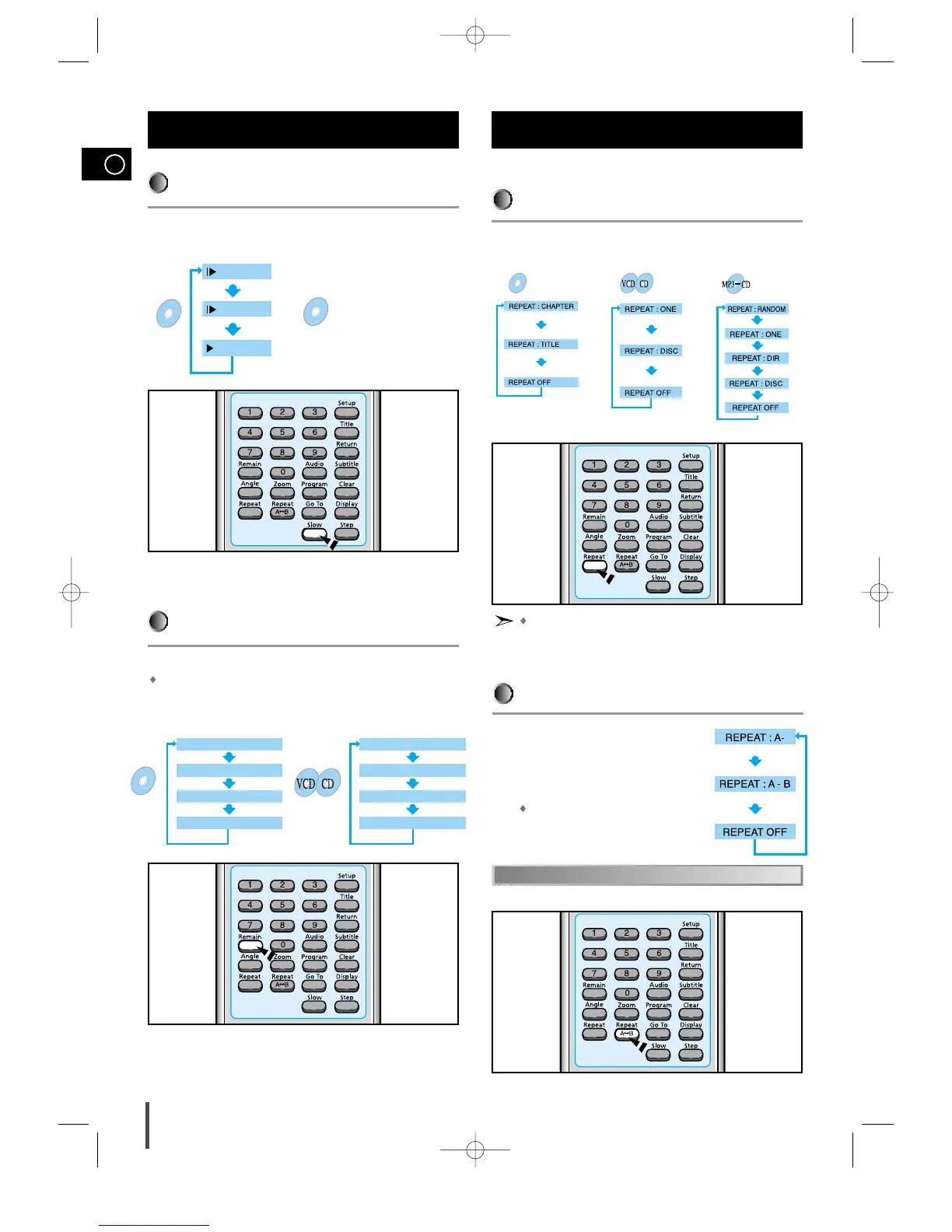
The slow playback speed
changes and the selections
(1/2X, 1/4X, 1/8X, 1/16X and
normal play) are repeated.
Press the Remain button.
For checking check the total time and the remaining time of a title or
chapter being played.
Each time the Remain button is pressed
Checking the Remaining Time
Press the Repeat A↔B button at the
beginning (A) of the segment you want to
review.
Press the Repeat A↔B button again at the
end (B) of the segment you want to review.
The segment will begin repeating.
A↔B Repeat Playback
Repeat playback allows you to repeat a chapter, title, or track.
Playing Repeatedly
Press the Repeat button.
Each time the Repeat button is pressed
Repeat Playback
Repeat playback operation is not possible with version 2.0 VCD
discs if PBC is turned on.
To operate this feature, press the MENU button, and then select
"PBC OFF".



 To Next Page