GB
Press Push Important Note
Symbols
3
Contents
S
AFETY
W
ARNINGS
................................................................ 2
I
NSTALLING
Y
OUR
M
INI
-C
OMPACT
S
YSTEM
Front Panel View .................................................................. 4
Remote Control .................................................................... 5
Rear Panel View .................................................................. 6
Where to Install Your Mini-Compact System ........................ 7
Connecting your System to the Power Supply ...................... 7
Connecting the Loudspeakers .............................................. 7
Connection of the subwoofer (optional) ................................
8
Connection of the TV monitor and VCR (optional) ................ 8
Connection for better sound .................................................. 9
Insert Remote Batteries.......................................................... 9
Connecting the AM (MW) Aerial .......................................... 10
Connecting the FM Aerial .................................................... 10
Connecting the SW Aerial (option) ...................................... 10
Demo/Dimmer function ........................................................ 11
NTSC/PAL Selection Method................................................ 11
Setting the Clock .................................................................. 11
CD-P
LAYER
Playing a Disc ...................................................................... 12
Selecting a Disc in the CD changer...................................... 12
DVD Playback ...................................................................... 12
Forward/Reverse Searching ................................................ 13
Slow Playback/Checking the Remaining Time...................... 14
Repeat Playback .................................................................. 14
Using Disc Menu/Title .......................................................... 15
Program Playback ................................................................ 15
Selecting the Audio Language/Subtitle Language ................ 16
Various DVD Functions ........................................................ 17
MP3 Playback ...................................................................... 17
System Setup ...................................................................... 19
Setting up the Language Features ...................................... 21
T
UNER
Searching for and Storing the Radio Stations .................... 21
Selecting a Stored Station.................................................... 22
Improving Radio Reception .................................................. 22
T
APE
D
ECK
Listening to a Cassette ........................................................ 23
CD Synchro Record Feature ................................................ 23
Recording a Compact Disc .................................................. 23
Recording a Radio Programme............................................ 24
Copying a Cassette (Dubbing) ............................................ 24
Selecting the Cassette Playback Mode (Deck 2 Only) ........ 24
Tape Counter........................................................................ 24
O
THER
F
UNCTIONS
Timer Function...................................................................... 25
Cancelling the Timer ............................................................ 25
3D.Sound Function .............................................................. 26
Mute Function ...................................................................... 26
Selecting a Sound Mode ...................................................... 26
Power Surround Function .................................................... 26
Setting the System to Switch off Automatically .................... 27
Subwoofer Level function .................................................... 27
Connecting Headphones ...................................................... 27
Microphone Function (option) .............................................. 27
Connecting to an External Source........................................ 28
R
ECOMMENDATIONS FOR
U
SE
Safety Precautions .............................................................. 28
Cleaning Your Mini-Compact System .................................. 29
Precautions When Using Compact Discs ............................ 29
Precautions When Using Audio Cassettes .......................... 29
Before Contacting the After-Sales Service .......................... 29
Technical Specifications ...................................................... 30
Reference ............................................................................ 31
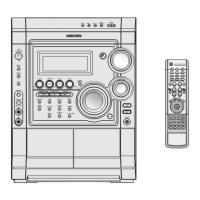
Thank you for buying this
SAMSUNG mini-compact system.
Please take time to read these instructions.
They will allow you to operate your
system with ease and take full advantage
of its features.
MAX-DS750 GB-1~24 9/19/04 10:59 Page 3



 To Next Page