GB
18
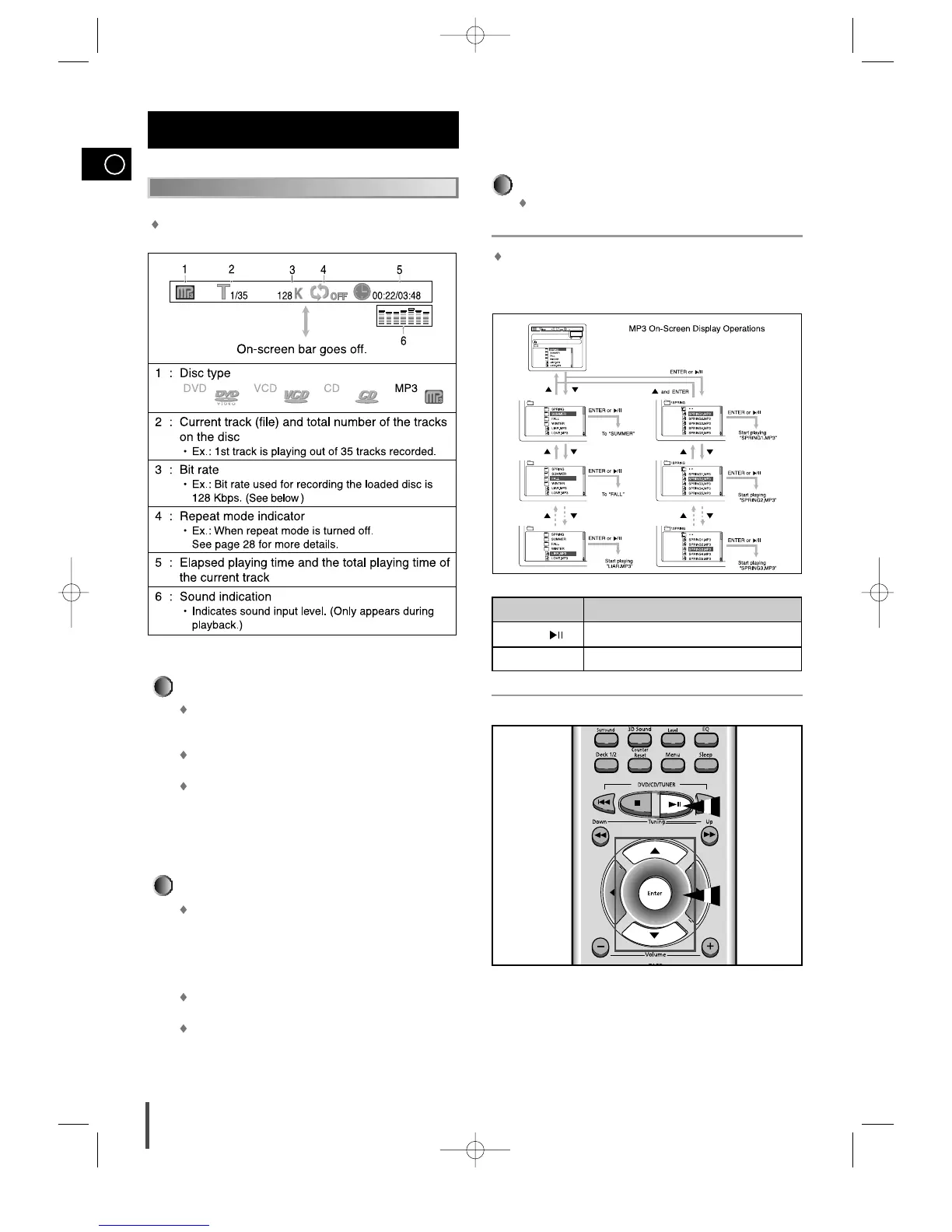
Press the Display button.
Each time you press the button, the on-screen bar appears in
sequence.
To go off the on-screen bar
MP3 File Compatibility
This system can only read MP3 files that are recorded in
the format that is compliant with ISO 9660 Level 1 or
Level 2.
The system can read or play MP3 files only with the
extension code —“.mp3 ”.
ID3*tags cannot be shown on the display.
*An MP3 file can contain file information called “ID3 Tag ”
where its album name, performer, rack title, etc. are
recorded. There are two versions —ID3v1 (ID3 Tag ver-
sion 1)and ID3v2 (ID3 Tag version 2).
CD-R/RW playback compatibility
Your DVD player can also play CD-R and CD-RW discs
recorded in digital audio format. When recording your own
CD-R or CD-RW discs, make sure that the recording ses-
sion is properly terminated, or they will not be playable.
(Depending on disc properties and recording quality,
some CD-R/RW may not be playable.)
CD-RW has a lower reflection rate than CD-R media and
consequently it will take a longer to read CD-R discs.
CD-RW discs recorded at high speed tend to be difficult
for the DVD player to read. If the recording speed for the
CD-RW disc is not predetermined, write it at low speed.
MP3 Playback (Cont’d)
Operations Using the On-Screen Display
It is recommended to turn on your TV when playing back an MP3
disc.
When the loaded MP3 disc is recognized, the following on-screen dis-
play appears on the TV screen.
(The contents of this on-screen display varies according to the disc —
the way MP3 tracks were recorded on the disc.)
MP3 Playback
(Cont’d)



 To Next Page