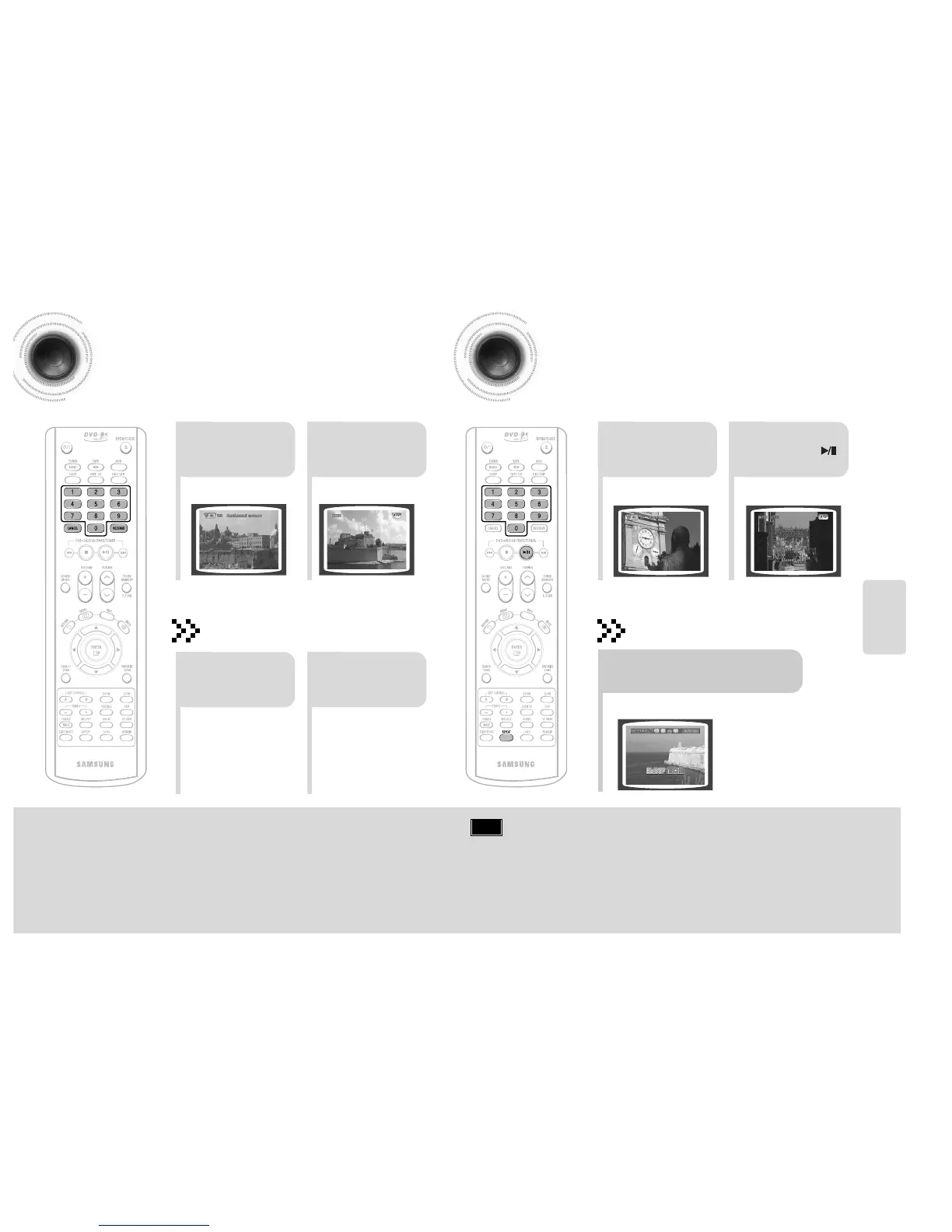
Reserving Accompaniment Music
While the accompaniment is playing, you can reserve the next song you want to sing.
21
Press the NUMERIC
(0~9) buttons to select
the song you want to
reserve.
Press the
RESERVE button.
•
The song is reserved.
21
In Stop mode, press the
NUMERIC (0~9) buttons
to select the song you
want to play back.
Press the
PLAY/PAUSE( )
button
43 44
Priority Playing Accompaniment Music
SETUP
To Cancel the Reservation
21
Enter the numeric
of the song you
have reserved.
Press the
CANCEL button.
•
Each time the button is pressed, the selection changes as follows:
REPEAT OFF ➝ REPEAT ONE ➝ REPEAT ALL ➝ RANDOM.
Press the REPEAT button.
DVD-OK Repeat Play
Note
• REPEAT function will not operate if RESERVE function is set
while DVD-OK is played.



 To Next Page