Favorite Song Function
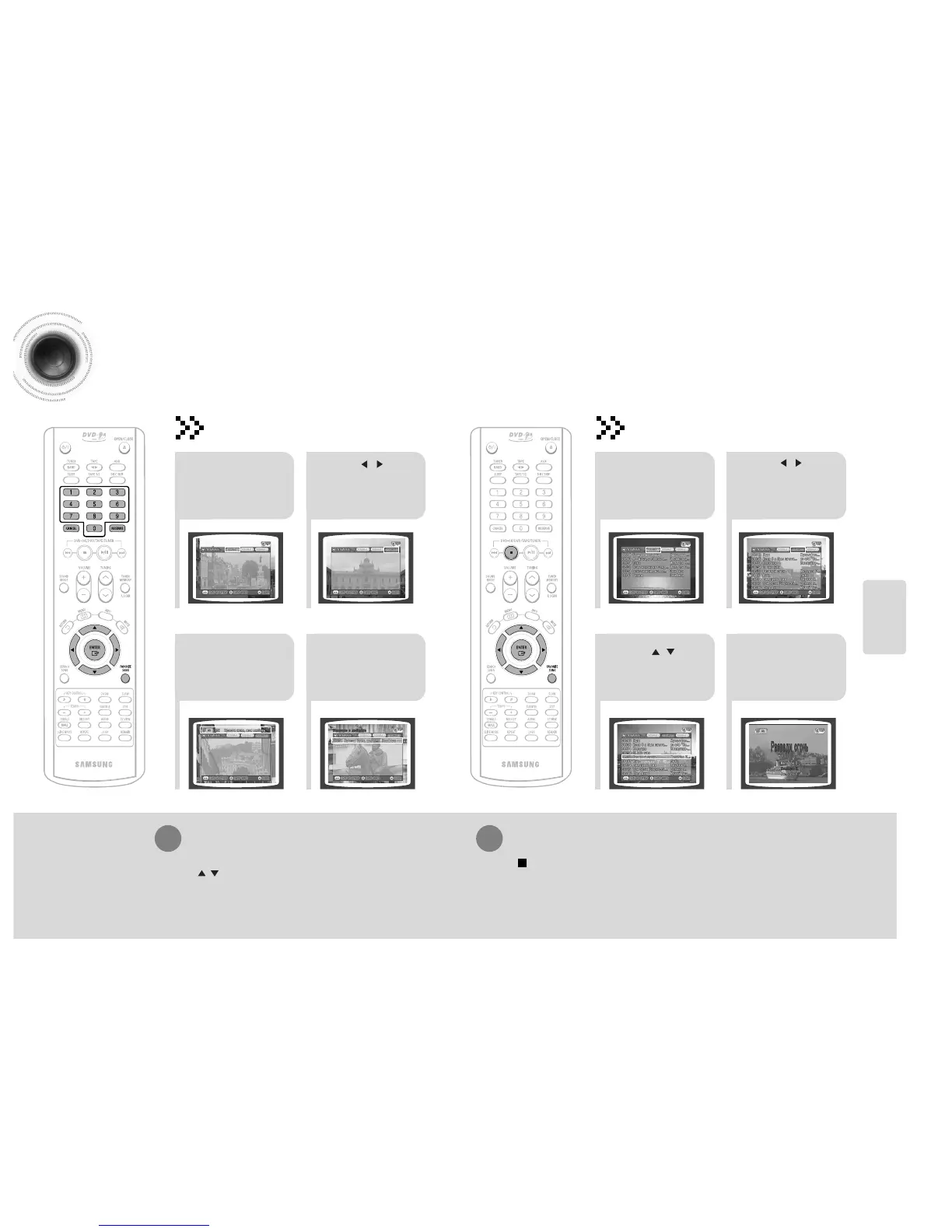
You can save 18 songs you like or sing often each in FAVORITE1, 2, 3, a total of 54 songs to easily find
and sing a your favorite song.
21
43
During the stop
mode, press the
FAVORITE SONG
button.
Press , button
to select the location
to save among
FAVORITE1, 2, 3.
Press the number
(0~9) button to
enter the song you
want.
Press the
RESERVE button
to save it.
Deleting FAVORITE SONG
Saving FAVORITE SONG
45
1. During the stop mode, press the FAVORITE SONG button.
2. Press , button to select the song to delete.
3. Press the CANCEL button.
SETUP
46
21
43
During the stop
mode, press the
FAVORITE SONG
button.
Press , button
to select the location
of song among
FAVORITE 1, 2, 3.
Press , button
to select the song
you want.
Press the ENTER
button to play back
selected song.
Singing FAVORITE SONG
To Exit FAVORITE SONG Screen
• Press (STOP) button or FAVORITE SONG button.



 To Next Page