15
16
Disc Playback
•
Depending on the content of the disc, the initial screen may appear different.
•
Depending on the recording mode, some MP3-CDs cannot be played.
•
Table of contents of a MP3-CD varies depending on the MP3 track format
recorded on the disc.
DVD VCD CD
•
Playback starts automatically.
MP3 JPEG
•
Playback starts automatically.
•
If the TV is on, a list of MP3s on
the CD will appear on the TV
screen.
Note
•
To resume playback, press PLAY/PAUSE
button again.
To temporarily pause playback,
press PLAY/PAUSE during playback.
•
If pressed once, “PRESS PLAY” is displayed and the
stop position will be stored in memory. If PLAY/PAUSE
( ) button or ENTER button is pressed, playback
resumes from the stop position. (This function works
only with DVDs.)
•
If pressed twice, “STOP” is displayed, and if
PLAY/PAUSE ( ) button is pressed, playback
starts from the beginning.
To stop playback,
press STOP during playback.
DivX
Setting the Clock
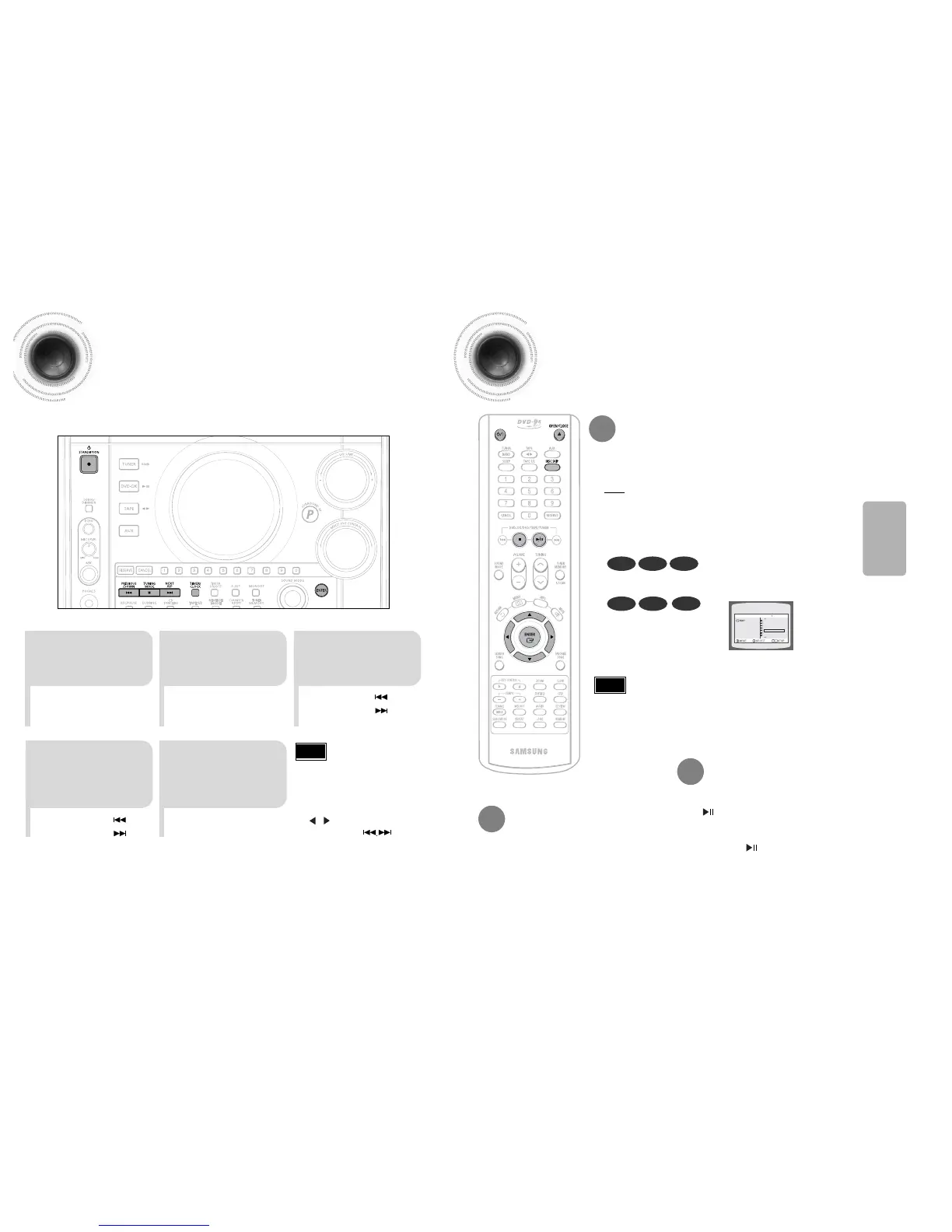
For each step, you have a few seconds to set the required options.
If you exceed this time, you must start again.
•
CLOCK is displayed.
2
Press TIMER/CLOCK
twice.
1
Switch the system
on by pressing
POWER button.
•
"TIMER" appears in the display.
•
The current time is now set.
5
When the correct
time is displayed,
press ENTER.
•
Increase the minutes :
•
Decrease the minutes :
4
When the correct
hour is displayed,
press ENTER.
The minutes flash.
•
Increase the hours :
•
Decrease the hours :
3
Press ENTER.
The hour flashes.
The CD function is automatically selected when Disc Skip is pushed.
To select a specific disc, press the corresponding DISC (1, 2, 3) button on the
front panel or DISC SKIP on the remote control, until the required disc indicator
flashes.
Result: All the discs will be played in turn, starting with the one selected.
•
If you use the DISC (1, 2, 3) function when listening to the radio or to a tape, the
system switches automatically to the CD mode.
•
If the disc selected is not loaded, the next disc is played automatically.
Selecting a CD in the Disc changer
OPERATION
•
You can display the time, even
when you are using another
function, by pressing
TIMER/CLOCK once.
•
You can also use Multi-Jog or
button on the Remote
control instead of
buttons in step 3,4.
Note



 To Next Page