Samsung Electronics 3-1
Disassembly & Reassembly
3. Disassembly & Reassembly
3-1 Overall Disassembly & Reassembly
- Be careful to follow the disassembly sequence described in the manual. Otherwise, the product
may be damaged.
- Be sure to carefully read and understand the safety instructions before performing any work as
the IC chips on the PCB are vulnerable to static electricity.
- Assemble in the reverse order of disassembly.
No. Description Description Photo
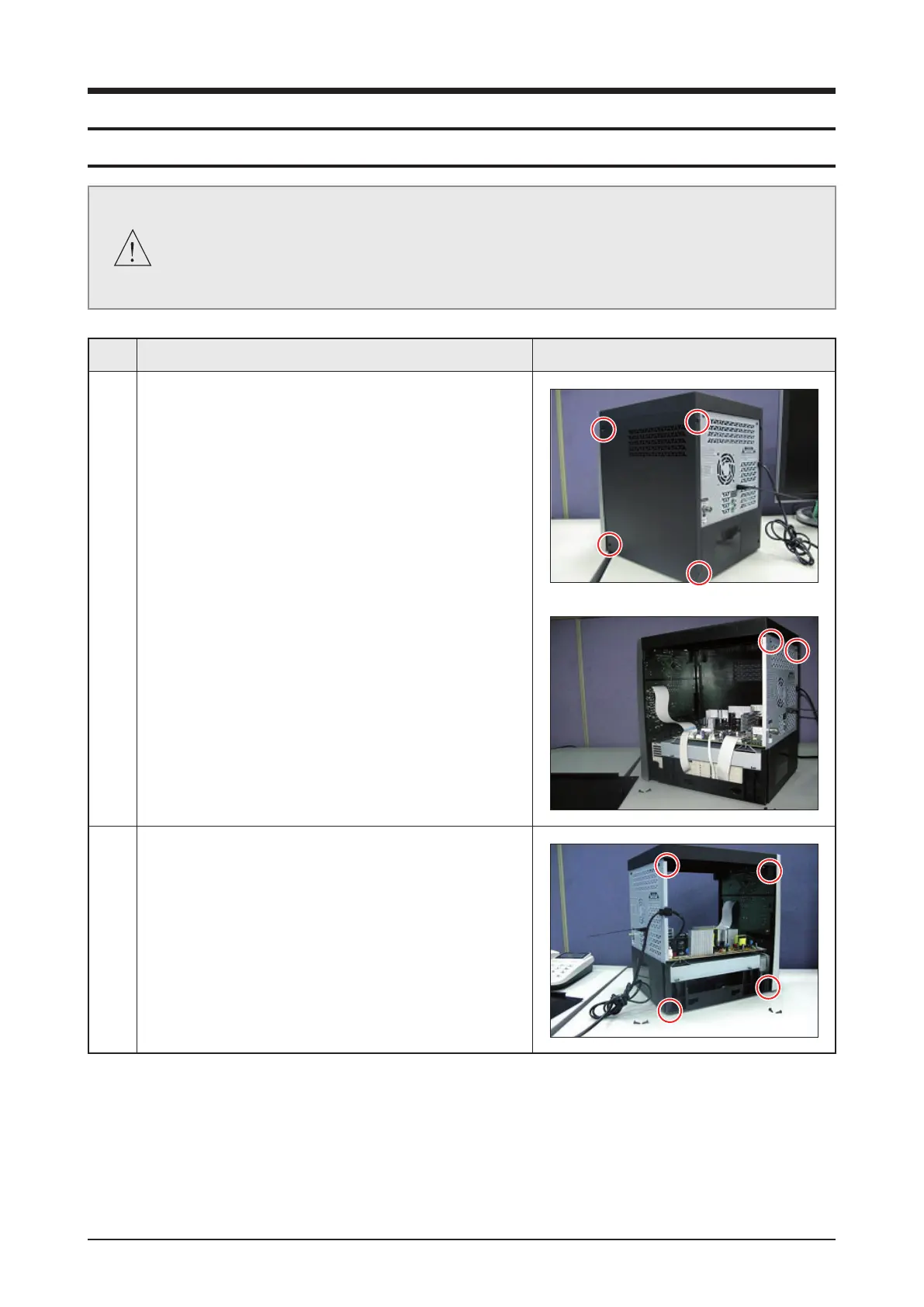
1 1) Unfasten 4 screws on side Cover.
2) Separate the side cover and unfasten 2 screws on
back Cover.
2 1) Unfasten 4 screws on side Cover and separate the
side Cover.



 To Next Page