Samsung Electronics 3-5
Disassembly & Reassembly
No. Description Description Photo
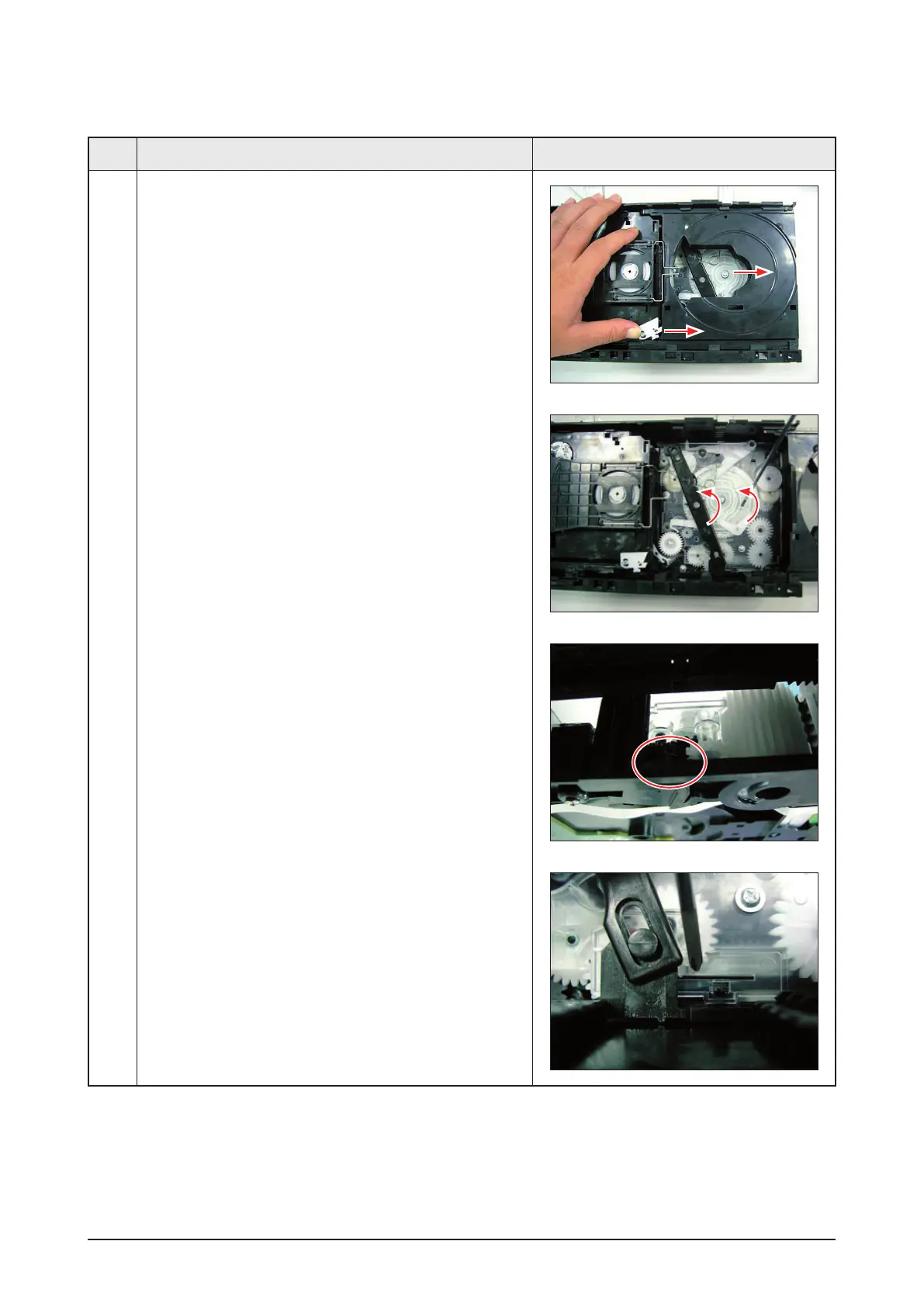
2 1) Push the white swich and pull the 5 tray out.
2) Turn the white wheel with counter-clockwise to end
at first, then turn the lever-link.
3) If you can’t turn the lever-link, check the wheel.
4) Push the hook, let the lever-link turn to right again.



 To Next Page