Advanced Functions
BEAT WAVING Function
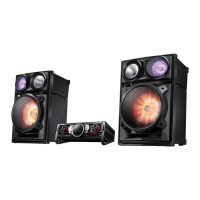
The Beat Waving function lets you change the
Speaker LED display mode.
1. Each time you press the BEAT WAVING button on
the product, the Speaker LED display mode
changes as follows:
PARTY 1 "'* PARTY 2 " FUN 1 "'* FUN 2 "* PURE "'*
FRESH "'* LOVE "'* JOY "* SUNSET -, SUNRISE "'*
NATURE 1 "'* NATURE 2 "'* WAVE 1 "'* WAVE 2 "'*
AURORA "* OFF
• Ifyouselect BEAT WAVING OFF, all the speaker LED
dbplays are turned off.
DJ BEAT Function
The DJ Beat function lets you turn on the
FLANGER, PANNING, CHORUS, and WAHWAH
sound effect functions. The level of each effect is
adjustabb.
(qr' The set scope is [-15 ~ +15] and the hitial set up
values are all 0.
FLANGER : Createsa vibration similar to the sound ofa jet
enginerevving up and down.
PANNING : Increasesthe leftand right speaker's output in
turn and makes it seem as if the sound is moving
from side to side.
WAHWAH : Creates a 'Wah-, Wah-,' effect.
CHORUS :Creates a vibration that sounds likea singing
chorus.
1. To set the desired effect, press the FLANGER,
PANNING, CHORUS, or WAHWAH button on the
product,
* The red LED turns on around the button you pushed
and around the DJ BEAT button.
* You can control the intensity of the effect with the
Volume Jog. Tocontrol the volume, press the product's
DJ BEAT button.
* To cancd an effect, press the effect's button again.
* To change to a different effect, press another effect
button.
* You can apply the PANNING effect to the FLANGER,
CHORUS, or WAHWAH effects.
* To apply the PANNING effect to another effect, press
the PANNING button when the other effect is active or
press another effect button when the PANNING effect
isactive.
* Use the VolumeJOG to control the intensity of the
effect that was activated last. For exampb, ifyou
activated the VVahWaheffect and then the Panning
effect, the VolumeJog will control the Panning effect.
* To control the intensityof the effect you applied first,
press the button of effect that you applied last to turn
itoff. Then, you can use the Volume Jog to control the
intensityof the first effect.
English 17



 To Next Page