EasyManua.ls Logo

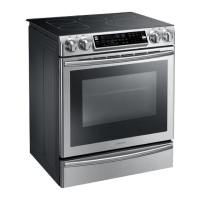
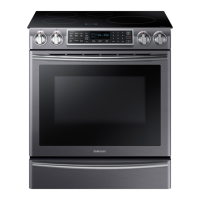
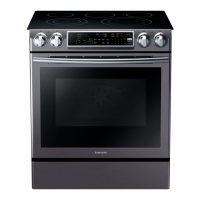
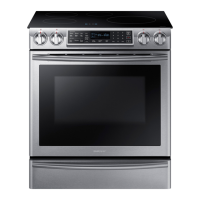
Samsung NE58F9500SS/AA - User Manual

Samsung NE58F9500SS/AA
144 pages
Print Icon
To Next Page IconTo Next Page
Loading...
imagine the possibilities
Thank you for purchasing this Samsung
product. To receive more complete
service, please register your product at
www.samsung.com/register
1-800-SAMSUNG (726-7864)
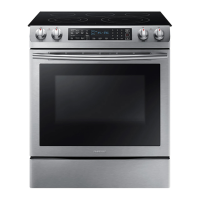
Electric Range
user manual
ENGLISH
This manual is made with 100 % recycled paper.
NE58F9500SS
130513 (IB_Better)NE58F9500SS_DG68-00499A_EN.indd 1 13/05/2013 08:36:14

Table of Contents

Other manuals for Samsung NE58F9500SS/AA

Questions and Answers

  • C
    Charles MelendezAug 20, 2025
    What to do if my Samsung NE58F9500SS/AA oven will not turn on?
    • H
      Heather MorrisAug 20, 2025
      If your Samsung Range oven won't turn on, ensure the electrical plug is properly inserted into a grounded outlet. Also, check your home's fuse or circuit breaker and replace or reset it if necessary. The oven may also be too hot and needs to cool down. Review the oven controls settings, too.
  • K
    Kelly WoodAug 22, 2025
    What to do if Samsung NE58F9500SS/AA oven control beeps and displays an error code?
    • E
      Elizabeth MartinezAug 22, 2025
      If your Samsung Ranges oven control beeps and displays an error code, press Oven Off and restart the oven. If the problem continues, disconnect power to the range for at least 30 seconds, then reconnect. If the issue persists after these steps, call for service.
  • M
    mcbridejosephAug 25, 2025
    Why does the display go blank on my Samsung NE58F9500SS/AA?
    • S
      steven17Aug 25, 2025
      If the display on your Samsung Ranges goes blank, check the fuse in your home and the circuit breaker. Replace the fuse or reset the circuit breaker if necessary.
  • E
    Erica FranklinAug 27, 2025
    What to do if Samsung NE58F9500SS/AA surface units won't maintain a rolling boil?
    • T
      Travis OwensAug 27, 2025
      If the surface units on your Samsung Ranges aren't maintaining a rolling boil or cooking fast enough, make sure you're using flat pans that match the diameter of the surface unit. If the power (voltage) is low in your area, cover the pan with a lid until the desired heat is obtained.
  • W
    William JohnsonAug 28, 2025
    What to do if my Samsung NE58F9500SS/AA oven won't self-clean?
    • T
      Thomas GillespieAug 28, 2025
      If your Samsung Ranges oven will not self-clean, allow the range to cool and reset the controls.
  • A
    Amy LunaAug 30, 2025
    Why won't the surface units turn on for my Samsung NE58F9500SS/AA Ranges?
    • M
      Michael WilliamsAug 30, 2025
      If the surface units on your Samsung Ranges won't turn on, first check the fuse in your home or the circuit breaker and replace or reset it if needed. Also, make sure the cooktop controls are correctly set for the surface unit you're trying to use.
  • T
    trevor34Sep 1, 2025
    How to troubleshoot a Samsung NE58F9500SS/AA appliance that will not turn on?
    • R
      Robin ThomasSep 1, 2025
      If your Samsung Ranges appliance won't turn on, make sure the power cord is plugged into a properly grounded outlet. Check the fuse and circuit breakers. If the issue persists, call for service or contact your local electric company to check for a power outage.
  • M
    Michael RobertsSep 3, 2025
    How to level a Samsung Ranges?
    • S
      Sarah HuffmanSep 3, 2025
      If your Samsung Ranges is not level, place an oven rack in the center of the oven and put a level on the rack. Adjust the leveling legs at the base of the range until the rack is level. Ensure the floor is level, strong, and stable enough to support the range. If the floor is sagging or sloping, contact a carpenter. Make sure the kitchen cabinets are properly aligned with sufficient room for installation.
  • D
    Donald ArnoldSep 5, 2025
    Why does my Samsung NE58F9500SS/AA oven smoke so much when broiling?
    • W
      Whitney HendersonSep 5, 2025
      If your Samsung Ranges oven smokes excessively during broiling, ensure the control is set properly and the oven door is opened to the broil stop position. Reposition the rack to provide proper clearance between the meat and the element, preheating the broil element for searing. Remove excess fat from the meat, cutting away fatty edges. Regular cleaning is necessary to prevent grease buildup on oven surfaces.
  • S
    Sarah KnightSep 7, 2025
    What to do if my Samsung NE58F9500SS/AA is hard to move for servicing?
    • M
      Mario RamirezSep 7, 2025
      If your Samsung Ranges appliance cannot be moved easily for servicing, contact a builder or installer to make the appliance accessible. If carpet is interfering with movement, provide sufficient space so the range can be lifted over the carpet.

Summary

important safety instructions

IMPORTANT SAFETY SYMBOLS AND PRECAUTIONS

Explains the meaning of icons and symbols used in the manual for safety warnings.

ANTI-TIP DEVICE

FOR YOUR SAFETY

General safety precautions for using the appliance.

CHILD SAFETY

WARNING

Highlights risks and precautions regarding children and the appliance.

OVEN

DO NOT TOUCH THE HEATING ELEMENTS OR INTERIOR SURFACES OF THE OVEN.

Warning about hot oven surfaces and elements.

SELF-CLEANING OVENS

How to run a self-cleaning cycle

Step-by-step instructions for running the self-cleaning cycle.

CRITICAL INSTALLATION WARNINGS

This appliance must be installed by a qualified technician

Emphasizes professional installation for safety and proper function.

CRITICAL USAGE WARNINGS

INSTALLING THE OVEN

FOR YOUR SAFETY

Safety warnings related to oven installation.

PREPARING TO INSTALL THE RANGE

PREPARE TOOLS & PARTS

Lists necessary tools and included parts for installation.

CONNECTING THE POWER

STEP 1. MEETING ELECTRICAL CONNECTION REQUIREMENTS

Covers essential electrical requirements for connecting the range.

INSTALLING THE RANGE

INSTALLING THE ANTI-TIP DEVICE

Steps for installing the anti-tip device for safety.

INTRODUCING YOUR NEW RANGE

OVERVIEW

An overview of the range's components and controls.

GETTING STARTED

SETTING THE CLOCK

Instructions on how to set the oven's clock.

surface cooking

ABOUT SURFACE COOKING

General information about using the surface cooking units.

HOW TO SET THE APPLIANCE FOR SURFACE COOKING

USING THE PROPER COOKWARE

CHOOSING THE PROPER COOKWARE

Guidance on selecting appropriate cookware materials.

PROTECTING THE COOKTOP SURFACE

Cleaning

Daily and general cleaning advice for the cooktop.

operating the oven

THE OVEN CONTROL PANEL

Detailed explanation of all oven control panel buttons and functions.

USING THE OVEN RACKS

MINIMUM AND MAXIMUM SETTINGS

BAKING

Information on programming the oven for baking.

CONVECTION BAKING

How to set the oven for convection baking

Step-by-step guide for setting up convection baking.

CONVECTION ROASTING

How to set the oven for convection roasting

Step-by-step guide for convection roasting.

TIMED COOKING

DELAY START

Information on using the delay start feature.

BROILING

How to set the oven for broiling

Step-by-step guide to broiling.

USING THE FAVORITE COOK FEATURE

How to record a recipe setting

Steps to save custom cooking settings.

USING THE HEALTHY COOK FEATURE

Healthy Cook Recommendation Guide

Table of recommendations for the Healthy Cook feature.

USING THE KEEP WARM FUNCTION

How to use the Keep Warm function

Steps to activate and use the keep warm feature.

USING THE OPTIONS FUNCTION

Temp Adjust

How to adjust the oven's temperature calibration.

USING THE TEMP PROBE

How to use the Temp probe

Instructions for inserting and using the temperature probe.

SETTING THE SABBATH FEATURE

maintaining your appliance

SELF-CLEANING

Overview of the self-cleaning function and its safety.

STEAM-CLEANING

How to set the oven for steam-cleaning

Step-by-step guide for steam cleaning.

CARE AND CLEANING OF THE OVEN

Cleaning stainless steel surfaces

Instructions for cleaning stainless steel parts.

CARE AND CLEANING OF THE GLASS COOKTOP

Normal daily use cleaning

Routine cleaning of the glass cooktop.

Removing burned-on residue

REMOVING AND REPLACING THE OVEN DOOR

How to remove the door

Step-by-step guide to removing the oven door.

REMOVING AND REPLACING THE STORAGE DRAWER

How to remove the storage drawer

Steps to remove the storage drawer.

CHANGING THE OVEN LIGHT

How to change the oven light

Step-by-step instructions for replacing the oven light bulb.

troubleshooting

The oven control beeps and displays an error code.

Guide for interpreting and resolving oven error codes.

Food does not bake or roast properly.

The oven temperature is too hot or too cold.

Display goes blank.

warranty (U.S.A)

LIMITED WARRANTY TO ORIGINAL PURCHASER

Terms and conditions of the limited warranty for US purchasers.

warranty (CANADA)

LIMITED WARRANTY TO ORIGINAL PURCHASER

Terms and conditions of the limited warranty for Canadian purchasers.

QUESTIONS OR COMMENTS

Samsung NE58F9500SS/AA Specifications

General IconGeneral
Stylesingle oven, slide-in
Colorstainless steel
Total Capacity5.8 cubic feet
Optionsdelay bake option, time bake, timer
Cooking Programsconvection, bake, roast, broil
Convectionmulti-fan
Inductionno
Number of Burners / Elements5
Number of Oven Racks3
Control Typetouchpad, knob
Interior Lightyes
Child Lockyes
Smart Homeno
Fuelelectric
Weight and Dimensions IconWeight and Dimensions
Depth26 5/16 inches
Height36 inches
Width29 22/25 inches
Net Weight191.6 pounds

Related product manuals