EasyManua.ls Logo

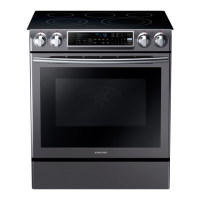
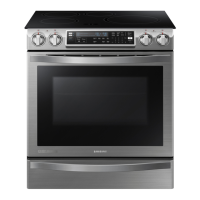
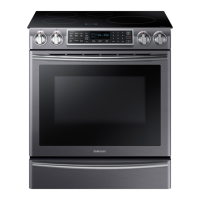
Samsung NE58K9500SG - User Manual

Samsung NE58K9500SG
216 pages
Print Icon
To Next Page IconTo Next Page
Loading...
imagine the possibilities
Thank you for purchasing this Samsung product.
Electric Range
user manual
NE58F9500SS
NE58K9500SG

Table of Contents

Questions and Answers

  • W
    Wesley CallahanSep 9, 2025
    Why is my Samsung NE58K9500SG Ranges smoking excessively during self-cleaning?
    • L
      Lindsay SmithSep 9, 2025
      If there's excessive smoking during a self-cleaning cycle of your Samsung Ranges, press Oven Off. Open the windows to vent the smoke. After the cycle cancels, wipe up the excessive soil and reset the oven for self-cleaning.
  • J
    janetmillerAug 25, 2025
    Why won't my Samsung Ranges oven turn on?
    • H
      hoffmankarenAug 25, 2025
      Your Samsung Ranges oven might not turn on due to several reasons. First, ensure the range is fully plugged into a working, grounded electrical outlet. A blown fuse or tripped circuit breaker could also be the cause, so check and replace the fuse or reset the breaker. Improperly set oven controls or an overheated oven may also prevent it from turning on. In the latter case, allow the oven to cool.
  • B
    Billy MoraAug 25, 2025
    What to do if my Samsung Ranges appliance will not turn on?
    • C
      Cory JonesAug 26, 2025
      If your Samsung Ranges appliance isn't turning on, verify that it's properly plugged into a grounded outlet and check the fuse and circuit breakers. If those are fine, call for service, as there might be incomplete service wiring. Also, check for a power outage.
  • C
    Christopher HolmesSep 23, 2025
    Why won't the oven light turn on in my Samsung NE58K9500SG Ranges?
    • D
      Donald HodgesSep 23, 2025
      If the oven light in your Samsung Ranges won't turn on, first check if the light bulb is loose or defective and tighten or replace it. If the bulb is fine, the switch operating the light may be broken, requiring a service call.
  • R
    Robert GregorySep 9, 2025
    How to fix a Samsung Ranges oven light that will not turn on?
    • N
      nataliehodgeSep 10, 2025
      If the oven light in your Samsung Ranges won't turn on, first, tighten or replace the bulb.
  • W
    Warren MullinsSep 14, 2025
    What to do if the oven light will not turn on in my Samsung Ranges?
    • M
      Max PrattSep 14, 2025
      If the oven light in your Samsung Ranges isn't turning on, first try tightening or replacing the bulb. If that doesn't work, call for service, as the switch operating the light may be broken.
  • B
    Brett RogersSep 4, 2025
    Why will my Samsung Ranges oven not self-clean?
    • R
      Ryan ChangSep 4, 2025
      The oven may not self-clean in your Samsung Ranges if the oven temperature is too high; allow the range to cool and reset the controls. Also, ensure the oven controls have been set correctly.
  • C
    carolynsantanaSep 4, 2025
    What to do if the oven door won't open after self-cleaning in my Samsung NE58K9500SG Ranges?
    • W
      williamcoxSep 4, 2025
      If the oven door of your Samsung Ranges will not open after a self-cleaning cycle, it is likely that the oven is still too hot. Allow the oven to cool down completely before attempting to open the door.
  • C
    changfeliciaSep 23, 2025
    What to do if the display goes blank on my Samsung Ranges?
    • K
      Kristina RobertsSep 23, 2025
      If the display on your Samsung Ranges goes blank, check if a fuse in your home has blown or the circuit breaker has tripped. If so, replace the fuse or reset the circuit breaker.
  • M
    Marcia SellersAug 29, 2025
    What to do if my Samsung NE58K9500SG oven control beeps and displays an error code?
    • J
      James SmithAug 29, 2025
      If your Samsung Ranges oven control is beeping and showing an error code, first press 'Oven Off' and restart the oven. If the problem continues, disconnect power to the range for at least 30 seconds, then reconnect it. If the issue persists after these steps, call for service.

Summary

Anti-Tip Device Safety

Anti-Tip Device Warnings

Warnings about the risks of tipping the range if the anti-tip device is not properly installed or engaged.

Important Safety Instructions

Safety Symbols and Precautions

Explains the meaning of various icons and symbols used throughout the manual for safety warnings.

General Safety Precautions

Child Safety Guidelines

Emphasizes the need for adult supervision and keeping children away from the appliance.

Surface Cooking Units

Electrical Safety

Proper Installation and Grounding

Stresses the importance of installation by qualified technicians and proper grounding.

Oven Safety Precautions

Glass;Ceramic Cooking Surface Safety

Critical Installation Warnings

Professional Installation Requirement

Mandates installation by a qualified technician to prevent electric shock, fire, or injury.

Critical Usage Warnings

Electrical Connection Safety

Details on safe electrical plug insertion, grounding, and avoiding damaged cords.

Usage Cautions

Critical Cleaning Warnings

Installing the Oven

For Your Safety During Installation

Emphasizes following all installation instructions to prevent hazards.

Preparing to Install the Range

Checking the Installation Site

Clearances and Dimensions

Specifies required clearances for cutouts and cabinet temperature resistance.

Minimum Installation Dimensions

Connecting the Power

Electrical Connection Requirements

Specifies voltage, frequency, grounding, and recommends qualified electricians.

Accessing the Power Cord Connection

Installing the Power Cord

3-Wire Power Cord Connection

Step-by-step guide for connecting a 3-wire power cord to the terminal block.

4-Wire Power Cord Connection

Installing the Conduit

Installing the Range

Installing the Anti-Tip Device

Crucial safety step to prevent tipping; instructions for bracket installation.

Checking Adjustments and Finalizing Installation

Surface Cooking

Surface Cooking Operation

Cookware Guidelines

Protecting the Cooktop Surface

Operating the Oven

Oven Control Panel Overview

Detailed description of each button and its function on the control panel.

Using the Oven Racks

Baking Operations

Convection Baking

Convection Roasting

Timed Cooking

Delay Start Feature

Broiling

Favorite Cook Feature

Healthy Cook Feature

Keep Warm Function

Bread Proof Function

Options Function

Using the Temp Probe

Temp Probe Insertion and Function

How to properly insert the probe and its use for cooking meat to desired temperatures.

Sabbath Feature

Maintaining Your Appliance

Self-Cleaning Oven Operation

Explains the self-cleaning process and safety precautions during the cycle.

Steam Cleaning

Care and Cleaning of the Oven

Care and Cleaning of the Glass Cooktop

Removing and Replacing the Oven Door

Troubleshooting

Error Code Displays

Explains common error codes and how to resolve them.

Self-Cleaning and Door Lock Issues

Samsung NE58K9500SG Specifications

General IconGeneral
Fuel TypeElectric
Oven Capacity5.8 cu. ft.
Cooktop TypeInduction
Cooktop SurfaceGlass
Number of Burners5
Self-CleaningYes
Wi-Fi ConnectivityYes
ColorBlack Stainless Steel
Width29.875 inches

Related product manuals