23
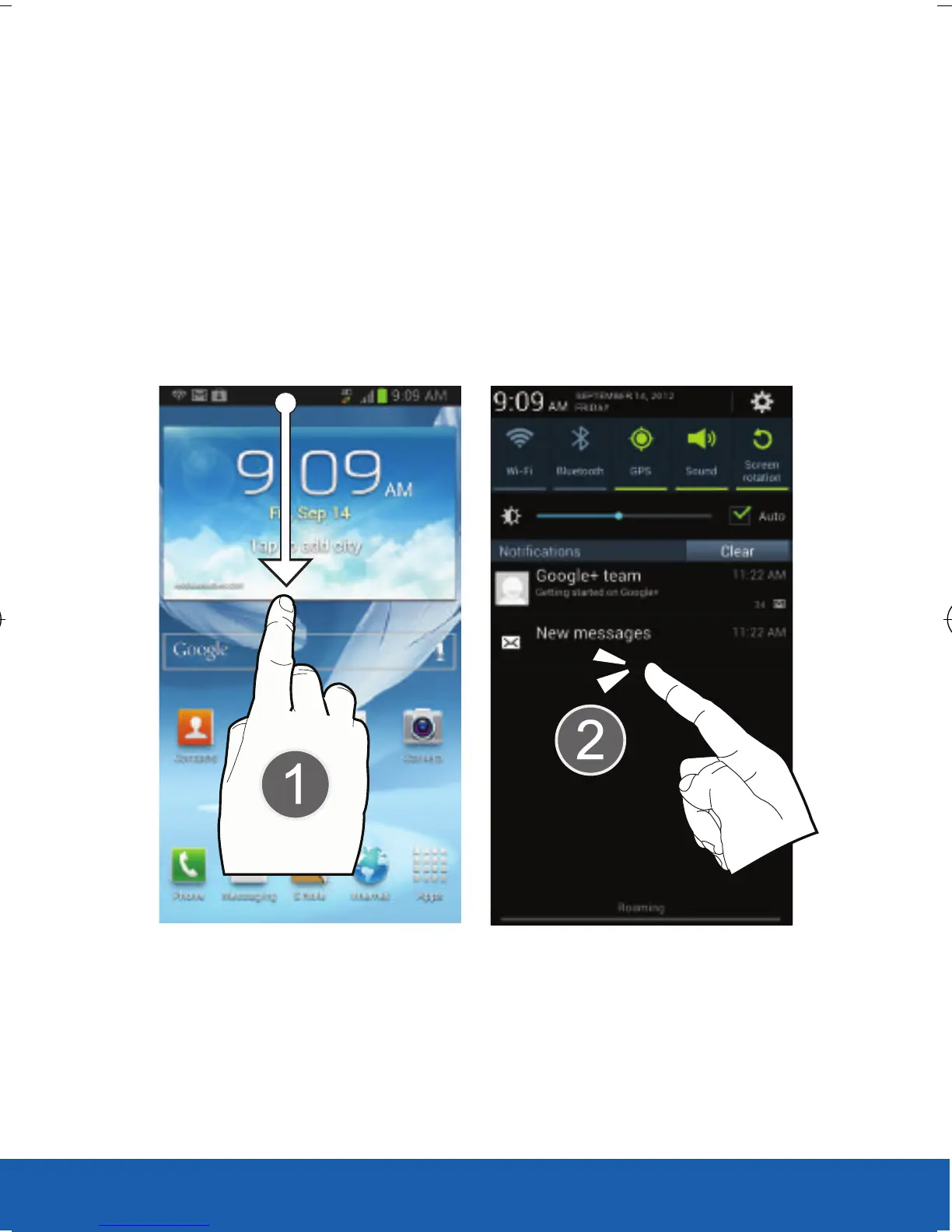
Opening the Notification Screen
1. In a single motion, touch and drag the Status
bar down to the bottom of the screen to open
the Notification screen (1).
2. Tap a notification entry to open the associated
application (2).
USC_T0_QRM_75X105.indd 23 9/27/2012 9:16:04 PM












 To Next Page