EasyManua.ls Logo

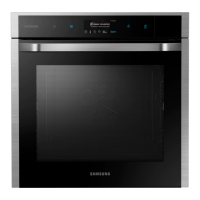
Samsung NV73J7740RS - User Manual

Samsung NV73J7740RS
76 pages
Print Icon
To Next Page IconTo Next Page
Loading...
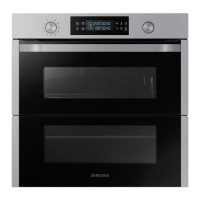
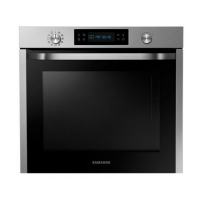
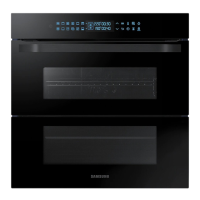
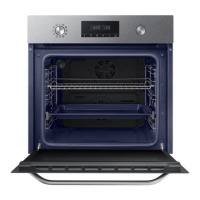
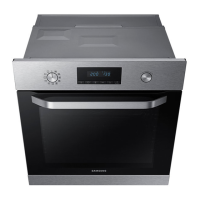
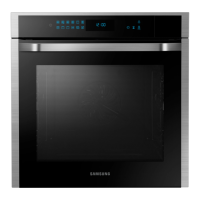
Built-in Oven
User & installation manual
NV73J7740RS
NV73J7740RS_EU_DG68-00614E-01_EN.indd 1 2015-05-18  3:37:19

Questions and Answers

  • M
    Michael LeeAug 20, 2025
    Why does my Samsung NV73J7740RS Oven power turn off during operation?
    • N
      Nicole ThomasAug 20, 2025
      The power to your Samsung oven might turn off during operation due to several reasons. If continuous cooking takes a long time, allow the oven to cool down after extended use. Ensure the cooling fan is working correctly by listening for its sound. Check that the oven has proper ventilation according to the installation guide. Avoid using multiple power plugs in the same socket; use a single plug instead.
  • P
    Patrick BradfordAug 22, 2025
    What to do if my Samsung Oven does not heat?
    • W
      walvarezAug 22, 2025
      If your Samsung oven isn't heating, make sure the door is fully closed and restart it. Also, check the oven controls to ensure they are correctly set according to the operation instructions. Finally, inspect the household fuse or circuit breaker and replace the fuse or reset the breaker if necessary.
  • M
    Mr. David Perkins DVMAug 25, 2025
    Why Steam cleaning does not work in my Samsung NV73J7740RS?
    • K
      Kevin GardnerAug 25, 2025
      If the steam cleaning function isn't working on your Samsung oven, it may be because the temperature is too high. Let the oven cool down before using the steam clean function.
  • J
    jreynoldsAug 26, 2025
    What to do if my Samsung NV73J7740RS buttons cannot be pressed properly?
    • J
      John PhillipsAug 27, 2025
      If the buttons on your Samsung oven aren't working, first check for any foreign matter caught between them and remove it. For touch models, ensure there is no moisture on the exterior. Also, verify whether the lock function is activated.
  • H
    Hannah CarpenterAug 28, 2025
    Why is my Samsung Oven exterior too hot during operation?
    • S
      smithbrandyAug 28, 2025
      If the exterior of your Samsung oven gets too hot, it might be due to poor ventilation. Ensure that you maintain the gaps specified in the product installation guide to allow for proper airflow.
  • R
    Robert OnealAug 29, 2025
    Why does smoke come out of my Samsung Oven during operation?
    • D
      Dakota MoralesAug 29, 2025
      During the initial operation of your Samsung oven, smoke may come from the heater. This is normal and should stop after running the oven 2-3 times. If smoke appears later, check if there is food on the heater and, after the oven cools, remove it.
  • P
    Paul EvansAug 31, 2025
    What to do if my Samsung NV73J7740RS door cannot be opened properly?
    • R
      Rebecca StewartSep 1, 2025
      If the door of your Samsung oven is stuck, check for any food residue between the door and the interior. Clean the oven thoroughly before attempting to open the door again.
  • M
    Mark GoodmanSep 2, 2025
    How to fix Samsung NV73J7740RS Oven error C-d0?
    • V
      Vanessa ThomasSep 2, 2025
      The C-d0 error on your Samsung oven indicates a button problem, often caused by a button being pressed and held for too long. Clean the buttons, ensure they are dry, turn off the oven, and try again.
  • R
    Robert FosterSep 4, 2025
    Why is there a burning or plastic smell when using my Samsung Oven?
    • S
      Stephanie McdanielSep 4, 2025
      If you notice a burning or plastic smell when using your Samsung oven, it's likely due to using plastic or other containers that aren't heat-resistant. Switch to using glass containers suitable for high temperatures.
  • A
    Amy DunnSep 6, 2025
    How to fix Samsung Oven error C-20?
    • G
      George StokesSep 6, 2025
      The C-20 error on your Samsung oven indicates a sensor malfunction. Turn off the oven and then restart it.

Summary

Safety instructions

Important safety precautions

Crucial safety measures for operating the appliance safely, covering user capabilities and cord safety.

Installation

Power connection

Instructions for connecting the oven to the electrical power supply safely and correctly.

Cabinet mount

Requirements and dimensions for installing the oven within a built-in cabinet for proper ventilation.

Operations

Control panel

Detailed explanation of each button and function on the oven's control panel.

Cooking Methods

Using cooking modes, vapour function, meat probe, special functions, and auto cook.

Cooking Smart

Auto Cook Programmes and Test Dishes

Overview of auto programmes and test dish recommendations for various cooking methods.

Maintenance

Troubleshooting

Problem Checkpoints

A table of common oven problems, their causes, and suggested actions for resolution.

Information Codes

Explanation of error codes and safety shutoff conditions with troubleshooting steps.

Samsung NV73J7740RS Specifications

General IconGeneral
BrandSamsung
ModelNV73J7740RS
CategoryOven
LanguageEnglish

Related product manuals