EasyManua.ls Logo

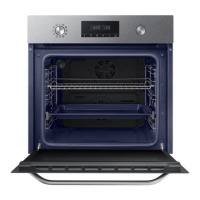
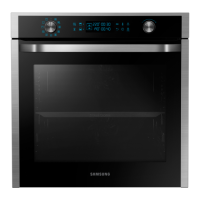
Samsung NV73J9770RS - User Manual

Samsung NV73J9770RS
92 pages
Print Icon
To Next Page IconTo Next Page
Loading...
Built-in Oven
User & installation manual
NV73J9770RS
NV73J9770RS_EU_DG68-00613E-02_EN.indd 1 2015-05-19 �� 3:37:10

Questions and Answers

  • W
    William RichardAug 16, 2025
    Why Samsung NV73J9770RS Oven does not heat?
    • S
      stephanievasquezAug 16, 2025
      If your Samsung oven isn't heating, there could be several reasons: * The door might not be completely closed; ensure it's shut properly and restart the oven. * The oven controls may not be set correctly; double-check the settings against the oven operation instructions and reset. * A household fuse may have blown or the circuit breaker may have tripped; replace the fuse or reset the circuit breaker. If this happens repeatedly, consult an electrician.
  • L
    Lindsey HarveyAug 19, 2025
    Why does my Samsung Oven power turn off during operation?
    • J
      johnsonbreannaAug 19, 2025
      If your Samsung oven's power turns off during operation, it could be due to several reasons: 1. If the oven has been cooking for a long time, allow it to cool down. 2. Check if the cooling fan is working; listen for its sound. 3. Ensure the oven has proper ventilation according to the installation guide. 4. If using multiple power plugs in the same socket, switch to a single plug.
  • A
    Alicia FrenchAug 22, 2025
    Why time is not displayed on Samsung Oven?
    • R
      Ryan JohnsonAug 22, 2025
      If the time is not displayed on your Samsung oven, it is likely due to a lack of power supply. Check whether the oven is properly connected to a power source.
  • N
    Natalie DavisAug 25, 2025
    Why does smoke come out of my Samsung NV73J9770RS during operation?
    • A
      Anita MccarthyAug 26, 2025
      If smoke comes out of your Samsung oven during operation, there are a couple of potential causes: * During initial operation: Smoke may come from the heater when you first use the oven. This is normal, and it should stop after running the oven 2-3 times. * If there is food on the heater: Allow the oven to cool completely and remove any food from the heater.
  • K
    Kathryn TorresAug 28, 2025
    How to fix Samsung NV73J9770RS buttons that cannot be pressed properly?
    • A
      Amber MartinezAug 28, 2025
      If the buttons on your Samsung oven cannot be pressed properly, the issue might be due to: * Foreign matter caught between the buttons: Remove any foreign matter and try again. * Moisture on the exterior (for touch models): Remove any moisture and try again. * The lock function being set: Check whether the lock function is enabled.
  • M
    Megan HernandezAug 31, 2025
    Why Samsung Oven interior light is dim?
    • M
      Melissa YoungAug 31, 2025
      If the interior light of your Samsung oven is dim or doesn't turn on, here are a couple of reasons: * The lamp turns on and then off: The lamp automatically turns off after a certain amount of time to save power. You can turn it on again by pressing the Oven light button. * The lamp is covered by foreign matter during cooking: Clean the inside of the oven and then check the lamp.
  • C
    Carla JohnsonSep 3, 2025
    Why is there electricity coming from my Samsung NV73J9770RS Oven?
    • D
      Debra HallSep 3, 2025
      If there is electricity coming from your Samsung oven, it could be due to: * The power supply not being properly grounded. * Using a socket without grounding. Check whether the power supply is properly grounded.
  • H
    Heather WilliamsSep 6, 2025
    What does C-d0 mean on a Samsung Oven?
    • D
      Deborah BarronSep 6, 2025
      If your Samsung oven fails to operate and displays the information code C-d0, it indicates a button problem, possibly due to a button being pressed and held for too long. Clean the buttons and ensure they are dry. Turn off the oven and try again. If the problem persists, contact a local Samsung service center.
  • R
    Rebecca FosterSep 9, 2025
    What does C-F2 error mean on Samsung NV73J9770RS?
    • T
      Timothy NguyenSep 9, 2025
      If your Samsung oven fails to operate and shows the information code C-F2 on the display, it indicates a communication problem. Turn off the oven and then restart it. If the problem persists, turn off all power for 30 seconds or more and then reconnect. If the issue is not resolved, contact a service center.
  • J
    John HessSep 12, 2025
    What does C-d1 error mean on Samsung NV73J9770RS?
    • D
      Daniel MartinSep 12, 2025
      If your Samsung oven fails to operate and displays the information code C-d1, it indicates door lock malfunctions. Turn off the oven and then restart it. If the problem continues, turn off all power for 30 seconds or more and then reconnect. If the problem is not fixed, please contact a service centre.

Summary

Safety instructions

Important safety precautions

Essential safety guidelines and warnings for operating the appliance safely.

Installation

Power connection

Detailed instructions on how to connect the oven to the electrical power supply.

Cabinet mount

Guidelines and dimensions for installing the oven into a built-in cabinet.

Before you start

Initial settings

Steps for completing the initial setup of the oven upon first use.

Smart safety mechanism

Explanation of the safety feature that stops operation when the door is opened.

Operations

Control panel

Overview of the oven's control panel buttons and their functions.

Common settings

How to adjust temperature and cooking time for various cooking modes.

Oven function

How to select and use the different oven cooking modes.

Cooking modes

Overview of available cooking modes, temperature, and options.

Auto cook

Guide to using the automatic cooking programs for various dishes.

Cleaning

Overview of the different cleaning modes available for the oven.

Cooking Smart

Manual cooking

Guidance on manual cooking techniques, including temperature and time settings.

Baking

Specific recommendations and recipes for baking various types of food.

Roasting

Guidelines and recipes for roasting different types of meat, poultry, and fish.

Grilling

Instructions for grilling various foods, including temperature and time settings.

Vapour mode

Introduction to the vapour cooking feature and its benefits.

Auto cook programmes

A comprehensive list of automatic cooking programs with detailed instructions.

Maintenance

Cleaning

Instructions for cleaning the oven interior, exterior, and accessories.

Troubleshooting

Checkpoints

A table of common problems, their causes, and suggested solutions.

Information codes

Explanation of error codes displayed on the oven and how to resolve them.

Samsung NV73J9770RS Specifications

General IconGeneral
BrandSamsung
ModelNV73J9770RS
CategoryOven
LanguageEnglish

Related product manuals