EasyManua.ls Logo

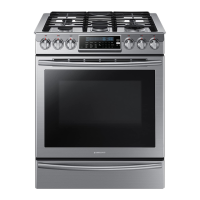
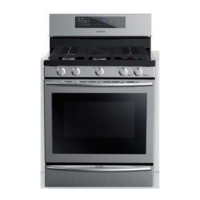
Samsung NX58F5300SS - User Manual

Samsung NX58F5300SS
76 pages
Print Icon
To Next Page IconTo Next Page
Loading...
Free-Standing Gas
Range
user manual
imagine the possibilities
Thank you for purchasing this Samsung product.
To receive more complete service, please register
your product at
www.samsung.com/register
1-800-SAMSUNG (726-7864)
NX58F5500SS
NX58F5500SB
NX58F5500SW
NX58F5300SS
This manual is made with 100 % recycled paper.
ENGLISH
140102_(IB)NX58F5300SS_AA_DG68-00509A-01_EN.indd 1 02/01/2014 13:48:43

Other manuals for Samsung NX58F5300SS

Questions and Answers

  • H
    Hunter OlsonSep 17, 2025
    How to level my Samsung Ranges?
    • D
      Dana JacksonSep 18, 2025
      If your range isn't level, it could be due to improper installation or damaged leveling legs. Ensure the floor is level, strong, and stable; if it sags or slopes, contact a carpenter. Also, make sure the kitchen cabinets are properly aligned to provide sufficient room for installation. Check and level the range.
  • S
    Suzanne RomanAug 25, 2025
    What to do if all burners on my Samsung Ranges do not light?
    • M
      Michael BallardAug 25, 2025
      If none of the burners on your Samsung Ranges are lighting, check the following: * Make sure the power cord is properly plugged into a live, grounded electrical outlet. * Check your home's fuse box or circuit breaker and replace the fuse or reset the breaker if needed. * Ensure the gas supply is properly connected and turned on. Refer to the Installation Instructions that came with your range for guidance.
  • D
    daniellemccoyAug 26, 2025
    What to do if my Samsung Ranges oven control beeps and displays an error code?
    • K
      Katherine MosesAug 26, 2025
      If your Samsung Ranges oven control is beeping and showing an error code, it indicates a function error. To resolve this: * Press the OVEN OFF pad and restart the oven. * If the problem continues, disconnect power to the range for at least 30 seconds, then reconnect it. * If the issue persists after these steps, it's best to call for service.
  • C
    Christopher CuevasAug 26, 2025
    Why Samsung NX58F5300SS oven will not Self-Clean?
    • G
      gabrielle09Aug 27, 2025
      Your Samsung Ranges oven might not start the self-clean cycle for a few reasons: * Check if the oven door lock is activated (the display will show a Lock icon). Hold the oven door open and press the START/SET pad for 3 seconds to deactivate it. * Ensure the warming drawer is not in use, as the self-clean function won't operate when the warming drawer is on. * If the oven is too hot, it won't lock the door to start the self-clean cycle. Allow the oven to cool down and then reset the controls. * Also, verify that the self-cleaning oven controls are properly set.
  • A
    Ashley CunninghamSep 18, 2025
    Why is the oven temperature too hot or cold in my Samsung NX58F5300SS Ranges?
    • A
      Aaron WarrenSep 18, 2025
      The oven temperature might be too hot or cold if the oven thermostat needs adjustment.
  • M
    Michael WilliamsSep 23, 2025
    How to make oven racks easier to slide in my Samsung Ranges?
    • E
      Erica AndersonSep 23, 2025
      To make oven racks easier to slide, apply a small amount of vegetable oil to a paper towel and wipe the edges of the oven racks with it. Racks can become dull and hard to slide if they are left in the oven during a self-clean cycle.
  • K
    Kimberly PowellSep 9, 2025
    Why do I hear a crackling or popping sound from my Samsung NX58F5300SS?
    • A
      Abigail BellSep 9, 2025
      If you hear a crackling or popping sound coming from your Samsung Ranges, it's normal. This is just the sound of the metal heating and cooling during cooking or cleaning.
  • F
    fryedavidSep 10, 2025
    Why are the oven racks difficult to slide in my Samsung Ranges?
    • M
      Mindy FrazierSep 10, 2025
      Apply a small amount of vegetable oil to a paper towel and wipe the edges of the oven racks with the paper towel. Racks become dull and hard to slide when they are left in the oven during a self-clean cycle.
  • Y
    ybaileySep 3, 2025
    Why Samsung NX58F5300SS oven door will not open after a Self-Cleaning cycle?
    • J
      Jesus LongSep 3, 2025
      If the oven door on your Samsung Ranges won't open after a self-cleaning cycle, don't worry—this is normal. The door will remain locked until the oven temperature drops below 392 °F.
  • S
    Sandra PooleSep 1, 2025
    Why do my Samsung NX58F5300SS surface burners click during operation?
    • T
      thomas04Sep 1, 2025
      If your Samsung Ranges surface burners are clicking during operation, it might be because the control knob has been left in the LITE position. After the burner lights, turn the control knob to a desired setting. If the clicking continues, contact a service technician.

Summary

Important Safety Instructions

Safety Symbols and General Precautions

Explains safety symbols and general precautions for appliance use.

Anti-Tip Device Safety

Instructions and warnings regarding the anti-tip device installation.

Specific Hazard Warnings

Safety measures for children, fire, steam, and general hazards.

Gas Warnings

Critical safety information and procedures for gas leaks.

Electrical Warnings

Safety guidelines and requirements for electrical connections.

Installation and Grounding

Guidelines for safe installation, grounding, and electrical setup.

Surface Cooking

Burner Operation and Flame Control

How to light, adjust, and use surface burners and control flame size.

Cookware Usage

Recommendations for selecting and using appropriate cookware.

Using the Griddle

Instructions for placing and using the griddle accessory.

Operating the Oven

Oven Controls and Displays

Identifies and explains the oven's control panel features and buttons.

Setting the Clock and Timer

Guide on setting the clock and using the kitchen timer feature.

Oven Rack Positioning

Guides on selecting optimal oven rack positions for cooking.

Baking and Temperature Settings

Instructions for using the bake function and setting temperature.

Timed and Delay Cooking

How to program the oven for cooking for a specific duration or delayed start.

Broiling and Keep Warm

Instructions for using the broil function and the keep warm feature.

Special Cooking Features

Details on using Easy Cook, Favorite Cook, and Sabbath functions.

Extra Features

Information on energy saving and temperature display settings.

Maintaining Your Appliance

Cleaning Oven Controls and Surfaces

How to clean oven control panel, stainless steel, and cooktop.

Burner, Rack, and Door Maintenance

Procedures for cleaning oven racks, burner parts, and oven door.

Oven Light Replacement

Procedure for replacing the oven light bulb.

Storage Drawer Maintenance

Instructions for removing, cleaning, and replacing the storage drawer.

Self-Cleaning Oven Operation

Precautions, operation, and cancellation of the self-cleaning cycle.

Troubleshooting

Gas, Ignition, and Flame Issues

Addresses problems with gas leaks, burner ignition, and flame size.

Oven Performance Issues

Solutions for oven temperature, smoking, and burner shut-off problems.

Self-Cleaning Cycle Problems

Troubleshoots issues with self-cleaning cycles and results.

Drawer and Rack Sliding Issues

How to fix issues with oven racks or storage drawers not sliding smoothly.

Warranty Information

Warranty Terms and Registration

Details the product warranty and how to register it.

Product Support and Contact

Information on obtaining service and contacting Samsung for help.

Samsung NX58F5300SS Specifications

General IconGeneral
TypeFreestanding
Fuel TypeGas
Oven Capacity5.8 cu. ft.
Number of Burners5
Self-CleaningYes
Convection OvenYes
Weight170 lbs
Oven Cooking ModesBake, Broil, Convection Bake, Convection Roast
ColorStainless Steel
Burner TypesSealed Burners

Related product manuals